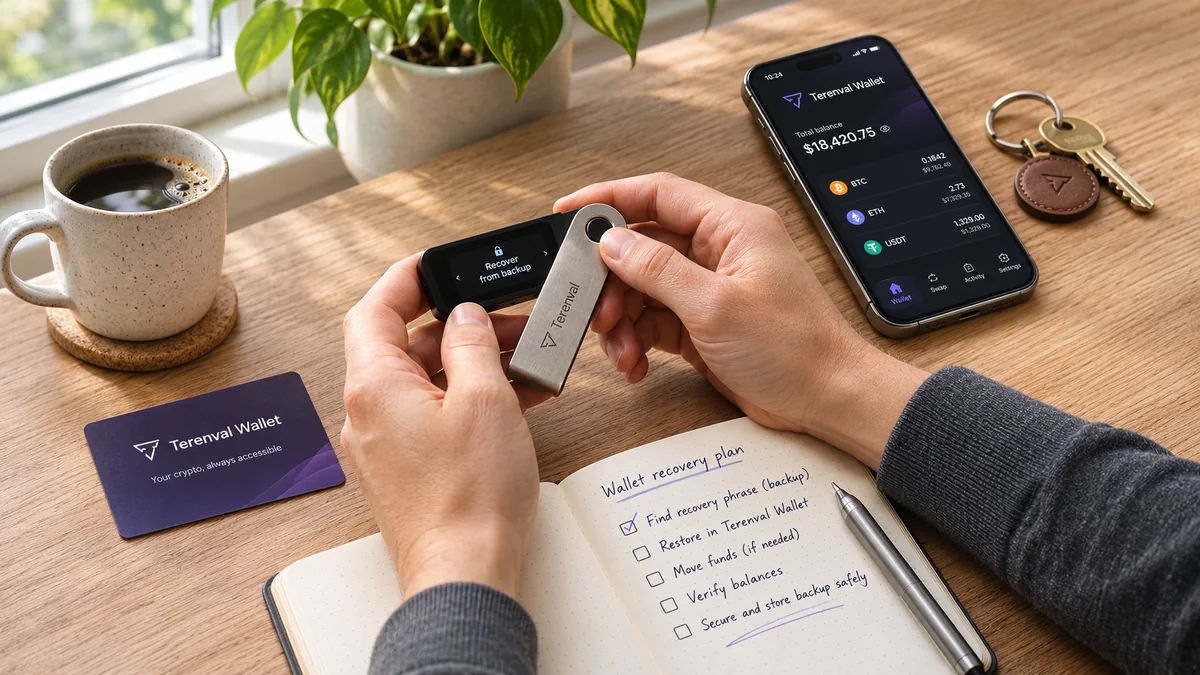
If your self-custody cryptocurrency wallet app shuts down, your Bitcoin, Ether or tokens do not normally disappear. The blockchain still records the assets at their existing addresses. What can disappear is the convenient interface for viewing holdings and signing transactions. If you retain a valid recovery method and can find compatible software, you can often regain access without transferring funds or paying a migration fee. But that outcome is not universal: custodial accounts, custom derivation paths, smart-contract wallets, missing private keys and provider-dependent recovery systems create genuine exceptions.
Imagine you open your phone tomorrow and see a notice: “This wallet app will be discontinued.” The frightening interpretation is that the company can take your crypto away by switching off its servers. For a conventional non-custodial account, that interpretation is usually wrong. The more precise question is whether you can independently authorize a transaction from the same on-chain address after the company's app or infrastructure is gone.
Short answer: A wallet app closing is not the same as a blockchain shutting down. First determine whether the wallet was self-custodial or custodial; verify the existing public address through a trusted explorer; identify the original signing and recovery method; and select a compatible replacement only after checking networks, account derivation and security. Never type a recovery phrase into a "claim your stranded funds" website, and never send crypto to a stranger who promises to restore it. A passphrase or seed backup helps only if it can reconstruct the specific account you actually used.
Terenval's editorial view: Independence from an app is not established by the words “non-custodial” on a marketing page. It is established by a recovery route you can actually verify. This article introduces a practical Wallet Independence Test, a shutdown-dependency map and a no-transfer verification protocol. They are editorial tools for evaluating risk, not recognized security certifications or guarantees of recovery.
Key Takeaways
- An app is not the ledger. Your on-chain assets remain recorded on their blockchain even if a phone app, browser extension or website stops working.
- Access is a separate problem. Without the correct private key, recovery phrase, passphrase, signer set or supported smart-account recovery method, a visible balance can still be inaccessible.
- Custodial accounts are different. An exchange or hosted wallet may control the withdrawal keys; the provider's failure can prevent customers from moving assets.
- Ordinary import usually moves no coins. Reconstructing the same account in another compatible app is not the same as transferring to a new address.
- Same phrase does not mean same discovered accounts. Derivation paths, additional BIP-39 passphrases, account indexes, Bitcoin address types and unsupported networks can hide holdings.
- Imported private keys need separate consideration. A wallet's primary seed may not restore a private-key account that was added later.
- Hardware-wallet manufacturer failure does not automatically destroy keys. But entering a hardware recovery phrase into a normal online wallet lowers the security boundary and should not be a casual workaround.
- A smart-contract wallet may require its own recovery plan. An owner's seed is not the smart-contract address; signer thresholds, guardians, modules and operational services matter.
- Passkey- and social-login-based wallets are not always BIP-39 wallets. A familiar login or biometric unlock is not proof of seed-based portability.
- RPC or indexer outages can make a solvent account appear empty. Verify chain state before assuming assets were lost.
- Missing app-store listings are not proof of a blockchain failure. Do not download unverified APKs or extensions purporting to be an emergency replacement.
- A trustworthy fallback is tested before an emergency. A verified, preferably read-only recovery rehearsal beats an untested collection of recovery words.
- The strongest continuity plan is layered. Preserve signing access, nonsecret account metadata and an independently available route to the chain.
- Nothing here requires moving funds to Terenval Wallet. Any product evaluation should use confirmed capabilities and independently verified addresses, not marketing promises.
What Happens to Your Crypto When a Wallet App Shuts Down?
The application can vanish while the account remains. A conventional self-custody wallet does not keep the Ethereum or Bitcoin ledger inside its icon; it holds or uses a way to sign transactions and queries blockchain infrastructure for balances. As Ethereum.org explains, the account exists on the blockchain and the wallet is an interface to it. Its account documentation further distinguishes the public ledger from the private key that authorizes spending.
Suppose address 0xABCD...1234 owns 1 ETH and a token on Ethereum. The wallet provider stops maintaining its app. On-chain ownership does not relocate to the provider, to an app-store account or to a replacement service. The assets remain associated with 0xABCD...1234 unless a separate blockchain transaction, contract rule or other on-chain event changes that state.
If another trustworthy wallet can control precisely the same address, it can read the same ETH and token balances. If the replacement shows a different address, it may be showing a different account; importing a phrase is not proof that import reproduced the intended one. Likewise, if it shows the correct address but no token, the token may simply be missing from that application's list.
The critical distinction: ownership, control and display
Three facts can disagree without anyone stealing coins:
- On-chain state: the blockchain confirms 1 ETH at a specific address.
- Signing control: you do, or do not, possess the credential or authorization path required to spend from that address.
- Displayed balance: the wallet app shows a number drawn from its selected node, token registry, indexer or portfolio service.
For example, the chain may report 1 ETH while an app shows zero because its RPC endpoint has failed. Conversely, an old or incorrect balance shown by a disconnected app does not prove that 1 ETH is still there. Always compare with an independent chain view and a correctly identified account.
Does closing the application remove your tokens or NFTs?
Normally, no. Native assets and tokens exist according to the chain and relevant token contracts, while the app displays or indexes them. The user interface might lose NFT metadata, price estimates, custom token lists, spam filtering or protocol positions. A missing thumbnail and missing ownership are different claims. For tokens, check the exact network, wallet address and token contract; do not rely on a ticker symbol alone.
There are edge cases: a token issuer can have contract-controlled restrictions; a bridged claim can depend on infrastructure; and some app-specific points or rewards may never have been transferable blockchain assets. None should be called “safe on-chain coins” simply because a defunct application once displayed them.
The Terenval Shutdown Impact Map: Seven Layers That Can Fail
Original editorial framework: The Shutdown Impact Map identifies which part of a wallet experience went offline and whether an alternative route remains. It distinguishes interface risk from key, infrastructure, contract and counterparty risk. These categories are analytical, not an official blockchain classification.
| Layer | What fails | What may still work | What to verify |
|---|---|---|---|
| 1. User interface | Mobile app, browser extension or website | Blockchain and signing credentials | Is there another supported interface? |
| 2. Data access | RPC endpoint, token indexer or explorer integration | Ledger state and valid signed transactions | Can an independent node or explorer show the address? |
| 3. Signing | Local key store, hardware app, remote signer | Assets may remain on-chain but be unspendable | Do you still have a valid signer or backup? |
| 4. Account discovery | Proprietary derivation path, passphrase handling or address index | Original keys and UTXOs/accounts | Can a replacement derive the same addresses? |
| 5. Contract execution | Smart-account relayer, bundler, paymaster, bridge UI or multisig coordination | Smart contracts may still exist and support alternative execution | Can authorized signers execute through an independent route? |
| 6. Asset availability | Unsupported chain, token or protocol interface | Underlying token or contract state, where applicable | Is the chain live, and is the asset transferable there? |
| 7. Custody | A company controls customer withdrawal keys | A customer claim against a provider may remain | Are user-controlled keys available, or only a provider account? |
The key insight is that layers fail independently. A dead website with intact keys is a very different situation from a living website with inaccessible keys. Similarly, a user with a correct recovery phrase may still need the original wallet's account-derivation details to find every address.
Terenval's rule: Do not choose a recovery action until you have identified the failed layer. Otherwise you risk creating a new problem—such as seed exposure or an unnecessary transfer—while trying to solve a display problem.
Self-Custody vs. Custodial Wallet Shutdown: Why It Changes Everything
A self-custody wallet is designed so that the user controls signing credentials or an equivalent user-controlled recovery structure. A custodial service controls the private keys or otherwise determines withdrawals on the customer's behalf. Learn the terminology in Terenval's non-custodial wallet glossary and custodial wallet glossary.
| Question | Standard self-custody wallet | Custodial account |
|---|---|---|
| Who normally authorizes spending? | The user's key/signer or user-governed account | The provider or its controlled signing system |
| If the front end disappears, do chain assets disappear? | Generally no | Provider's asset handling and customer rights determine outcome |
| Can the user restore with their own seed? | Often, if a compatible recovery method exists | Generally not for assets controlled under the provider's keys |
| Is "I can see a balance" proof of control? | No; verify you can sign, or that backup is usable | No; a provider balance can be an internal liability |
| Main shutdown risk | Losing a valid path to keys, accounts or execution | Withdrawal restrictions, insolvency, recordkeeping or legal claims |
| Immediate safe response | Verify addresses and protect recovery materials | Preserve statements and use authenticated provider/legal communications |
A user who bought Bitcoin on a centralized exchange may have an exchange account, not a personal Bitcoin private key. Copying their exchange login into another wallet does not restore those BTC balances. If a custodian suspends withdrawals, an ordinary seed-recovery tutorial cannot solve the problem. Bitcoin.org explicitly distinguishes key-based control from reliance on custodians.
“Non-custodial” itself needs scrutiny: some services use social recovery, remote co-signing, a passkey, a threshold signing service or a contract account. These arrangements may give the user meaningful control, yet their recoverability must be evaluated by architecture rather than by label alone.
The Wallet Independence Test: Six Checks Before You Trust a Backup
Terenval original editorial assessment: The Wallet Independence Test asks six concrete questions that should be answered before a provider outage—not while phishing messages are circulating. It is intended as a personal continuity exercise. It does not certify any wallet as safe, audited, compliant or guaranteed recoverable.
| Test | Ask yourself | Strong evidence | Warning sign |
|---|---|---|---|
| 1. Key authority | Who can authorize spending? | User-controlled signer or well-defined threshold | Only a provider login and no documented recovery route |
| 2. Backup completeness | Does the backup cover every used account? | Verified phrase, passphrase and separately imported keys recorded appropriately | Backup covers only the original account, not imported ones |
| 3. Account portability | Can a separate tool reproduce addresses? | Matching public addresses under documented path | Same words produce unexplained new addresses |
| 4. Infrastructure independence | Can balances be viewed without provider servers? | A trusted independent explorer or supported node | Only an app-specific hosted balance screen |
| 5. Execution continuity | Can valid transactions be submitted without one vendor? | Alternative signer, route, or documented contract procedure | Proprietary paymaster/relayer or multisig coordinator is irreplaceable |
| 6. Recovery safety | Can you verify a fallback without exposing a live seed? | Read-only rehearsal, documentation and verified app distribution | “Emergency restore” needs seed entry into an unknown website |
Interpret the results as a dependency profile, not a score
Mark each of the six checks Verified, Needs work or Unknown. The most serious unknown determines the next action. It is misleading to assign a single numerical safety grade when one missing signer can defeat five otherwise strong checks.
A wallet might earn “Verified” on infrastructure independence and still be irrecoverable if its owner lost the only recovery phrase. Conversely, a user could have a valid backup but have no safe way to access a poorly documented contract-based account. The test is therefore designed to expose single points of irreversible failure, not to rank brands.
Example: identical balance, radically different resilience
Case A: A user has a documented recovery phrase, the correct optional passphrase, known Ethereum address, offline backup and an independently compatible wallet. A missing app-store listing is an inconvenience but not necessarily a loss of access.
Case B: Another user has a glossy interface and an account balance but only a provider email login, no user-exportable signing material and no documented independent recovery flow. The interface and the authorization system may be tightly coupled. We cannot infer recoverability from the balance screen.
Both users might see the same dollar amount. The safer design is the one whose critical recovery dependencies are understood and verifiable—not necessarily the one with the more attractive interface.
Is a Seed Phrase Enough to Recover Crypto Without the Original App?
Often, but not always. Many conventional deterministic wallets use a recovery phrase to reconstruct keys. BIP-39 describes converting mnemonic words to seed material. BIP-44 defines an account hierarchy and discovery approach. However, a seed phrase is not a complete specification of every wallet's chain support, account index, script type and optional passphrase.
A backup may be perfectly written yet appear to recover an empty wallet because a replacement uses a different derivation path. Never interpret a zero balance immediately after restore as proof that the assets were destroyed. First compare the recovered public addresses with those recorded before the shutdown.
The optional BIP-39 passphrase matters
A BIP-39 passphrase is additional input used to derive a different seed from the same mnemonic. The exact phrase—including case and spacing—matters. If your original wallet used a passphrase and the replacement does not, you can derive a different, apparently empty account. Do not paste a candidate passphrase into an untrusted online “checker.”
A wallet's ordinary application password or device PIN is not automatically the BIP-39 passphrase. An app unlock password typically protects local access; a BIP-39 passphrase changes the derived wallet. The distinction is especially important if the original app is gone and you cannot inspect its settings.
Seed-based accounts and separately imported private keys
A seed phrase may restore only those accounts derived from that seed. If you previously imported a separate private key, JSON key file or hardware account into the old app, that account can require its own recovery method. MetaMask's official restoration guidance explicitly documents this caveat.
Create a nonsecret inventory of the public addresses you expect, rather than assuming the wallet's primary recovery phrase is an umbrella backup for every account displayed on its home screen.
What if you have the app password but not the recovery phrase?
An app password alone generally cannot reconstruct a standard self-custody account on a new device. If the original installation is still accessible, official wallet instructions may allow reviewing or backing up the recovery phrase. Do so only in a secure, legitimate in-app process. Do not reset, delete or uninstall the only usable installation first. If the app is gone and no valid signing or backup route remains, the balance may be effectively inaccessible.
Bitcoin Recovery: Derivation Paths, Address Types and Missing UTXOs
Bitcoin restoration adds complexities that do not appear in ordinary Ethereum account recovery. The same mnemonic can support different address schemes. A replacement may scan one address family but not another, or may stop account discovery before reaching historical addresses.
| Common Bitcoin format | Illustrative standard path family | Typical address appearance | Recovery implication |
|---|---|---|---|
| Legacy P2PKH | BIP-44, m/44'/0'/... |
1... |
A SegWit-only scan can miss these addresses |
| Nested SegWit P2SH-P2WPKH | BIP-49, m/49'/0'/... |
3... |
Requires the correct compatible script/account interpretation |
| Native SegWit P2WPKH | BIP-84, m/84'/0'/... |
bc1q... |
A Legacy-only wallet may not find this branch |
| Taproot P2TR | BIP-86, m/86'/0'/... |
bc1p... |
Requires appropriate Taproot support and account discovery |
These are families of paths; actual implementations, account numbers and scripts still matter. BIP-84 and BIP-86 describe distinct derivation schemes. Some wallets also use descriptors or other wallet-specific arrangements. Do not infer the script type merely by guessing how many words the backup contains.
Why Bitcoin can look empty even when coins exist
Bitcoin uses unspent transaction outputs, or UTXOs. An address list and wallet balance can require scanning a history of receiving and change addresses. A replacement with the wrong script type, account index or scanning range may fail to locate UTXOs it is technically capable of spending. A zero result can therefore be a discovery failure rather than a theft.
BIP-44's account-discovery design describes a gap limit, illustrating why an unusual history of unused addresses can cause a scan to stop early. If the old wallet used nonstandard paths or an unusual backup format, gather vendor documentation before changing settings.
What to preserve before Bitcoin wallet software disappears
Record the public receiving addresses, network (mainnet vs testnet), original wallet type, supported script formats, account labels, and any wallet descriptors or nonsecret xpub-related information only where appropriate. Extended public keys are not spending secrets, but they expose broad address histories and therefore deserve privacy protection. Never publish them in a support forum. Preserve actual private recovery material securely and separately.
A verified Bitcoin balance on an explorer cannot establish that your new wallet can sign for it. The test of continuity is the combination of correct address discovery and valid signing capability.
Ethereum, EVM and Tokens: Why the Correct Address Matters More Than the App
For an ordinary externally owned Ethereum account, the private key controls signing, and the ledger tracks account state. Two compatible applications can show the same address. For many EVM networks, an ordinary account can reuse that same address format, but the balances are separate on every chain. Ethereum Mainnet ETH is not the same asset balance as ETH on an L2, even if the 0x... address text matches.
If your old app supported Ethereum, Base, Arbitrum, Optimism, Polygon or another EVM chain, recovery requires viewing the correct chain and token contract in addition to recreating the address. The wallet may not automatically enable every former network, and its default portfolio may aggregate or omit assets differently.
A useful three-part check is address → network → asset contract. If any of those is wrong, an apparently missing token may be an interface problem. Use official explorer links and verified contract identifiers; fraudulent lookalike tokens can reuse names and tickers.
Tokens, NFTs and staking positions may not be listed automatically
The app closing does not automatically remove assets from an Ethereum address. But a new interface may not enumerate a particular ERC-20, NFT contract, staked token, liquidity position or lending receipt. Some positions are represented by contract rights rather than a simple wallet token, and require interaction with the protocol's own contracts or official interface to exit.
Do not accept unsolicited “recovery airdrops” or sign transactions simply because a new wallet is missing some NFTs. The on-chain address is the primary starting point; the interface is a visualization of it.
Existing token approvals survive a wallet-app shutdown
If an old wallet had authorized a dApp or spender contract, those approvals live on the chain and usually survive switching apps. A new interface does not erase them. This matters if the wallet provider shut down due to a security incident. Review exposure with Terenval's guide to checking and revoking token approvals. Similarly, disconnecting a wallet from a dApp is not equivalent to cancelling all on-chain permissions.
Solana and Other Non-EVM Chains: A Recovery Phrase Is Not a Universal Decoder
Several wallets support both Ethereum and Solana, but they can derive the two account types differently. The existence of twelve or twenty-four recovery words does not prove that a new app will discover the exact Solana account you used. Wallets may choose different curves, paths, account indexes or compatible recovery rules.
A chain-agnostic recovery checklist should therefore treat each network separately:
- Write down the expected public address for that network.
- Identify which credential generated that account and whether an extra passphrase was configured.
- Confirm the replacement supports both the chain and the required account-derivation method.
- Verify holdings using an independent explorer before adding custom assets or signing anything.
- Recognize that unsupported assets can remain on-chain without appearing in the chosen interface.
This is not permission to enter the same master phrase into every wallet you find. Each additional software environment increases exposure. Prefer a narrowly scoped and credible recovery path, ideally documented by the original provider and verified by independent technical sources.
Hardware Wallet Company Closes: Are the Coins Still Safe?
A hardware wallet is primarily a key-protection and signing device, not the blockchain itself. If the manufacturer stops selling devices or stops maintaining its companion software, the relevant question is whether you retain compatible hardware signing or another valid recovery route.
Trezor's FAQ explicitly addresses what would happen if its manufacturer ceased operations. Ledger's published explanation also distinguishes the brand's existence from the private keys and underlying blockchain. These vendor statements apply to supported recovery designs; they are not a universal guarantee for every asset, device, backup or advanced wallet configuration.
Do not type a hardware wallet's recovery words into an ordinary website or hot-wallet app just because a provider might close. That action can convert a previously isolated secret into a software-exposed secret. Ledger's support instructions explicitly warn against this, even while describing technical emergency options.
Safer continuity priorities for hardware users
First, check whether an existing trusted interface can still communicate with the device and request signatures without exposing keys. Next, check supported alternative interfaces and derivation paths. Consider a replacement hardware device that supports the relevant backup arrangement. If a hot-wallet emergency recovery is unavoidable, understand that the threat model changes and that moving to a new secure account may later be prudent; do not treat software exposure as harmless.
If a BIP-39 passphrase was used, remember that the words alone are not the whole backup. Keep the additional passphrase protected in a way consistent with your recovery plan. Do not send it to a third party or “manufacturer recovery agent.”
Smart-Contract Wallets, Safe Multisig and Account Abstraction
Smart-contract accounts are not identical to ordinary private-key accounts. A Safe multisig address, for example, is a contract that is controlled by authorized signers and an approval threshold. Importing one owner's seed into a conventional Ethereum wallet gives access to that owner's externally owned account, not automatically to the Safe's contract assets.
Safe's documentation explicitly distinguishes the signer wallet from the Safe address. A company or front-end closing does not automatically erase an on-chain smart contract. Yet using it may become operationally harder if transaction assembly, signature coordination, account modules or execution interfaces depended on the unavailable service.
Safe has documented alternative access paths, including open-source tooling and direct contract interaction for capable users. Those are technical possibilities, not steps we recommend casual users try during an emergency. A mistaken contract call can be irreversible.
The four questions every smart-account owner should record
- Where are the assets? Identify the smart-contract account address on each network, not just an owner/signer address.
- Who can authorize? Document the active signer set, required threshold and any guardians or recovery roles.
- What can block execution? Consider guards, modules, relayers, bundlers, paymasters and chain-specific implementations.
- What survives a service outage? Find a documented independent interface or contract execution route and whether it has actually been tested.
A smart account may be more resilient than a single-key wallet in some dimensions and more dependent on specialized infrastructure in others. We would not rank either category by a single “recovery score.” The right question is whether its chosen recovery and execution path can work under the particular shutdown scenario.
Passkeys, Social Login, MPC and Service-Dependent Recovery
Modern wallet products may replace a visible seed phrase with passkeys, device credentials, social login, multiparty computation (MPC) or delegated account recovery. These experiences can improve onboarding, but the backup rules cannot be inferred from ordinary BIP-39 instructions.
Consider a passkey-protected smart wallet. A passkey may be synchronized through a supported password manager or tied to a device. The account may also rely on an on-chain recovery signer or a provider-specific control flow. Coinbase's smart-wallet recovery documentation explains that some passkeys are device-associated and that an account recovery signer must be set up while the original passkey is still accessible.
This is a concrete reason to avoid the reassuring but inaccurate advice: “Every crypto wallet can always be recovered with twelve words.” Some wallets were not created with such a phrase; some use a different authority structure; and some require recovery setup before a device or service is lost.
For an MPC or social-login wallet, obtain the official recovery design for your exact account type. Find out who holds key shares, whether exports are possible, whether co-signing servers are required, what happens if account credentials or devices are lost, and whether independent transaction submission is feasible. Do not assume that a social login is a guarantee of custodial reimbursement—or that an MPC marketing label guarantees service independence.
What should you do if your passkey provider becomes unavailable?
Check whether there is another already-authorized passkey or signer, a documented recovery mechanism, and an intact user-controlled backup. Avoid creating or approving new recovery signers based on unsolicited “urgent support” messages. If the original passkey is still active, prioritize official documentation and advance setup of recovery methods before taking any irreversible actions.
The 2026 Coinbase Classic Wallet Transition: A Real-World Example
A wallet application transition does not have to be a loss-of-funds event. Coinbase's official help page states that the classic version of its wallet app closed on August 15, 2026 and was replaced by an updated application experience. According to that notice, users' recovery phrases, addresses and supported assets remained unchanged; they were not required to sign a transfer simply because the classic interface was retired. This is a Coinbase product transition, not a claim that Coinbase itself or its blockchains shut down.
The important exception was network coverage. Coinbase separately explained that some chains supported in the classic wallet were not available in the replacement app, and that assets on those networks could still require access through a different compatible wallet. See Coinbase's classic-wallet closing notice and its supported-networks guidance.
| What changed | What the official notice described | Lesson for other wallets |
|---|---|---|
| Application experience | Classic app replaced by an updated version | An app sunset is not necessarily a blockchain event |
| Conventional recovery phrases | Preserved for affected compatible accounts | Credential portability can preserve access |
| Existing addresses | Not moved by the transition itself | Do not sign a “migration” transaction without a real reason |
| Asset support | Some previously supported networks were no longer displayed | Track assets and chains independently of one provider UI |
| Smart-wallet variants | Different account types have different recovery designs | Read the documentation for the actual account type |
Terenval analysis: The lesson is not “trust every shutdown notice.” It is that users should separate ledger continuity, credential continuity and interface continuity. A provider can preserve two of the three while changing the third. The strongest wallet migration plan starts by verifying which layer has changed.
What to Do If Your Crypto Wallet App Is Discontinued: A Safe Recovery Plan
This procedure is deliberately conservative. It minimizes irreversible transfers and secret disclosure. It cannot restore credentials you no longer possess, and it does not replace specialist assistance for complex smart accounts or custodial claims.
Step 1 — Verify the shutdown notice
Use the original vendor's verified website or official app-store listing, not an unsolicited email, popup or social-media link. Identify the exact product, platform, discontinuation date, affected regions and supported assets. A temporary server incident, delisting, version sunset and permanent company closure are different events.
Step 2 — Freeze risky activity, not your judgment
Do not urgently uninstall the old app, factory-reset the device, install an unknown “successor” extension, connect to an unfamiliar recovery dApp or approve a sweeping token allowance. If the app still functions, preserve a secure, officially supported way to review its account information. Avoid saving seed phrases in screenshots or cloud documents.
Step 3 — Make a public-address inventory
Record the wallet's known public addresses and chains. Include contract-wallet addresses separately from their signer addresses. If relevant, record Bitcoin script types or account paths and any hardware-device model. This is nonsecret reference data, but it can still expose financial privacy, so store it thoughtfully.
Step 4 — Independently verify assets
Check each relevant chain with a trusted explorer or node. Confirm the exact address, network, token contract and any pending transactions. An explorer confirms ledger state; it does not prove the owner still has a working key. If the explorer itself is unreliable or the network is disrupted, cross-check using another credible data source.
Step 5 — Identify the original signing architecture
Was this a seed-based software wallet, a separately imported private key, a hardware signer, a Safe contract, a passkey smart wallet, or a custodial account? Note any BIP-39 passphrase, account index, chain-specific path and multisig threshold. These details determine which recovery instructions actually apply.
Step 6 — Choose a supported, authentic replacement
Research compatibility from official documentation. Verify where the application is distributed and whether it supports the relevant chains, signer and derivation method. Prefer a hardware-preserving or read-only verification path when possible. Never give a seed phrase to a website merely to compare balances.
Step 7 — Verify the same account before doing anything irreversible
After a legitimate, compatible recovery, compare the replacement's full public address to the original. Check the same chain and original token contract on an independent explorer. If they disagree, stop: investigate account discovery, derivation paths and passphrases. Do not bridge or swap coins to “make balances appear.”
Step 8 — Assess security before signing
Confirm the device is trustworthy, the software is authentic and no recovery words were exposed during troubleshooting. Review suspicious on-chain approvals and any contracts or signers that were authorized by the defunct app. If the key is known to be compromised, the response is no longer merely “restore the same wallet”—see Terenval's guide to moving crypto after a security compromise.
Step 9 — Move assets only for an actual reason
Normal restoration to the same address requires no transfer. A transfer may be appropriate if the old key is compromised, a proprietary contract truly cannot be used safely, or the user deliberately chooses a different security setup. Such movements carry network fees and address/network risk. Verify independently before approving them; a service charging a “release fee” to unlock a seed-derived wallet is a warning sign.
Terenval's Recovery Without Transfer Protocol
Original practical method: This protocol asks users to establish five facts without sending funds: (1) the original public address; (2) the relevant blockchain; (3) the current on-chain holdings; (4) a legitimate route to reproduce or control the signing account; and (5) a safe independent way to validate that the route points to the same address.
| Verification stage | What you verify | Nonsecret evidence | Stop condition |
|---|---|---|---|
| Identity | Original account address | Address from prior receipts, transaction IDs or trusted records | Address cannot be established reliably |
| Chain | Ledger where assets actually exist | Chain ID/name, explorer record, token contract | Wrong chain or unverified contract |
| State | Funds or contract rights still exist | Explorer balances, transactions, verified protocol positions | Assets actually transferred out or issuer restrictions apply |
| Control | Correct recovery/signing route is available | Officially documented backup type, signer list, path | Unknown credential provenance or missing threshold |
| Correspondence | Replacement refers to the same account | Matching public address, not matching dollar estimates | Different account or suspicious software |
This protocol does not require a fake test transaction or sending coins to a “verification” address. A signature challenge, when genuinely needed, must come from a trusted workflow and be reviewed carefully; blind signing can be dangerous. For simple cases, comparing public addresses and chain state is enough to determine whether the new app is displaying the right account, although it is not a complete proof of future spending ability.
Limit: Public-address matching is a strong identity check, but a watch-only app can show the same address without holding a private key. True spending authority depends on a legitimate signer or successful authorized operation, not merely a screen that says “restored.”
What If the Wallet App Has Already Disappeared From Your Phone?
Do not reinstall a similarly named app from an unverified website. Search archived official help pages and vendor announcements, preferably using the original vendor domain and recognized official channels. If your original device or browser profile still contains a functioning installation, avoid resetting it until you understand which recovery materials can legitimately be retrieved.
If you already have a verified recovery phrase, passphrase and account metadata, investigate compatible restoration options using official documentation. If you have only a password, an email address or an app icon, you may not have enough information. Some service-managed products can recover through other authorized methods, while standard self-custody wallets generally cannot recreate unknown keys from a login name alone.
Do not pay someone who claims to decrypt a lost seed phrase on demand. Third parties cannot reconstruct arbitrary unknown private keys through a support ticket or by “activating” a blockchain wallet. Account-specific encrypted local backups or device forensics are different matters and should be approached cautiously, with privacy and legal considerations.
If the original phone is lost, too
The recovery question becomes whether you have a valid independent backup or second authorized signer. A cloud backup might be part of a specific wallet's design, but it must be evaluated according to that product; users should not infer that iCloud, Google Drive or a device password automatically contains a transferable BIP-39 phrase. Bitcoin.org's backup guidance stresses the need for secure backups and warns about exposed online copies.
What If the Wallet App Works but Its Servers Are Offline?
A failed RPC, indexer, analytics service or token-pricing API may prevent the app from showing balances or broadcasting transactions. It does not by itself imply that Ethereum, Bitcoin or another blockchain has ceased operating. An app can report “network error,” empty tokens or stale transactions even when the public ledger is healthy.
A careful response is to check the actual chain's status from an independent reputable source, verify the address in an explorer and see whether the wallet supports a documented alternative RPC. A custom RPC endpoint should never be treated as a trusted recovery server; malicious endpoints can lie about data, create privacy exposure or interfere with transaction preparation. For complex chains, consult current chain and wallet documentation rather than pasting an arbitrary server address from social media.
A useful distinction: A data-service outage can impair observation without impairing ownership. A compromised signing service can impair control. An inaccessible bridge or protocol can impair withdrawal or asset conversion. The correct recovery plan depends on which failure occurred.
How to Prepare Before Your Wallet Provider Shuts Down
The best moment to build a continuity plan is while the wallet is fully functional. You do not have to create extra on-chain transactions or expose your seed to prove that your backup record is organized.
The Portable Recovery Record: what to save, and what not to mix
Original Terenval worksheet: Keep a small inventory containing public identifiers and recovery-method information. Store it separately from actual secrets. Think of it as a map, not a backup that grants control by itself.
| Record field | Example of safe descriptive data | Why it helps |
|---|---|---|
| Original app and version | Provider name, mobile/extension edition | Helps interpret discontinued product documentation |
| Account class | Seed-derived, imported key, hardware, Safe, passkey | Selects the right recovery instructions |
| Public address per network | Ethereum address, BTC receiving/account reference | Confirms exact account identity |
| Script/path family | BIP-84, BIP-86, vendor path if known | Finds otherwise hidden Bitcoin or EVM accounts |
| Passphrase in use? | Yes/No only; not the phrase itself | Prevents restoring an unintended wallet |
| Special accounts | Smart-account address and signer/threshold description | Avoids mistaking owner address for contract assets |
| Supported networks and assets | Chain names, verified token contract IDs | Helps recover missing tokens |
| Official documentation location | Vendor help URL, versioned guide | Reduces reliance on impersonators |
| Rehearsal date | Last independently checked address | Shows when the continuity assumptions were last tested |
The actual seed phrase, BIP-39 passphrase, private key, encrypted keystore or guardian recovery secret should be handled according to a separate, secure backup policy. Never place them into a general support spreadsheet, public issue, email draft, AI chat or online form. A recovery record may itself reveal holdings and identities; restrict access accordingly.
A periodic nonsecret rehearsal
Once or twice a year, or after a major wallet architecture change, confirm that the documented addresses and account types are still accurate and official recovery instructions still exist. A read-only explorer check and review of hardware/interface compatibility often reveal problems without exposing signing material. If a full restore rehearsal is warranted, use a method that does not put a live seed into an unnecessary second online environment.
The objective is not to “use your backup often.” It is to verify that the intended failure route is feasible while minimizing additional exposure.
The 72-Hour Shutdown Response Plan
This is a planning framework, not a claim that recovery must occur in 72 hours. The time windows prioritize actions under a surprising announcement. When a wallet or device may be compromised, professional incident response and immediate protective actions may supersede this sequence.
| Stage | Priority | What to avoid |
|---|---|---|
| First 0–6 hours | Authenticate announcement, stop suspicious approvals, preserve working access | Panic transfers, unverified “urgent migration” links |
| Next 6–24 hours | Inventory public addresses, assets, chains and signing architecture | Sharing seed phrases with support agents or forums |
| Next 24–48 hours | Independently verify ledger state and research authentic compatibility | Assuming zero in one app equals zero on-chain |
| Next 48–72 hours | Establish a credible recovery route and document any unresolved gaps | Treating a new app's matching balance as proof of signing authority |
If funds are already moving without authorization, a routine shutdown plan is not enough; use the security-compromise guidance and trusted incident support. If the issue is purely a planned app sunset with healthy keys and independent backup, there is usually no need to rush into unnecessary transactions.
Five Realistic Shutdown Scenarios and the Correct Response
Scenario 1 — A browser extension disappears from the store
A self-custody Ethereum wallet extension is removed, but you hold its correct offline mnemonic and know your address. A verified compatible replacement derives the same account and explorer balances match. Likely outcome: access can be restored without moving ETH. Risk: a malicious lookalike extension that asks you to “reactivate” the wallet.
Scenario 2 — A Bitcoin app is retired and the new wallet shows zero BTC
The old app used Native SegWit and several receiving/change addresses; the replacement scans only a different path or a limited account range. The Bitcoin network still records the UTXOs. Likely outcome: investigate script type and discovery before assuming loss. Risk: broadcasting an unneeded transfer to a support “holding address.”
Scenario 3 — The user knows the app password but never saved the seed
The provider closes, and the only authenticated installation is gone. A local password does not regenerate an unknown standard private key. Likely outcome: recovery may be impossible absent a separate supported backup. Risk: paying scammers who promise to crack an arbitrary blockchain private key.
Scenario 4 — A hardware-wallet manufacturer discontinues its desktop app
The device still signs, and a trustworthy compatible interface can access the same address. Likely outcome: continued control may be possible without revealing the recovery words. Risk: entering the hardware recovery phrase into a fake “manufacturer continuity portal,” exposing the full account tree.
Scenario 5 — A smart-wallet website is down but the contract is on-chain
The account has a contract address and an authorized signer threshold. The normal coordinator is offline. Likely outcome: alternative execution may exist, but recovery depends on signers, modules and technical tooling. Risk: mistakenly importing an owner key as though it were the contract wallet or relying on an untrusted contract-call script.
Scenario 6 — An exchange suspends withdrawals and closes customer access
The customer's account shows a BTC balance, but the provider—not the customer—holds the private keys. Likely outcome: importing a new wallet cannot retrieve exchange custody. Risk: sharing unrelated recovery phrases or confusing a creditor claim with on-chain self-custody.
Editorial observation: All six scenarios might begin with the same user-facing error message—“Wallet unavailable.” The solutions differ because the failed layers differ. Diagnosis is more valuable than speed.
Should You Restore Into a Different Wallet or Transfer to a New Address?
These are often conflated but technically distinct operations.
| Action | Does the on-chain address change? | Is a blockchain transaction needed? | Main security consideration |
|---|---|---|---|
| Restore the same seed-derived account in a compatible app | Usually no | Normally no | More software may now have access to the same secret |
| Connect an existing hardware signer to another interface | No for the same account | No merely to connect | Preserve isolated key handling and verify account paths |
| Add a watch-only address | No | No | Read-only access cannot spend assets |
| Recover smart-account access through authorized signers | Contract address usually unchanged | Depends on recovery/execution action | Threshold, guards, modules, network gas and recovery authority |
| Transfer to a newly generated wallet | Yes | Yes | Address/network validation, fees, key compromise and token coverage |
| Withdraw from a custodial exchange | Destination address changes | Depends on custodian processing and chain | Provider must permit withdrawal |
If the original seed was exposed in a malicious recovery form, merely switching the visible app does not revoke the attacker's knowledge. In that situation a secure, newly generated signing arrangement and careful asset migration may be necessary. Read Terenval's wallet compromise recovery guide before acting.
Common Mistakes That Can Turn an App Shutdown Into a Loss
- Entering a recovery phrase on a random website. A seed phrase is a spending credential, not a support ticket.
- Deleting the last functioning app before confirming backups. The old install may contain the only remaining authorized session or key access.
- Confusing passkeys with BIP-39 words. Some smart accounts need setup of a recovery signer before device loss.
- Assuming an app's master seed covers imported private keys. The imported account may need a separate secret.
- Switching chains silently. A familiar
0x...address on the wrong network can show an empty balance. - Ignoring Bitcoin script types and derivation. A restored seed can produce different address families.
- Treating a watch-only view as restored control. Seeing funds does not prove transaction signing ability.
- Trusting a brand logo on a clone. Attackers can copy app-store imagery, domains, logos and screenshots.
- Approving unlimited allowances to “resync.” Restoring a conventional wallet does not require broad token approvals.
- Assuming every wallet failure is a blockchain failure. A broken indexer may be the only failed component.
- Forgetting smart-account signers and thresholds. An owner's private key is not automatically the contract account itself.
- Confusing import and migration. An unexplained on-chain transfer is not a mandatory step in ordinary recovery.
The most expensive mistakes are often unnecessary actions taken while the on-chain assets are still safe. Inspect first; sign last.
Evaluating a Replacement: Terenval Wallet as a Practical Example
Product context — Terenval Wallet. When an old wallet app is retired, users naturally compare alternative self-custody interfaces. Terenval Wallet is one option to investigate if its current, documented features match your needs. A responsible choice starts with compatibility and recovery safety—not with an invitation to paste a seed phrase into the first app that looks familiar.
Before using Terenval Wallet, or any other replacement, verify the following with the current official release:
- Does it support the actual blockchain and asset, including the chain on which the balance exists?
- Does it support the specific signing and import method: mnemonic, individual private key, hardware device, passkey or contract-based account?
- Can you reproduce the same public address under the correct derivation path and optional passphrase?
- Can you identify the official installation source and verify that the software is authentic?
- Does the app provide the appropriate signing workflow while respecting your chosen security boundary?
Important limitation: This educational article does not claim that Terenval Wallet currently supports every network, derivation path, hardware device, MPC/passkey model, Safe contract or recovery method described here. Confirm the release's actual support before exposing a secret, importing a key or planning a transfer.
The useful connection between this guide and Terenval is the emphasis on portable ownership knowledge. A user who understands their address, network, keys and recovery architecture is better prepared to evaluate any wallet product. Explore Terenval's practical guide on using the same crypto wallet in two apps for a deeper compatibility checklist, then make a product decision on verified capabilities rather than assumptions.
This passage is a clearly identified Terenval product reference inside an otherwise evidence-led educational guide. It is not independent third-party endorsement, a compatibility guarantee or a request to move assets.
Frequently Asked Questions About Wallet App Shutdowns
1. Will I lose my Bitcoin if my wallet app shuts down?
Not solely because the app shuts down. Bitcoin remains recorded on its blockchain. You still need a valid way to control the relevant private keys and discover the correct UTXOs and address paths. A lost backup can make the coins inaccessible even though the ledger still records them.
2. Will I lose my Ethereum if the wallet company closes?
Normally not if the ETH is held in a standard self-custody account for which you retain usable signing credentials. You may be able to access the same address through another compatible interface. Custodial accounts and some smart-account architectures require different analysis.
3. Can I recover my crypto in another wallet app?
Often, if the replacement supports the original account's recovery method, chain and derivation rules. Confirm the exact public address before assuming the funds are accessible. Hardware, passkey, smart-contract and imported-key accounts may need different workflows.
4. Do I need to transfer my coins before a wallet app closes?
Not automatically. Conventional restoration to the same self-custody address normally involves no transaction or gas fee. A transfer is a separate choice that may be warranted by compromised keys, incompatible infrastructure or a deliberate change of custody architecture.
5. Can a wallet provider delete my blockchain address?
An ordinary wallet company cannot delete a standard Bitcoin or Ethereum account by removing its app. Smart-contract rules, chain-specific governance or custody arrangements can create other dependencies; those must be evaluated individually.
6. Is a twelve-word seed phrase always enough?
No. You may need an optional BIP-39 passphrase, specific derivation path, separately imported key, additional signer or an entirely different recovery mechanism. Some smart wallets do not use a conventional twelve-word backup at all.
7. What if my seed phrase restores an empty wallet?
First verify that you entered the correct phrase and any additional passphrase, selected the correct account and blockchain and used a compatible derivation method. Check known public addresses on trusted explorers. Do not send funds or disclose the seed to “unlock” a zero balance.
8. Does restoring a wallet create a new address?
A correct restoration of the same ordinary deterministic account should reproduce the same address. A different address can reflect a different account index, passphrase, derivation path or wallet architecture. A newly created wallet is a different action.
9. Can I use the same wallet in two apps after the original is retired?
Often yes for compatible self-custody accounts. Both apps can access the same on-chain assets, not duplicate balances. See Terenval's two-app wallet guide for security and account-discovery distinctions.
10. What happens if my wallet disappears from the App Store or Google Play?
A delisting by itself does not prove that blockchain assets are lost. Verify the original app's status through official sources and avoid fake replacements. Preserve a functioning installation and known recovery materials until you understand the supported migration or restoration options.
11. Can a company shut down a non-custodial wallet remotely?
It can stop operating its software, servers and hosted services, but it normally cannot erase standard blockchain assets held at user-controlled addresses. Whether you can still transact depends on your signing credentials and on any smart-account or infrastructure dependencies.
12. What happens if a wallet's RPC servers stop working?
The app may stop showing accurate balances or submitting transactions even while the underlying network operates. Check the public address using an independent credible explorer or node, and follow the wallet's official instructions for any supported alternative RPC.
13. Is an online blockchain explorer proof that I can spend the funds?
No. An explorer proves what the chain reports about an address. It does not prove you have the private key, enough multisig signers or a functioning smart-account execution path. A watch-only app can display the same assets without spending authority.
14. What if I know my wallet password but not my recovery phrase?
A local app password usually cannot regenerate an unknown private key on another device. If a valid original installation remains accessible, use only official secure backup procedures; otherwise access may be impossible unless the wallet has a different documented recovery route.
15. Can I recover funds if my hardware-wallet manufacturer goes out of business?
Often, depending on compatibility and available signers or backups. Hardware-wallet vendors such as Trezor and Ledger document recovery independence for standard scenarios. Prefer safe hardware-compatible options; entering a hardware recovery phrase in a hot wallet can defeat the isolation it originally provided.
16. Does the same seed phrase restore every Bitcoin address type?
Not necessarily in every app. Legacy, nested SegWit, native SegWit and Taproot may rely on different path and script conventions. An incompatible scan can miss existing UTXOs even though the seed is correct.
17. What if my Ethereum address matches but my tokens are missing?
Check the same chain, the exact token contract and the current explorer balance. Some interfaces omit custom assets or protocol positions. An app display omission is different from tokens actually leaving an address.
18. Can I recover a Safe multisig with one owner's seed phrase?
An owner's seed may restore that signer's ordinary account, but it does not automatically confer control of the Safe's contract account. The required authorization threshold, other signers, modules and execution infrastructure still apply.
19. What if my passkey wallet provider shuts down?
Check whether your account has independently usable passkeys, approved recovery signers or a documented export or recovery path. Do not assume a universal BIP-39 seed exists. Some recovery methods must be configured while the original passkey is available.
20. Does an MPC wallet guarantee that I can recover without the provider?
No universal guarantee follows from the term MPC. Recovery depends on key-share ownership, signing policies, provider availability and whether an alternative transaction path exists. Obtain the precise architecture and emergency procedure for that product.
21. Will I lose staked crypto or DeFi positions when the wallet closes?
The closure alone does not automatically remove on-chain protocol positions. But the new app might not display them, and a protocol may have independent withdrawal conditions or contract risks. Verify the account and specific protocol state using trustworthy sources.
22. Can I still receive crypto at my old wallet address?
For a standard active chain and unchanged address, the address may continue to receive funds even if the app is gone. Do not send funds to an address you cannot reliably recover or spend from. Confirm both chain status and signing access first.
23. Do I have to pay a fee to restore the wallet?
An ordinary seed or private-key import does not require an on-chain transfer fee. Certain contract-account recovery or migration actions may involve legitimate gas or service costs, but a request to pay a mystery “release fee” to claim existing assets is a strong scam warning.
24. Can customer support recover a missing seed phrase?
For standard self-custody accounts, a provider should not possess your seed and generally cannot reconstruct it. Some products have separately configured recovery schemes. Never share an existing seed phrase with anyone claiming to be support.
25. What if my old wallet had several imported accounts?
Each imported account may have a separate private key, phrase or hardware signer. The original app's primary phrase may not cover those accounts. Document their public addresses and recovery types separately before the old application disappears.
26. What if the wallet company was hacked before closing?
Treat possible key exposure separately from mere discontinuation. Restoring the same compromised key into another application does not remove the attacker's ability to sign. Follow incident-specific containment and consider a new secure account only after verifying addresses, networks and token exposure.
27. Does switching wallets revoke token approvals and dApp permissions?
No. Existing on-chain spending approvals generally remain until revoked or otherwise changed by valid on-chain actions. A new app interface does not automatically reset smart-contract permissions. Review them independently.
28. Can I recover crypto sent to a blockchain the new wallet does not support?
Possibly, if you retain control of the correct chain-specific address and can use a legitimate compatible tool. Unsupported network display does not imply the coins were destroyed. See Terenval's wrong-network recovery guide for additional distinctions.
29. Is Terenval Wallet guaranteed to recover every discontinued wallet?
No. Compatibility depends on the exact chain, key format, recovery method, derivation rules and account architecture supported by the current Terenval release. Always verify those capabilities through the official Terenval Wallet website before attempting an import or transfer.
30. What is the single most important thing to prepare before a wallet shuts down?
A complete, usable and securely protected recovery plan: the correct credential or signer set, known public addresses, any additional passphrase, chain and account-discovery details, and a verified independent continuity route. Merely knowing the name of a wallet application is not enough.
Final Checklist: Before You Rely on Any Wallet Provider
- [ ] I know whether each account is custodial, seed-based self-custody, hardware-backed or smart-contract-based.
- [ ] I have a trustworthy, offline or otherwise appropriately protected recovery method for every relevant account.
- [ ] I understand whether an additional BIP-39 passphrase is required and keep it securely separate as appropriate.
- [ ] I have recorded the public address and correct blockchain for each meaningful asset position.
- [ ] I know which accounts were imported by separate private keys or connected hardware signers.
- [ ] I have confirmed the relevant Bitcoin address/script or other derivation information where necessary.
- [ ] I know whether a smart account requires additional signers, guardians, modules or recovery actions.
- [ ] I can check on-chain state without relying exclusively on the current wallet's portfolio dashboard.
- [ ] I have identified at least one authentic, compatible fallback or documented recovery route.
- [ ] I will not reveal my seed phrase, private key or passphrase to a support agent, AI tool, website or unfamiliar app.
- [ ] I will not perform an unexplained transfer, bridge, approval or “unlock” transaction because of a shutdown notice.
- [ ] I have reviewed the possibility of compromised keys separately from normal service discontinuation.
- [ ] I know that a public balance display is not proof of signing control.
- [ ] I will check current vendor documentation, not assume every wallet uses the same recovery standard.
Bottom line: The most dependable crypto wallet is not necessarily the one whose company lasts forever. It is the arrangement for which your ownership, signing authority, account discovery and recovery path remain understandable and independently verifiable if the company's interface disappears.
Sources and Verification Notes
This guide prioritizes official blockchain documentation, published technical specifications and provider-authored help pages. The following sources support the claims about ledger ownership, backup portability, account discovery and the limits of replacement interfaces. Provider statements are attributed to their authors; they do not establish the safety of every third-party wallet.
- Ethereum.org — How to Use Ethereum Wallets. Explains that wallets are interfaces and that the same address may be used across compatible applications.
- Ethereum.org — Ethereum Accounts. Describes externally owned accounts and private-key authority.
- Ethereum.org — Security and Scam Prevention. Warns against seed-phrase disclosure and fake support workflows.
- Bitcoin.org — Securing Your Wallet. Covers backups, offline keys and address discovery concerns.
- Bitcoin.org — Some Things You Need to Know. Distinguishes self-custody and custody risks.
- Bitcoin BIPs — BIP-39. Mnemonic-to-seed specification and optional passphrase rules.
- Bitcoin BIPs — BIP-44. Hierarchical account paths and discovery practices.
- Bitcoin BIPs — BIP-84. Native SegWit account derivation.
- Bitcoin BIPs — BIP-86. Taproot account derivation.
- MetaMask — Restore Using a Secret Recovery Phrase. Official restoration and account limitations.
- MetaMask — Import a Seed Phrase from Another Wallet. Compatibility constraints and derivation differences.
- MetaMask — Add Missing Accounts After Restoration. Separately imported keys and account discovery.
- MetaMask — Import an Existing Wallet. Distinguishes account imports and normal recovery.
- Trezor — FAQs. Vendor discussion of manufacturer closure and backup portability.
- Ledger — What If Ledger Goes Out of Business?. Vendor explanation of keys, on-chain assets and compatible recovery.
- Ledger Support — Manage Assets If a Device Fails. Safety warnings on importing hardware recovery phrases into online wallets.
- Safe — Why Do I Need a Signer Wallet?. Distinguishes contract account from signer account.
- Safe — Trustless Interface. Documents alternative routes when hosted Safe interfaces or indexers are unavailable.
- Coinbase — Classic Wallet Closing. Official August 15, 2026 application transition notice.
- Coinbase — Supported Wallet Assets and Networks. Documents network-support differences in the updated wallet.
- Coinbase — Recover Your Smart Wallet. Explains passkey and recovery-signer dependencies.
Editorial Methodology, Original Analysis and Safety
Editorial review date: November 2, 2026. This is an Evergreen educational analysis, not breaking news about any particular provider's insolvency. References to Coinbase's August 2026 classic-app closure illustrate a documented software transition, not the disappearance of Coinbase or a blockchain. Product support, wallet features and recovery procedures can change after review; check the latest official documentation before acting.
The Terenval Shutdown Impact Map, Wallet Independence Test, Recovery Without Transfer Protocol, Portable Recovery Record and 72-Hour Shutdown Response Plan are original editorial frameworks created to clarify real recovery dependencies. They are not technical specifications, audited recovery tools, quantitative risk scores or guarantees of funds recovery. Worked examples are hypothetical unless identified as a documented case study.
Terenval Wallet is mentioned as a product example in a discrete, disclosed native placement. No unverified claim is made about its present support for particular networks, derivation standards, hardware devices, passkeys, MPC schemes or smart-contract account recovery. Editorial analysis is separate from commercial product promotion.
This article never requests a recovery phrase, private key, BIP-39 passphrase, password or signed transaction. It does not encourage uploading secrets to third-party checkers or generative AI services. There is no financial, investment, legal or individualized security advice here. For potentially compromised accounts, disputed custodial funds, multisig emergencies or specialized smart-account recovery, seek qualified, trustworthy assistance before performing irreversible actions.