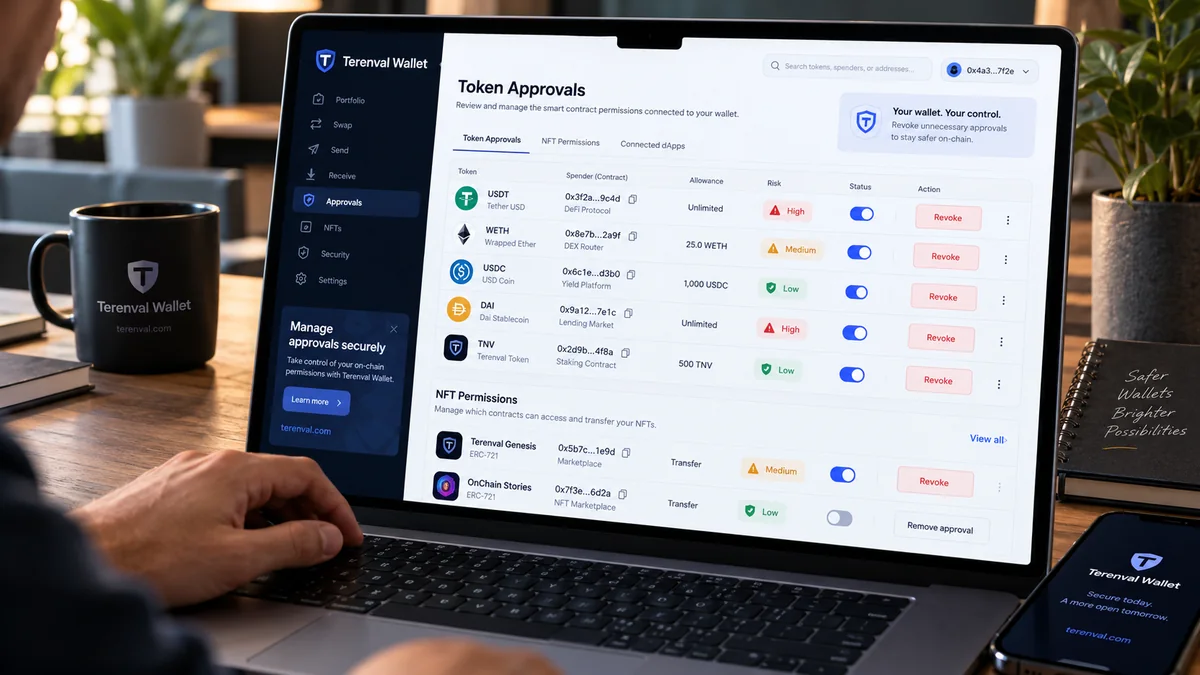
To check and revoke token approvals in a crypto wallet, identify the exact blockchain and wallet address, inspect the active token allowances and approved NFT operators, verify each spender, and revoke permissions you no longer need. A typical ERC-20 revocation sets the spender's allowance to zero in the relevant token contract; an NFT operator revocation switches its authorization off. Both normally require an on-chain transaction and a network fee. Disconnecting a dApp is not the same as revoking its token permissions.
That quick answer has an important qualification: a token approval checker does not describe every way someone might control your assets. An EIP-2612 signature may not yet have been submitted on-chain; Uniswap Permit2 uses more than one authorization layer; a compromised seed phrase gives an attacker a separate signing route. Treating all three as an ordinary allowance is how an apparently successful cleanup can leave a wallet exposed.
Short answer: Open a verified tool such as Revoke.cash, the relevant blockchain explorer's Token Approvals checker, or a supported wallet-portfolio permissions manager. Inspect approvals for the specific account and network. Prioritize unexpected spenders and broad approvals for valuable tokens or NFT collections; revoke only after confirming the token, spender and action. Sign the actual transaction in your wallet, wait for on-chain confirmation, and read the resulting allowance or operator status again. Review Permit2 and signed permissions separately. Never enter your recovery phrase into an approval checker, and do not rely on revocation alone if your signing keys have been exposed.
The central judgment in this Terenval guide is that wallet security is about authority, not just the number of green check marks in an app. A trustworthy contract with an unnecessary unlimited permission deserves review; a harmless-looking zero-balance token may have a large future-deposit exposure; and a revocation transaction labeled Approve is not automatically malicious if its decoded parameters actually set the allowance to zero. Our method is to examine the precise authority granted, its scope, the assets reachable now or later, and the evidence that the authority really ended.
Key Takeaways
- An ERC-20 approval is permission, not a transfer. The token contract records how much a specified spender may transfer from your address; the spender can later use
transferFromwithin that limit when contract rules permit. - Approvals are per token, owner, spender and blockchain. Revoking USDC allowance on Ethereum does not revoke USDC allowance on Base or an NFT operator on Arbitrum.
- Unlimited does not mean instantly stolen. It means the amount authorized is extremely large; actual risk also depends on the spender, current and future balances, and how that authorization can be used.
- A zero balance does not erase a standing allowance. A spender may be able to access tokens that arrive later, so do not judge exposure only by today's portfolio.
- Revocation is a new on-chain state change. For standard ERC-20 tokens, the target is
approve(spender, 0); for ERC-721/1155 operators, it is commonlysetApprovalForAll(operator, false). - NFT collection-wide permissions are not the same as single-token approvals. ERC-721 may permit one token ID or an entire collection operator; ERC-1155 commonly uses an operator across token IDs.
- Permit signatures need separate analysis. An off-chain EIP-2612 signature may be executable later; resetting an existing allowance is not necessarily sufficient to invalidate an unspent signature.
- Permit2 has two levels. A token may approve Permit2 itself, while Permit2 manages downstream spending rights; review both the base allowance and relevant Permit2 permissions.
- A completed revocation cannot unwind earlier transfers. It protects against the specified future authorization, not confirmed theft or unrelated vulnerabilities.
- Disconnecting a website does not revoke smart-contract approvals. The browser connection and blockchain allowance live in different places.
- Never sign a secret-revealing 'security check'. Public wallet addresses can be inspected without a seed phrase, private key, or advance payment to a recovery agent.
- Terenval Wallet is not assumed to provide a built-in revoke feature. Use independently verified tools for the chain and tokens concerned, and confirm the actual on-chain result.
What Is a Token Approval, and Why Do dApps Need It?
When you swap USDC for another token, supply funds to a lending protocol, or list an NFT, the application often needs permission to move the token according to its smart-contract logic. The token contract and the application contract are separate pieces of software. An ERC-20 token typically does not allow an unrelated address to move your balance merely because you visited a website; it checks whether the caller is the owner or has the necessary allowance.
The key elements are owner, token contract, spender, allowance and chain. If wallet A approves spender B for 250 units of token C on Ethereum, that is not a general authorization to withdraw BTC, every ERC-20 token, or assets on unrelated chains. The spender may request authorized transfers of that token while the allowance remains usable. The detailed mechanism is specified in the ERC-20 standard; NFT authorization follows different standards.
A common misconception is that a wallet 'stores an approval' like an entry in browser settings. In the standard ERC-20 case, the token smart contract stores the allowance. A wallet or approval checker reads and displays it, and a later signed transaction modifies it. Changing phones, removing an extension or opening the same address in another wallet app does not reset the blockchain state.
Approve, allowance, spender and transferFrom: four terms that matter
approve(spender, amount)changes the amount an address authorizes a particular spender to use for an ERC-20 token. It does not, by itself, send the tokens to that spender.allowance(owner, spender)reads the authorization remaining under the token's rules. For a standard allowance it is denominated in the token's base units, which a user interface converts using its decimals.transferFrom(owner, recipient, amount)is a common mechanism through which the authorized spender moves tokens. The token enforces relevant balance and allowance checks.Approvalevent records a standard approval update. An indexed history of events is useful evidence, but reading current contract state is stronger proof of what remains active now.
For example, imagine 250 USDC approved for a swap router, but only 40 USDC currently in the wallet. The authorization is not necessarily limited to the $40 currently visible. If another 100 USDC arrives before the authorization is changed, the spender may be able to access that balance, subject to allowance and contract behavior. This future-deposit problem is more informative than simply calling the approval 'risky' because it appears unlimited.
The Five Permission Types You Must Not Confuse
| Mechanism | What can be authorized? | Where to check | Typical way to stop it |
|---|---|---|---|
ERC-20 approve / allowance |
A spender can move up to a token amount | The specific token contract on that chain | Set the spender allowance to 0; verify the resulting state |
ERC-721 approve |
An operator can transfer a particular NFT token ID | The NFT contract and token ID | Clear or replace its token-specific approved address when supported; an ownership transfer also clears standard approval |
ERC-721 / ERC-1155 setApprovalForAll |
An operator can manage a wider NFT collection or token set | The NFT contract's operator mapping | Set operator authorization to false |
EIP-2612 permit |
A signed message can authorize a future allowance update | Token-specific permit logic, nonce, deadline and signatures | Follow the token's nonce/expiration or supported invalidation procedure; a simple allowance reset may not cancel an unused signature |
| Uniswap Permit2 | Base ERC-20 approval to Permit2 plus signed or stored downstream permissions | Both token-to-Permit2 and relevant Permit2 permissions | Revoke or reduce the appropriate layer; handle unspent signatures and nonces separately |
This table covers common Ethereum-compatible patterns, not every proprietary wallet permission or smart-account module. A smart-contract account can have its own roles, session keys, modules or recovery privileges that are not ordinary token approvals. A Solana authorization or a Bitcoin spending transaction does not become an ERC-20 allowance merely because the same app displays it. We keep the scope explicit to avoid making an incomplete scanner look comprehensive.
The ERC-721, ERC-1155, EIP-2612 and Permit2 specifications document these different authorization paths.
How to Check Crypto Wallet Permissions: The Verification-First Workflow
You do not need to reveal your seed phrase or private key to inspect public token allowances. A normal audit starts with a public address and the network on which assets or DeFi activity exist. Connecting a wallet may improve a tool's convenience, but read-only inspection is preferable when you only need to look at permissions, especially after a suspicious interaction.
- Identify each address you actually use. Distinguish a software wallet account, hardware-wallet account, imported key and smart-contract wallet. The same interface can display multiple independently controlled addresses.
- List every relevant network. Ethereum, Base, Arbitrum, Optimism, Polygon and BNB Chain have separate contract states. An identical-looking
0xaccount does not mean its approvals are shared between them. - Start with an independently opened, known site. Type the official URL yourself or follow documentation you have independently verified. Avoid links from unsolicited messages or token metadata.
- Inspect ERC-20 and NFT entries separately. Look for token, spender/operator address, authorized amount, type of permission, date and status. For a nonstandard contract, a scanner may have incomplete coverage.
- Verify contract identities. Compare the token address and spender to documentation from the application you actually used. A display label such as 'Uniswap' or 'USDC' alone does not authenticate a contract.
- Build a priority list before signing anything. Revoke suspected malicious authorizations first if you can safely transact; then remove long-abandoned, unnecessary rights. Avoid accidental disruption to a position you still manage.
- Confirm every result on-chain. A successful wallet popup is not final proof. Inspect the transaction status, the network and the new allowance or operator state.
Consider maintaining a simple private ledger with the chain, wallet address, token contract, spender, permission type, last known allowance, action, transaction hash and checked-after status. Never put secrets in this ledger. Public addresses, transaction hashes and verified contract addresses are sufficient for technical troubleshooting; sensitive account context still deserves privacy.
Why the same token symbol can mislead you
A token's name and ticker are user-interface metadata, not proof of issuer identity. An attacker can create an unrelated token called USDC or name a malicious contract after a well-known protocol. Verify the chain and contract address using authoritative issuer or protocol documentation. Terenval's contract-address glossary explains why the exact contract is more meaningful than a familiar ticker.
Method One: Check and Revoke Approvals with Revoke.cash
Revoke.cash provides a cross-network interface for reviewing common token and NFT approvals. Its official walkthrough describes looking up a public wallet address, selecting a network, sorting approvals and revoking individual entries. UI labels may change over time, so use the displayed contract details and destination, not memorized button positions, as your source of truth.
- Open
https://revoke.cash/by navigating directly to its verified domain. - Enter the public wallet address for read-only inspection or connect the intended wallet if you need to sign. Confirm that you selected the right address.
- Choose the network on which the token approval exists. Search or filter by token, spender and newest approvals if investigating a recent incident.
- For each candidate, check the contract address and remaining allowance. Determine whether it is a standard ERC-20 approval, NFT operator, or a permission that needs a specialized review.
- Click the revoke/edit action for the selected permission, but read the wallet transaction confirmation before signing. Confirm the contract and that the requested change withdraws or lowers authorization.
- Allow the transaction to be confirmed on the relevant network. Review the transaction hash in a block explorer.
- Refresh and inspect the current on-chain permission again. Do not rely solely on a 'sent' notification or cached dashboard row.
Revoke.cash says individual revocations generally require a network gas fee; some optional batch or premium services may have separate terms, which can change. Checking public permissions does not require transferring coins or paying a stranger an advance 'wallet unlock' fee.
Why the wallet might say Approve when you are revoking
For standard ERC-20 tokens, granting and revoking can both call approve. The difference is in its parameters: approve(spender, 0) removes the remaining standard allowance for that spender. Likewise, NFT setApprovalForAll(operator, false) turns off the operator permission. Revoke.cash addresses this apparent paradox in its FAQ.
A transaction bearing the method name Approve is therefore not automatically unsafe. Yet the opposite is also true: a site calling an action Revoke is not proof that it really revokes anything. Review the decoded transaction and contract address through a trusted wallet or explorer, and avoid blind signing if the interface cannot explain the transaction.
Method Two: Use Etherscan's Token Approval Checker
An explorer offers an independent view of the chain's current data and transaction history. On Ethereum, use the Etherscan Token Approval Checker; for Base, Arbitrum, Polygon or other chains, use a verified explorer associated with that exact network. A blockchain explorer is not a universal database of permissions across every blockchain.
- Open the verified Ethereum explorer and navigate to Token Approvals. Enter the public account address you want to audit.
- Check the available categories such as ERC-20, ERC-721 and ERC-1155. Select a view displaying all relevant approvals rather than only the default subset.
- Examine the spender/operator's full address, token contract and permission amount or collection scope. Where needed, compare the approval event with the current contract view.
- When revoking, confirm you have selected the correct wallet account and are signing an operation for the correct contract on the correct chain.
- Inspect the transaction receipt after confirmation and re-read the current allowance or
isApprovedForAllresult.
The explorer's list is a discovery tool, not an independent guarantee that a spender is safe. Contract labels and verification badges can make investigation easier; they do not certify the absence of malicious logic, dangerous upgrades or compromised administration. The Revoke.cash comparison of explorer-based revocation describes the corresponding workflow.
Method Three: Review Spending Caps in MetaMask Portfolio
MetaMask's approval-revocation guidance and Portfolio spending-cap documentation explain how supported accounts and networks can be checked through the Portfolio interface. MetaMask's supported networks and exact screens can change: consult its current help page rather than assume that every token, chain or signed permission is covered.
- Open the official MetaMask Portfolio from a verified source and select the account whose approvals you want to examine.
- Navigate to its spending caps or token approvals view, then select the supported network.
- Inspect each token contract, spender and current cap. Distinguish actual approvals from mere connected-site permissions.
- Revoke the permission using the supported workflow, reviewing the wallet transaction and fee.
- Confirm execution through the chain explorer and check that the cap is zero or the relevant permission is removed.
Using another wallet to hold the same Ethereum address does not erase its approvals. The authorization lives in the token or permission contract, not inside a particular browser extension. Conversely, Terenval Wallet should not be assumed to have a native approval checker or in-app revoke button unless that product feature is independently verified. A compatible self-custody wallet and a specialist approval tool can be separate parts of a sound security workflow.
The Terenval Approval Exposure Matrix: Which Permission Should You Revoke First?
Most guides tell users to 'revoke risky approvals.' The difficult question is what risky means when a wallet has dozens of entries. We propose an editorial Approval Exposure Matrix, built around four practical dimensions: reachable assets, scope of authority, trust in the spender, and time/dependencies. It is a decision aid, not a numerical exploit probability, an audited scanner, or a feature claimed to exist in Terenval Wallet.
| Audit dimension | Lower concern, all else equal | Higher concern, all else equal | What to verify |
|---|---|---|---|
| Reachable value | Small, purpose-limited allowance; little expected future balance | Large or unlimited allowance for a substantial balance or repeat deposits | Token amount, current balance, expected future inflows |
| Authority scope | Specific fungible token and fixed amount | Unlimited token allowance, broad NFT operator or privileged smart-account module | Token contract, spender, approval type, collection scope |
| Spender confidence | Address corroborated against an actively used, documented integration | Unknown spender, unexpected address, past phishing interaction, unexplained upgrade | Official contract records, transaction origin, audited context without assuming audit = safety |
| Time and operational need | Short-lived access or needed for an ongoing workflow | Indefinite, unused for months, protocol abandoned, authorization no longer understood | Last use, deadline where relevant, consequences of revocation |
Our priority rule: investigate unexpected broad permissions that can touch valuable assets before clearing harmless-looking historical entries. But do not blindly revoke a contract still required by an active order or strategy without understanding what will stop functioning. Time spent identifying the spender is a safety measure when that identification does not dangerously delay response to an active exploit.
Editorial example: two permissions, different risk
Imagine wallet A holds 1,800 USDC and has an unlimited allowance for an unfamiliar spender that appeared after a suspicious airdrop claim. Wallet B holds 20 USDC and has a limited 50-USDC allowance for a routinely used, independently verified swap router. Without pretending to know either spender's source code, the first deserves urgent investigation and likely revocation. The second still deserves periodic review, but its current reachable value and permission scope are much smaller.
The point is not that 1,800 USDC will be lost or that 50 USDC is 'safe.' The point is that prioritization requires a reason about authority and exposed value, not just sorting by the age of the approval.
The Exposure Window: Why a Zero-Balance Wallet May Still Be at Risk
An ERC-20 allowance is a permission ceiling under token rules, whereas the account balance is the available value now. For a standard token, a simple first-pass upper bound on what a spender could move in a particular moment is:
Immediately reachable tokens ≈ minimum of the available token balance and effective remaining allowance, assuming the spender can exercise the permission and no additional token restrictions apply.
This is a conceptual ceiling, not a prediction. It deliberately excludes risks from nonstandard token behavior, permits not yet submitted, smart-account authority, token freezes and other protocol-specific conditions. It must not be used as a precise funds-at-risk calculation for every contract.
Consider three illustrative scenarios:
| Scenario | Token balance now | Remaining authorization | Practical interpretation |
|---|---|---|---|
| Old router with narrow allowance | 500 USDC | 25 USDC | A standard spender ordinarily cannot take more than 25 USDC via that allowance without a new authorization |
| Suspicious unlimited spender | 500 USDC | Effectively unlimited | Up to the accessible current balance may be exposed if the spender can exercise the approval |
| Wallet empty today, recurring deposit tomorrow | 0 USDC | Effectively unlimited | Current access may be zero, but the future deposit could become reachable while approval remains active |
The third row is the distinctive security failure: a previously empty address can become dangerous when funds arrive later. A stored spender allowance is not normally consumed merely because the wallet was emptied by its owner. Recheck old wallets before routing exchange withdrawals, airdrops, DeFi exits or salary payments to them.
Unlimited Token Approvals: Convenience Versus an Open-Ended Liability
An unlimited approval usually means a very large maximum integer (commonly uint256.max) rather than a human decision to authorize 'everything everywhere.' It generally applies to one token contract, owner and spender on one blockchain. This narrow technical scope does not eliminate the practical exposure: if a spender becomes malicious, is compromised, or has unsafe logic, an open-ended allowance can make later tokens reachable too.
The convenience argument is real. Protocols sometimes ask for a large allowance to avoid repeated approval transactions and gas costs. A user who trades frequently may reasonably prefer a durable approval for a carefully verified spender. But the cost of convenience is persistent authority that must be maintained, monitored and, when no longer needed, removed.
A safer default for infrequent activity is a limited allowance near the amount actually required, where the token and application support it. If a service presents unlimited authorization as the only option, investigate whether you can edit the spending cap, select a more granular flow or complete the task without granting a long-lived permission. A limited approval reduces the exposed quantity; it does not make an untrusted spender safe.
The ERC-20 specification also notes a potential allowance-update race and recommends interfaces that first set an existing nonzero allowance to zero before changing it to another nonzero value. This is a reason to handle allowance edits carefully, not a guarantee that any zeroing transaction outruns a malicious pending transfer.
NFT Approvals: Single-Token Versus Collection-Wide Risk
NFT interfaces sometimes describe approvals as permission to 'list' or 'sell' an NFT, but the underlying authority may be broader than that label suggests. Under ERC-721, approve can grant permission concerning one particular token ID. setApprovalForAll authorizes an operator for all tokens from the owner within that NFT contract. Under ERC-1155, operator approval can cover multiple token IDs and quantities managed by the contract.
Check the collection contract, specific token ID when relevant, operator address and whether the authorization is for one NFT or an entire collection. A compromised or malicious operator can be consequential even if the wallet currently owns only one NFT, because the operator scope may include future tokens acquired from the same collection.
To revoke a collection operator, an ordinary standards-compliant path is setApprovalForAll(operator, false) on the relevant NFT contract. To clear a single ERC-721 token's approved address, use the contract's supported approval-clearing method through a trusted interface; do not assume a collection-wide toggle is identical to an individual token's approval state. After confirming the transaction, check isApprovedForAll or getApproved(tokenId) as appropriate.
Marketplace consequence: canceling or interrupting a listing can be a side effect if the operator needs approval to complete a sale. Revoke.cash's FAQ mentions such operational dependencies. A listing may also have off-chain orders or signatures whose state must be understood separately. Removing one operator is not a universal order-cancellation mechanism.
EIP-2612 Permits: The Approval That May Not Yet Be Visible On-Chain
EIP-2612 allows a token owner to sign an authorization message that a third party can later submit to the token contract. The token verifies the signature, nonce and deadline, then updates its allowance according to the standard. This can reduce the need for the owner to send a separate approval transaction when interacting with supported applications.
It also creates a security blind spot. A message signed but not submitted has no ERC-20 allowance update to list yet. A standard approval checker reading only current allowance state may truthfully show 'zero' even though an unexpired signed permit could be executed in the future. That is not necessarily a failure of the checker; the unspent signature exists outside the chain until used.
Critical distinction: setting an existing ERC-20 allowance to zero does not automatically change the EIP-2612 permit nonce. An unspent, otherwise valid permit may later be submitted and establish an allowance again. The relevant invalidation route depends on the token's implementation, nonce rules and whether the signature can be expired, superseded or otherwise invalidated. Do not invent a universal 'cancel signature' button.
If you suspect a phishing page tricked you into signing permit data, preserve the publicly shareable context (domain, token, owner, spender, signature deadline if visible) without publishing private material. Use official token/protocol documentation and trustworthy expert help to assess whether nonce invalidation is supported, whether the deadline is near, and whether moving tokens to independent keys is the safer containment option. Signing 'another permit' on an unknown site can make the situation worse.
Permit2: Audit Both the Token Allowance and the Downstream Permission
Uniswap's Permit2 overview describes two components, AllowanceTransfer and SignatureTransfer. The user may first grant a normal ERC-20 allowance from a token to the Permit2 contract. Permit2 then supports additional per-spender permissions through stored approvals or signatures. This creates two distinct authorization layers, not just one box in a wallet security screen.
Layer 1: The token contract's allowance to Permit2
At the token level, the account can approve Permit2 for a certain amount of a token. The approval may be extremely large. Revoking this base allowance at the token contract restricts Permit2's ability to move that token using the owner's standing ERC-20 authorization. This can also interrupt legitimate applications relying on that base approval. Verify the actual Permit2 contract address on that chain against official Uniswap documentation; never trust a label that merely says 'Permit2'.
Layer 2: The permission held or used by Permit2
Within Permit2's AllowanceTransfer, a spender may have an amount and expiration. The token's main ERC-20 allowance may remain active while the more granular Permit2 permission expires or is revoked. Within SignatureTransfer, a one-time nonce-scoped signature can authorize a particular transfer; the consumed/nonconsumed nonce and signature deadline matter. This is not the same as a long-standing allowance row.
| Question | What to inspect | Why it matters |
|---|---|---|
| Did the token approve Permit2? | Token contract allowance(owner, Permit2) |
A broad base allowance can remain after one app's secondary permission expires |
| Does Permit2 have a spender allowance? | Owner, token, spender, amount and expiry in Permit2 | A downstream authorization may persist even though the original website was disconnected |
| Was a one-time SignatureTransfer signed? | Signed parameters, nonce bitmap, deadline and whether used | An unspent signature may not appear as a persistent token allowance |
| Was the right chain checked? | Actual Permit2 deployment and token contract on that chain | A revocation on Ethereum cannot change Base or Arbitrum state |
Practical response: identify which layer the suspicious transaction actually uses. If you no longer need Permit2 for the token, consider revoking the base ERC-20 approval and any relevant downstream permissions, then independently verify the result. If a suspicious signature remains potentially executable, investigate protocol-specific nonce invalidation or migrate at-risk assets where appropriate. Do not tell yourself that one 'Revoke' click universally invalidated every signed message.
The Revoke.cash Permit2 explanation explicitly distinguishes these two approval levels. The Uniswap SignatureTransfer documentation explains the nonce-scoped mechanism.
Revoking Versus Disconnecting a dApp: Two Different Boundaries
A dApp connection commonly allows a website to request account information, propose transactions and communicate with a wallet. Disconnecting it usually breaks or removes that permission or session in the wallet software. It does not rewrite existing token-contract allowances or erase signatures already given.
For example, after you approve a token for a protocol and later close its website, the allowance(owner, spender) value can remain unchanged on-chain. The protocol's authorized spender may still have the technical ability to call transferFrom within contract constraints. Conversely, a website with only address-viewing permission cannot automatically transfer ERC-20 tokens without a separate authorization route.
For a deeper distinction, read Terenval's What Happens When You Disconnect Your Wallet from a dApp?. The Revoke.cash FAQ independently confirms that disconnection alone is not a token approval revocation.
How Much Does Revoking an Approval Cost?
A standard on-chain ERC-20 or NFT approval revocation is a transaction. The signer generally pays a network fee in that chain's native gas asset. Ethereum mainnet uses ETH; an EVM Layer 2 may also use ETH, while other chains have different native fee assets. Exact fees vary with execution complexity, network conditions and wallet fee configuration. No fixed dollar cost is safe to promise in an evergreen guide.
To estimate before signing, check the network, the wallet's estimated gas requirement and the proposed transaction. Read-only inspection is commonly free, while a revocation transaction typically costs gas. A tool offering batching or sponsored execution may have different fee and authorization mechanics, so confirm current terms before using it.
If gas costs exceed the current balance's value, there may still be a reason to remove an old approval because of future deposits. This is a judgment about future exposure, not a recommendation to pay unlimited fees. Do not deposit fresh gas into an address known to be controlled by an active sweeper bot; those funds may be stolen as soon as they arrive. Revoke.cash and Ethereum.org's scam response guide both emphasize the distinction between approval cleanup and compromised-key recovery.
How to Verify a Revocation Actually Worked
The safest test is not a dashboard icon. It is a repeatable chain-state check, immediately after the transaction is confirmed, using the correct contract and account.
- Verify the transaction status is successful on the correct block explorer. A signed but pending, replaced, dropped or reverted transaction has not necessarily changed the allowance.
- Verify the destination contract matches the actual token or NFT contract rather than an unrelated address with a similar name.
- For standard ERC-20 allowances, read
allowance(owner, spender)and confirm it is zero or the intended lower value. - For ERC-721/1155 operator permissions, read
isApprovedForAll(owner, operator)and confirmfalse. For an individual ERC-721 approval, inspectgetApproved(tokenId). - For Permit2, check both levels and any known signed permissions or nonce state relevant to the incident.
- Repeat for every impacted network. A successful Ethereum revocation is not proof that the corresponding Base approval was changed.
- Save a minimal evidence log: date, chain, public wallet, token contract, spender, TXID and verification result. Never include a seed phrase or private key.
Read-after-write verification also catches a practical failure mode: a wallet might show that it broadcast the intended transaction, but the explorer reports it as reverted. A pending transaction can be reordered against other state changes, and an attacker might already have used the old authorization. When an active exploit is underway, act promptly but do not confuse an attempted revoke with a completed one.
Why a Revocation Might Fail or an Approval Might Reappear
| Symptom | Likely explanation | Safer diagnostic response |
|---|---|---|
| Wallet says 'pending' for a long time | The transaction is awaiting inclusion or confirmation | Inspect TXID, gas settings and nonce on the exact chain; avoid random replacement signatures |
| Explorer shows 'failed' or 'reverted' | The call did not complete successfully | Confirm gas availability, token behavior and contract/function; do not count it as revoked |
| 'Wrong network' or no approvals listed | You inspected a different chain or wallet address | Match account and token contract to the original transaction |
| Permission returns after a swap | A legitimate app may request new authorization | Review the new transaction and spender; consider smaller caps |
| Allowance becomes nonzero after zeroing | A subsequently exercised signed permit or newly signed approval may have reauthorized it | Investigate signature nonce/expiry and separate off-chain authorization |
| NFT operator remains approved | The wrong collection, operator or permission type was changed | Read current isApprovedForAll on the correct NFT contract |
| Approval tool finds nothing after reported theft | Key theft, an already consumed permit, nonstandard token or other pathway | Review transfer history and threat model; do not presume there was no compromise |
An empty approval list is not a security certificate. Indexers can miss older/nonstandard contracts and signatures not yet submitted. Revoke.cash explicitly notes limitations for NFT contracts that do not emit the standard events expected by indexing tools. When the value at stake is significant, verify the relevant contract state and transaction path independently.
When Revoking Token Approvals Is Not Enough
Approval revocation is a targeted action. It does not rotate a seed phrase, block an attacker who controls the private key, revert a confirmed theft, cure malware on the signing device, or cancel every type of off-chain signature. It also cannot remove certain privileged smart-account permissions unless you use the relevant smart-account governance path.
If an attacker knows your recovery phrase or private key, assume they may sign transfers regardless of current allowances. Use an independently secured device to create genuinely new keys, verify the receiving address, and move accessible remaining assets when technically safe. A second account derived from the same compromised seed is not a secure replacement. For ongoing sweeper activity or complicated contract roles, obtain independently verified incident-response expertise instead of repeatedly adding gas to the affected address.
Terenval's guide to moving crypto after a security compromise provides that separate incident-response workflow. Ethereum.org warns that an already finalized on-chain theft cannot simply be reversed.
The original risk question: what does the attacker control?
Our editorial decision tree starts with that question, not a tool's color-coded label. If the attacker controls only a bounded spender approval, revocation may remove the relevant path. If they control a pending signed permit, the nonce and deadline also matter. If they control the signing key, the key is the underlying authority and must be treated as permanently compromised. If they control a smart-account owner or module, the account's governance and recovery rules decide what must change.
Six Hypothetical Cases: What the Evidence Actually Supports
The following examples are fictional decision exercises, not claims of real rescues, measured loss rates or experiments performed by Terenval. Their purpose is to show how one apparent wallet 'permission' issue can require different technical responses.
Case 1: Old unlimited USDT approval, normal wallet activity
A wallet that used a DeFi app two years ago still has a large allowance for that app's router. The owner no longer uses the app and regularly receives USDT. No theft is visible. Reasonable action: verify the real token/router addresses, consider revoking the unused permission and check the resulting allowance. An old approval is not proof of a hack, but needless standing authority can expose future deposits.
Case 2: Unrecognized spender after an airdrop website
An address displays a new unlimited USDC approval after the user signed a transaction on a supposed claim website. Reasonable action: stop interacting with that site, verify the spender and chain independently, prioritize urgent revocation if the signing key is otherwise trustworthy, and inspect related signatures and transaction history. If tokens have already moved, revocation may reduce further exposure but cannot reverse that transfer.
Case 3: NFT operator for an active listing
An NFT marketplace operator has setApprovalForAll permission across a collection. The user wants to remove all third-party access, but several listings are still active. Reasonable action: review the operator, marketplace documentation and associated orders before revoking. The revocation may prevent the listed sale from executing, while separate signed orders may require their own cancellation logic.
Case 4: Wallet balance is zero, salary arrives next week
The wallet currently holds no USDC, but it still has an unlimited approval to an unknown spender. The owner plans to reuse it for regular transfers. Reasonable action: do not assume the empty balance makes the address safe. Verify and revoke the unnecessary permission before rerouting future funds, or use a fresh address if broader compromise is suspected.
Case 5: Suspicious EIP-2612 message, no allowance visible
The user signed typed data on a phishing page, but the token's allowance still reads zero. Reasonable action: inspect the token's permit rules, nonce and deadline; seek a supported invalidation route and consider moving at-risk tokens if necessary. Merely sending approve(spender, 0) may not invalidate an unspent permit signature.
Case 6: Permit2 approval plus a compromised key
The user has a token-to-Permit2 approval, several Permit2 downstream permissions and evidence that their recovery phrase was copied. Reasonable action: don't confuse removal of Permit2 permissions with key recovery. Prepare an independently generated wallet using a trusted environment and an incident-specific asset migration plan; avoid routine gas top-ups if a sweeper is active. A revoke-only solution would leave the attacker able to sign directly.
A Practical Approval Audit Schedule for Active Wallet Users
A security workflow is more durable when it fits normal usage instead of relying on panic after an incident. We suggest a lightweight permission hygiene routine, which is editorial guidance rather than a measured optimal security interval:
- After trying a new dApp: inspect which token, spender and amount you approved. If the permission is not needed after the interaction, consider removing it.
- After a suspicious signature or website: check recent transactions and relevant on-chain and off-chain authorization routes immediately. Do not wait for a calendar reminder.
- Before receiving a substantial deposit in an old address: inspect any remaining spender approvals for the incoming token and chain.
- Periodically for actively used addresses: review long-standing and unlimited permissions, collection operators and Permit2 authorizations, recording what you intentionally keep.
- After revocation: verify transaction success and state. If an application later asks you to authorize again, reassess its precise scope.
The most useful habit is small, deliberate authorizations, paired with repeatable checks of chain state. An approval left in place for a well-known service is not automatically malicious, and a recently audited contract is not automatically safe forever. Your decision should reflect actual use, identity of the spender and exposed value.
What Terenval Wallet Can—and Cannot—Do in This Workflow
A non-custodial wallet is a tool for holding and using keys under the user's control. It is not, by itself, a guarantee that every dApp spender or token contract is safe. Terenval Wallet can be considered as a self-custody option where its verified network and token support fit the user's requirements. Do not assume it currently includes a built-in approval scanner, Permit2 decoder, NFT permission manager, transaction simulation, or automatic revoke service unless those specific features have been confirmed in the product.
For a user of Terenval or any other compatible wallet, the prudent sequence is: protect the signing keys, identify the token and chain, investigate permissions in a reputable chain-appropriate tool, review any transaction before approving it, and verify the result on-chain. The same rule applies when using a hardware wallet: protected key storage does not neutralize an authorization that the user intentionally signed.
See Terenval Wallet for verified product information, what a crypto wallet stores for the custody model, and what signing a message means for the distinction between messages and transactions. No wallet or approval-checker brand replaces verification of contract permissions on the actual blockchain.
Frequently Asked Questions
1. How do I check token approvals in my crypto wallet?
Look up your public wallet address on a reputable approval checker for each relevant blockchain, then inspect token contracts, spender addresses, permission types and amounts. Revoke.cash, the applicable block explorer and supported MetaMask Portfolio views are common options. Verify results against the contract, not merely a friendly label.
2. How do I revoke an ERC-20 token approval?
For a standards-compliant ERC-20 allowance, submit a transaction setting the relevant spender's allowance to zero, usually approve(spender, 0). Wait for confirmation and read allowance(owner, spender) on the same token contract and chain to verify it is zero.
3. Does disconnecting my wallet from a dApp revoke approvals?
No. Disconnecting changes a wallet-to-website connection or session. An existing on-chain token allowance remains until altered under the token contract's rules. Read Terenval's dApp disconnection guide.
4. Is it safe to leave unlimited token approvals active?
Not risk-free. A large approval can expose current and future balances if the authorized spender is malicious, compromised or misused. Evaluate the spender, token, network and whether the permission remains necessary; prefer narrower allowances where practical.
5. Can an unlimited USDC approval drain ETH or BTC too?
A standard ERC-20 USDC allowance does not itself authorize transfers of native ETH or native Bitcoin. It is scoped to the token contract and relevant chain. Other permissions, malware or stolen signing keys can create separate risks.
6. Can an approved spender use tokens I deposit later?
Potentially yes. If the standing allowance remains and the spender is able to exercise it, tokens arriving later in the same wallet on that chain may become accessible up to the remaining authorized amount. An empty wallet today is not proof that its old approvals are harmless.
7. Does revoking an approval cost gas?
Ordinarily yes for an on-chain state change. The fee depends on the chain and transaction conditions. Public address inspection generally does not itself require a signed gas-paying transaction.
8. Is Revoke.cash free to use?
Its standard inspection and individual revocation workflows have generally been available without a separate service charge, although revocations require network gas. Optional batch and premium features may have their own current terms. Check the official FAQ before using those features.
9. Can I check approvals without connecting my wallet?
Often yes. Public Ethereum-compatible contract data can be queried from a wallet address through reputable checkers or explorers. Connecting a wallet is more relevant when you need to sign the revocation transaction.
10. Can an approval checker ask for my seed phrase?
A legitimate read-only allowance lookup does not require your seed phrase or private key. Do not enter recovery words into a website claiming to 'validate' or 'synchronize' an approval. Use independent verification and stop if a tool requests secrets.
11. Why does my wallet display the word 'Approve' when I revoke?
The same ERC-20 approve function can set a permission to a positive amount or to zero. Check the spender and amount. For NFTs, a correct operator revocation commonly sets setApprovalForAll(..., false).
12. Can I revoke all approvals at once?
Some services offer batch functionality for supported networks, but this can carry additional fees, contract interactions or signing complexity. Review each contract and the exact batched transaction. No single operation necessarily covers every chain, permit signature or nonstandard permission.
13. What is the difference between a token approval and a signature?
A traditional ERC-20 approval is an on-chain contract state update. A signed permit or certain other structured-data signatures may authorize a future state change or token transfer without an immediate transaction from the user. The scope, nonce and expiry of a signature require separate review.
14. Can an EIP-2612 permit be dangerous even if allowance is zero?
Yes. An unspent, valid signed permit may be submitted later, potentially updating the allowance. A current allowance of zero alone does not prove that every previously signed permit is invalid.
15. Does setting an ERC-20 allowance to zero cancel an old permit signature?
Not necessarily. Ordinary approve(spender, 0) does not automatically increment the nonce used by EIP-2612 permits. Check the token's permit implementation, nonce and deadline; seek a token-specific invalidation method if needed.
16. How is Uniswap Permit2 different from ERC-20 approval?
Permit2 can use an ERC-20 token's approval of the Permit2 contract and then manage additional per-spender permissions or one-time signature-based transfers. Check both layers rather than relying on a single token-approval row.
17. Does revoking the base Permit2 approval make a wallet safe?
It can cut off the approved token's access through that ERC-20 allowance, subject to contract behavior, but it does not secure a stolen signing key, undo past transfers or cancel every unrelated authorization. Evaluate stored Permit2 permissions and signatures separately.
18. How can I revoke NFT approvals?
For collection-wide ERC-721/1155 operators, use a trustworthy interface to set setApprovalForAll(operator, false) on the actual NFT contract. Single-token ERC-721 approvals have separate rules; verify with getApproved(tokenId) where relevant.
19. Does revoking NFT approval cancel a marketplace listing?
It may prevent a listing from executing if the marketplace relies on that operator, but signed orders and marketplace records can have separate cancellation rules. Consult the marketplace's documentation and verify both contract permissions and order status.
20. Will my staked tokens or DeFi deposits disappear if I revoke an allowance?
Ordinary token allowance revocation does not itself withdraw or destroy assets already deposited into a contract. It can prevent future deposits or operations requiring another approval. Withdrawal rights and the contract's own rules still matter.
21. Can I revoke permissions on Base or Arbitrum using an Ethereum transaction?
No. Ethereum and its Layer 2 networks have separate contract states. Use the relevant network and token contract. The same-looking wallet address on multiple chains does not create a shared allowance database.
22. What if the gas fee is more than the wallet balance?
Avoid blind spending. Estimate the cost and examine future exposure, such as upcoming token deposits. If the address is controlled by a sweeper bot, additional gas deposits may be stolen; use a different containment plan and reputable incident-response advice.
23. How do I know if a spender address is malicious?
No label or explorer badge can prove safety. Check the exact address against official protocol documentation, contract history, why you authorized it, current permissions and signs of phishing. Unexpected, broad permissions deserve urgent review even when the site looks professional.
24. Why is my old approval missing from the scanner?
You may be viewing the wrong account or network. Some tools also rely on event indexing and do not fully cover old, nonstandard NFT contracts or off-chain unsubmitted signatures. Read the actual relevant contract state or use an appropriate specialist tool.
25. Can someone take coins after I revoke an approval?
The revoked spender should no longer be able to use that specific authorization once the relevant contract state is changed, but other permissions, unspent signatures, pending transactions, contract vulnerabilities or stolen keys can still enable transfers. A revocation is not a universal wallet security reset.
26. Is a hardware wallet protected from malicious token approvals?
Hardware devices can reduce private-key exposure, but if the owner signs a transaction granting a malicious spender permission, the approval can still be abused. Review transaction details and spender identity even when signing on secure hardware.
27. How often should I audit token approvals?
Review permissions after unfamiliar dApp interactions, before substantial deposits into an old address and periodically for frequently used DeFi wallets. There is no universal safe interval; the right cadence depends on the activity and value at risk.
28. Can I recover crypto stolen through a token approval?
Revoking the allowance cannot reverse a confirmed transfer. It may prevent further token movement through that permission. Record the TXIDs and report suspicious addresses through credible channels while protecting any assets that remain.
29. Should I create a new wallet instead of revoking approvals?
If your seed phrase or signing key was exposed, create independently generated keys on a trusted device and assess migrating remaining assets. If the only confirmed problem is a limited spender approval and the keys remain secure, revocation may be sufficient for that specific threat.
30. Does Terenval Wallet have a built-in revoke button?
This article does not claim that it does. Verify currently supported functionality in official Terenval Wallet materials. Use trusted external approval tools where appropriate and always verify the transaction on the correct blockchain.
Final Checklist: Verify Before You Finish an Approval Cleanup
- [ ] I identified the exact wallet address and blockchain for each permission.
- [ ] I independently verified the token contract and spender/operator, not just their names.
- [ ] I distinguished ERC-20, individual NFT, collection operator, EIP-2612 and Permit2 permissions.
- [ ] I prioritized unexpected spenders and broad rights over valuable tokens or future deposits.
- [ ] I checked whether a valid signature or Permit2 secondary authorization could still be used.
- [ ] I reviewed possible effects on active listings, deposits and protocol interactions.
- [ ] I used a trusted wallet and tool without exposing my seed phrase or private key.
- [ ] I confirmed the correct chain, transaction method and fee before signing.
- [ ] I verified the transaction succeeded, then re-read the relevant permission state.
- [ ] I repeated the audit for other chains and accounts that actually hold assets.
- [ ] If the signing keys were compromised, I prepared a separate key-rotation and asset-migration plan.
- [ ] I saved a minimal record of verified TXIDs and follow-up actions, without sensitive secrets.
The final test is simple: can you name what authority was granted, who had it, what that authority could reach, and which verified state change removed it? If the answer is unclear, the audit is not yet complete.
Sources and Technical References
The sources below are selected for primary standards, original protocol documentation and first-party security guidance, rather than unsupported claims about breach rates or hypothetical recovery success. Links and exact UI behavior can change after publication.
- ERC-20 — Token Standard.
approve,allowance,transferFrom, approval events and allowance-update considerations. - ERC-721 — Non-Fungible Token Standard. Single-token approvals, operator approvals and ownership rules.
- ERC-1155 — Multi Token Standard.
setApprovalForAlland operator authorization. - EIP-2612 — Permit Extension. Signed permits, owner nonces and deadlines.
- Uniswap Developers — Permit2 Overview. Base token approval, AllowanceTransfer and SignatureTransfer.
- Uniswap Developers — Signature Transfer. Nonce-scoped signature-based transfers.
- Revoke.cash — What Are Token Approvals?. Practical approval explanation and token/NFT distinctions.
- Revoke.cash — How to Revoke Token Approvals. Cross-network checker and explorer-based workflows.
- Revoke.cash — FAQ. Revocation mechanics, disconnection, fees, limitations and wallet compromise.
- Revoke.cash — What Is Permit2?. Two-layer Permit2 authorization explanation.
- MetaMask — Revoke Smart Contract Allowances. Revocation and fee guidance.
- MetaMask — Manage Spending Caps in Portfolio. Supported portfolio-based permission management.
- Ethereum.org — Scam Help and Reporting. Incident containment, reporting and limits of recovery.
- Revoke.cash — What Are Tokens?. Unsolicited token and fake-token risks.
- Terenval Wallet — Official Website. Product identity and features; no unverified approval-management capability is asserted.
Editorial Methodology, Scope and Safety Notes
Last reviewed: October 30, 2026. This is an evergreen instructional article, not a live audit of a particular address, token, wallet release or spender contract. The ERC and Permit2 mechanisms are based on published standards and developer documentation. The specific Terenval Approval Exposure Matrix, exposure-window model, prioritization process and six hypothetical scenarios are original editorial frameworks that explain how to apply those mechanisms; they are not external rating systems, measured exploit probabilities, tested rescue case studies or independent smart-contract audits.
Scope: The technical steps apply principally to standards-based token approvals on Ethereum and compatible EVM networks. Some tokens, older NFT contracts, smart accounts and non-EVM ecosystems behave differently. Specific explorer menus, supported chains, fee models and wallet interfaces should be rechecked when the guide is used. Confirm the actual spender, token contract and chain before any irreversible signature.
Safety: No legitimate read-only token approval check requires a private key or seed phrase. Revoking a permission does not guarantee that a wallet is otherwise secure or that stolen funds can be recovered. Never pay unsolicited 'recovery agents' or connect a new wallet to a suspicious site. This guide is educational and does not constitute legal, investment or individualized incident-response advice.