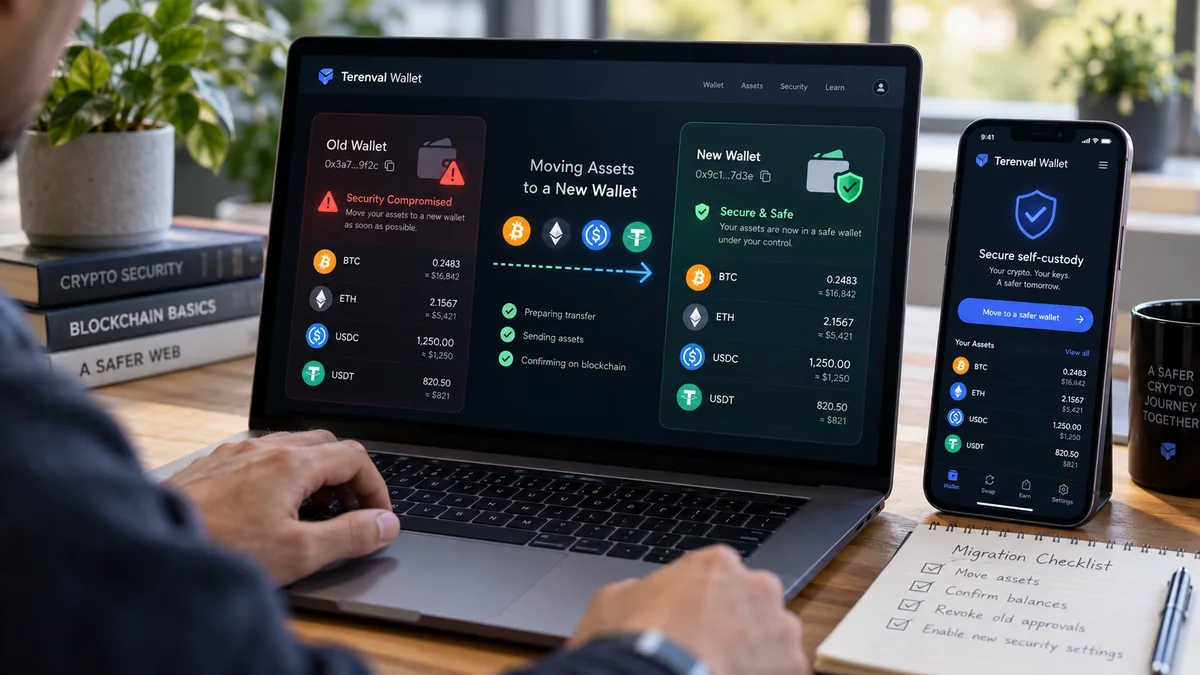
If your crypto wallet may be compromised, secure a clean device, create a wallet with genuinely new keys, verify its receiving addresses, and move the remaining assets you still control. Do not restore the exposed recovery phrase into another app and call that a new wallet. But first identify whether the threat is a stolen seed phrase, a malicious token approval, a signed permit, a compromised device, or a compromised smart-account signer: the right containment action depends on which authority the attacker actually gained.
A wallet breach is especially dangerous because two events can look identical in a portfolio app while requiring opposite responses. A stranger using your stolen private key can sign transfers of native coins and tokens without permission from a dApp. A malicious smart-contract spender may instead transfer only assets covered by an allowance, without knowing the key. Moving tokens, revoking permissions and changing a wallet password solve different parts of those problems. The most important task is not to perform the most actions; it is to stop exposing new funds while preserving the highest-value assets that remain recoverable.
Short answer: Treat an exposed seed phrase or private key as permanently untrusted. On a known-clean device or independently secured hardware wallet, generate a fresh recovery phrase and new addresses; back them up offline; inventory assets across every network; verify the destination and supported assets; then move recoverable funds using properly authorized on-chain transfers. Transfer tokens and NFTs before sending away all native gas funds, and update dependent accounts, ENS records and smart-contract controls. If only an on-chain approval was compromised and the signing key is otherwise secure, promptly revoke the specific permission on the correct network; key rotation may still be prudent if uncertainty remains. If an automated sweeper is draining every gas deposit, do not repeatedly top up the compromised address—stop and seek reputable incident-response guidance. None of these steps can reverse already confirmed theft.
Our editorial approach is to separate proof of control, source of authority, and migration dependencies. A compromised wallet is not just a balance to empty: it may also hold an ENS name, an NFT representing a DeFi position, governance rights, a multisig role, a staked position or an address that other people will continue paying. The plan below is designed to close those less-visible exposures as well as move spendable coins.
Key Takeaways
- A new account is not necessarily a new wallet. Another account derived from the same leaked recovery phrase shares the compromised root of trust. Generate truly independent keys instead.
- An approval is not a leaked seed. Revoking an ERC-20 spender or NFT operator permission can address a scoped contract authorization; it cannot stop a thief who possesses the private key.
- Disconnecting a website is not revoking on-chain access. Browser permissions, on-chain allowances and off-chain signatures are separate layers.
- Start with the environment, not with the Send button. If malware can read keys or replace clipboard addresses, it may compromise the new wallet during migration.
- Write down which assets you actually control. Check each chain, account, NFT, liquidity position, staked balance, domain and smart-account role; no single portfolio screen is complete.
- Network fees are a dependency. ERC-20 tokens need the chain's native gas token to move; spending all ETH or SOL first can strand other assets, while funding a sweeper-controlled address can donate gas funds to an attacker.
- A confirmed transfer is generally irreversible. A test transaction checks a destination but does not make an exposed source private key secure.
- Signed permits can have their own clocks and nonces. A past signature may be usable before an on-chain allowance appears; the right invalidation procedure depends on the exact protocol.
- Do not assume your new wallet supports every asset. Bitcoin, EVM networks, Solana, NFTs and smart-contract accounts differ in address formats, interfaces and migration procedures.
- Finishing means redirecting future value. Reconfigure ENS resolution, exchange withdrawal allowlists, saved addresses, payment links, subscriptions and recovery roles that still point at the old address.
- An active sweeper changes the playbook. Standard attempts to send fresh native gas tokens may fail; use experienced, independently verified help rather than unsolicited recovery agents.
- Terenval Wallet can be considered as a self-custody destination where its supported networks and receiving functionality fit. It does not undo compromised signatures, force the release of an attacker-held asset, or guarantee funds recovery.
The Terenval Trust-Boundary Method: Identify What Was Actually Compromised
Most wallet rescue guides begin with a transfer instruction. We believe that is one step too late. The first decision is which authorization boundary failed: the device, the key, the wallet-to-site connection, the smart-contract allowance, a signature, or a separate custodial account. These are not interchangeable. This is our editorial Trust-Boundary Method, not a wallet feature or a claim that we have recovered funds in a controlled experiment.
| Observed situation | Authority potentially exposed | Initial response | Is moving to a fresh seed normally necessary? |
|---|---|---|---|
| Recovery words photographed, sent in chat or entered on a suspicious site | Seed controls derived accounts | Create independent keys on a clean device and migrate remaining assets | Yes: assume derived signing keys are compromised |
| A single private key exported or pasted into an unknown tool | That specific key and account | Replace that key; check other keys and device exposure | Yes for that account; scope may be narrower than the whole seed |
Unrecognized ERC-20 approve transaction or malicious spending cap |
Spender allowance on a specific token/chain | Verify spender and revoke, or transfer exposed tokens to independent keys | Not always, if keys are demonstrably safe |
NFT setApprovalForAll granted to suspicious operator |
Transfer authority for collection, potentially broadly | Revoke operator and evaluate moving NFTs | Not always, if keys remain trustworthy |
Signed permit, Permit2 message or other typed-data authorization |
Potential off-chain authorization until used, expired or invalidated | Identify signing domain, nonce, deadline and protocol-specific cancellation | Often prudent when scope is uncertain, but rotation does not invalidate old signatures on old addresses |
| Browser wallet connected to questionable dApp with no approval or signature | Website session/account visibility | Disconnect and review records/permissions | Not on that fact alone |
| Device infected, clipboard address altered, fake extension installed | Device and potentially every key used there | Use trusted clean environment; rotate every potentially exposed key | Often yes, depending on exposure evidence |
| Multisig or smart-account signer compromised | A signer role; funds governed by account's threshold or recovery logic | Review owners, thresholds, modules and recovery paths | Case-specific; replacing a signer may be possible |
| Custodial exchange password or API key stolen | Exchange account/API permissions, not necessarily self-custody seed | Freeze access, revoke API keys, reset credentials and engage official support | Not automatically for unrelated self-custody keys |
Our decision rule: When a key is known to be compromised, permissions cleanup is not a substitute for key rotation. When exposure is limited to a specific allowance, do not automatically conclude that someone knows the mnemonic. When device integrity is unknown, treat the ability to generate a secure new wallet as an unresolved prerequisite—not an accomplished step.
The MetaMask compromised-account guidance, Revoke.cash FAQ and ERC-20 standard support these boundaries. The distinction matters more than the brand of wallet that displays the balance.
First 10 Minutes: A Containment Sequence That Avoids a Second Loss
If you suspect theft is ongoing, act promptly, but avoid irreversible improvisation. The exact order may change when there is an active sweeper or a narrowly scoped approval exploit. Use the sequence below as an incident triage framework, not as a promise that timing alone prevents theft.
- Stop signing and stop sharing information. Close suspicious pages and refuse requests for a seed phrase, remote desktop, mystery 'wallet validation' or recovery fee. Do not connect a second wallet to the same suspicious site.
- Determine whether your current device is trustworthy. Unexpected extensions, altered clipboard addresses, unknown remote-control tools or newly exposed passwords are reasons to switch devices for the new wallet. Reinstalling an extension into the same compromised browser is not sufficient evidence of safety.
- Preserve a minimal public evidence record. Note the affected public addresses, network, suspicious TXIDs, time, domain and observable approvals. You can document a scam without exporting private keys or posting a full exchange account screenshot.
- Classify the authorization boundary. Was it an exposed mnemonic, a transferred token through
transferFrom, a suspicious typed-data signature, or a login/session incident? When you cannot classify it, use the more conservative assumption of broader exposure. - Prepare a clean destination before touching the compromised account again. Use a trusted device and an independently generated wallet backup. Confirm at least one destination address without copying from the attacker's message.
- Inventory remaining value and dependencies. Include tokens, NFTs, native gas, staked balances, DeFi receipt tokens, ENS domains and smart-account roles across all chains, not just the home screen.
- Choose the correct execution path. Straight transfer for a non-swept account under your control; revocation for a limited malicious allowance; professional escalation for active sweeper, trapped contract ownership or high-value complex positions.
- Verify after each consequential operation. Use an explorer for the chain actually used and inspect both the destination and token transfer events.
Do not enter the old recovery phrase into an unfamiliar 'emergency rescue portal'. Genuine security assistance should explain its threat model and should not obtain your secrets simply to run a scan. Ethereum.org's scam and recovery guidance emphasizes that confirmed transactions cannot simply be reversed.
Step 1: Build a Clean Environment for the Replacement Wallet
A new seed phrase created on an infected device may be stolen the moment it appears. The safe environment is therefore part of the wallet, not a peripheral detail. If you have a verified hardware wallet available, generating and confirming the new backup on the device can reduce the chance of exposing recovery material to a general-purpose computer. A trustworthy separate computer or phone can also be appropriate when no hardware device is available.
Before creating the destination, update software through official channels, remove untrusted browser extensions and inspect remote-access settings. If malware or remote control is reasonably suspected, use a different device whose integrity you can establish; a quick antivirus scan alone does not prove that a system is clean. Check the security of any cloud or social-login identity associated with the wallet—some products derive wallet access from those accounts. Do not automatically reuse a compromised sign-in on the new wallet.
For the new wallet, use the publisher's official website or verified application listing, not the first sponsored search result or a direct-message link. A strong local unlock PIN or password protects access to the app; it is not a replacement for a new seed when the old seed has leaked. Write the new recovery material offline in its proper order and store it securely. Avoid screenshots, shared cloud notes and messages to yourself. Verify that you can recover access using the product's supported safe backup-check procedure before committing a substantial balance.
MetaMask's new-wallet migration guide and Trezor's new-backup instructions both emphasize independent backup generation. A hardware wallet restored from a seed already known to an attacker does not make that seed secret again. Similarly, creating Account 2 beneath the same compromised mnemonic does not create a fresh trust boundary.
Fresh account, fresh wallet, imported key and hardware wallet: which is which?
| Action | New root of trust? | Suitable response to leaked mnemonic? |
|---|---|---|
| Click Add account under the same recovery phrase | Usually no | No |
| Import the old 12/24 words into another software wallet | No | No |
| Restore that old phrase on a hardware device | No | No |
| Generate a brand-new recovery phrase independently | Yes | Yes, provided environment and backup are secure |
| Generate an independent hardware-wallet backup on the device | Yes | Yes, if genuine device and backup are trusted |
| Change the wallet app password or PIN | No key rotation | No |
| Change a Safe/smart-account owner via authorized governance transaction | Changes specified signer authority | Potentially, for that smart account; requires configuration audit |
Editorial judgment: The easiest dangerous mistake is treating a new interface as a new identity. A wallet icon, app installation or account label is not the cryptographic boundary. The seed or independent signing key is.
Step 2: Inventory Everything at Risk, Including Assets You Cannot See
An accurate migration list is more important than a fast 'send all' button. Use public addresses in appropriate blockchain explorers and compare them with the wallet interface. A chain explorer can confirm an address's on-chain transactions; it does not know all hidden off-chain positions or custody arrangements. Do not paste a seed phrase into any explorer. For an EVM address, audit the networks where it has been active; identical 0x addresses across EVM networks may still represent distinct balances and allowances. For Bitcoin, inspect the correct wallet addresses and relevant UTXOs; do not assume one visible address represents every key or account.
Make a private asset-and-authority register with columns for network, public address, asset or position, approximate value, ability to transfer, required gas, destination compatibility and any external dependency. The suggested row structure is below; amounts are hypothetical, not live holdings or market quotations.
| Example holding | Where it really lives | Migration dependency | Reason a normal token send may be insufficient |
|---|---|---|---|
| ETH on Ethereum | EVM account | ETH for gas | Must leave enough for subsequent ERC-20 or NFT transactions |
| USDC on Base | Token contract on Base | Native Base gas and a Base-capable destination | USDC on Ethereum is a different chain balance |
| BTC | Bitcoin UTXOs | Bitcoin network fee and correct address type | UTXO selection and change require care |
| SOL and Solana tokens | Solana accounts/programs | SOL for transaction and potential account operations | Some positions or token accounts have restrictions |
| ERC-721 NFT | NFT contract | Gas and safe compatible receiver | Contract interactions or marketplace custody can complicate transfer |
| LP or staking position | Protocol contract, receipt or NFT | Withdraw/unstake authority, cooldown and sometimes debt repayment | The underlying asset may not currently be transferable |
ENS .eth name |
ENS registration/ownership and resolver contracts | Correct name transfer and record updates | New wallet address does not automatically become the new name's resolution target |
| Multisig/smart account | Smart-contract configuration | Threshold, owner/module roles and legitimate signers | Funds are not controlled merely by one signer’s ordinary address |
A portfolio page can omit assets or show spam tokens designed to lure you to malicious websites. Do not interact with unexpected tokens or NFT claim links just because they appear in the inventory. If a DeFi position is collateral for debt, an impulsive withdrawal or repayment can create liquidation risk. Assess that dependency before acting.
The migration ledger: a useful original checklist
For each item, record five states: identified → destination verified → transfer or authority change initiated → independently confirmed → future references updated. An item is not complete when you merely click Send. For example, an ENS name can be transferred but still resolve to the old compromised address until its records are checked; a liquidity position can be closed but rewards may remain claimable at the old owner.
This ledger is an editorial planning aid. It is deliberately separate from a wallet's portfolio balance, because not all security-critical rights are tokens.
Step 3: Generate and Verify Every Destination Address
Do not assume there is one universal crypto receive address. Bitcoin addresses, EVM addresses and Solana addresses use different rules, and different wallet products support different chains. With a new wallet, verify the exact asset and network before any substantial transfer. For tokens, verify the token's contract address against trustworthy primary documentation rather than a ticker symbol alone.
If a QR code is involved, compare the address shown by the receiving wallet with the address populated in the sending wallet. Check the first and last characters, but do not rely on only those characters when facing address-poisoning attacks; where practical compare the complete address, preferably with a hardware device's trusted display. A clipboard that substitutes an attacker's address is a sign to stop and switch to a trusted environment.
For high-value transfers where the time and fee budget allow, make a small test transfer from a trustworthy source and verify that the intended new wallet recognizes it. During an active seed compromise, however, a test from the old wallet may consume scarce gas or disclose timing to an attacker; it does not prove the old key is safe. Security priorities are contextual, not a universal 'always test first' rule.
Do not send a token using an unsupported chain on the theory that matching 0x addresses make every destination compatible. The correct distinction is control of the destination key versus support for that specific network and token. See How to Choose the Correct Network When Withdrawing Crypto from an Exchange and How to Recover Crypto Sent to the Wrong Network for the related network-error scenarios.
Step 4: Migrate Recoverable Assets in the Right Order
Where the compromised key is still usable, there is no active sweeper and the destination is independently secured, the general transfer workflow is straightforward: select the correct network, enter the confirmed new address, review the transaction and fee, sign only the intended transfer, and verify its final status on the chain's explorer. Repeat for each asset or position with an appropriate plan.
The sequencing is not trivial. ERC-20 transfers, NFT moves and certain DeFi operations require native gas from the same chain. If you move all ETH from an Ethereum address first, you may lack gas for the remaining ERC-20 assets. On an uncompromised operational path, moving tokens and NFTs first and the remaining native gas balance last is often reasonable. MetaMask's migration instructions explicitly discuss this ordering. But do not add native tokens to an actively swept address to 'unlock' trapped assets; that can feed the attacker.
Practical transfer sequence by asset
| Asset class | Typical move | Verification before considering complete |
|---|---|---|
| ETH or native EVM coin | Native transaction to the new address | Transaction success, destination, amount and correct chain |
| ERC-20 (USDT, USDC, etc.) | Token transfer from the old account | Successful token Transfer event for the correct contract and recipient |
| ERC-721/1155 NFT | Standard contract-compatible NFT transfer | Ownership/balance on the NFT contract at the new address |
| BTC | Bitcoin transaction spending old UTXOs to new address | Inclusion/confirmations, intended outputs and change handling |
| SOL / Solana tokens | Supported transfer on Solana | Correct recipient account, mint and finalized/confirmed result as appropriate |
| Staked or DeFi position | Protocol-specific withdrawal, transfer of receipt/NFT or account-role change | Underlying ownership, residual rewards, collateral obligations and receipt position |
| ENS name | Transfer registrant/owner role where supported and update resolver/records | Ownership, record controls and actual resolved wallet address |
| Smart-contract admin or multisig role | Authorized owner/signing authority rotation | Owner list, threshold, modules and recovery access |
A transaction may show Success while the wrong token or address was used. For Ethereum-compatible networks, compare token-transfer events rather than accepting a generic success indicator for a transaction aimed at a contract. Conversely, an app may lag in displaying a genuinely confirmed transfer. On-chain evidence and user-interface balances are separate observations.
Do you need to revoke old approvals before sending?
If you are dealing with a malicious spender approval but not a leaked signing key, revocation may be the quickest targeted containment action. If the signing key is exposed and a clean destination is ready, sending assets out of the endangered address can be more important than paying for an exhaustive cleanup that does not remove the attacker's signing authority. There is no universally correct order when an attacker is actively competing for transaction inclusion.
After tokens have moved to a different independently secured address, old approvals tied to the old owner generally do not follow the tokens. That is a useful distinction, not a guarantee that the new wallet cannot be attacked through a newly granted approval. Audit all permissions that you choose to grant on the destination going forward.
When Revoking Approvals Is Enough—and When It Is Not
In ERC-20 contracts, the owner can authorize a spender to call transferFrom up to an allowance. The ERC-20 specification describes approve, allowance and transferFrom. For NFTs, ERC-721 and ERC-1155 include operator-approval mechanisms. The attacker may exploit these authorizations without obtaining a recovery phrase.
For a scoped approval incident, inspect the allowances of the correct address on the correct chain using a reputable chain explorer or established approvals-review interface such as the official Revoke.cash guide. Pay attention to the spender address, token contract, chain, allowance amount and recent authorization activity. Revocation commonly means setting an ERC-20 allowance to zero or disabling an NFT operator, and it requires an on-chain transaction and network fee. Check that the revocation actually confirms. Disconnecting a website does not revoke the blockchain permission.
If a seed or private key is compromised, the attacker can often sign a new approval or direct transfer after the old approval is revoked. In that situation, the new independent keys are the security boundary. Revoke.cash's FAQ explicitly notes that revoking approvals does not repair a compromised seed and cannot recover previously stolen assets.
The signed-permit complication: an authorization you may not see yet
An EIP-2612 permit is an off-chain signature that can authorize an allowance when submitted to the token contract. The signature carries a nonce and deadline, and it may not look like an ordinary previously broadcast approval until used. Uniswap Permit2 has distinct allowance-transfer and signature-transfer mechanisms with separate nonces and expirations. A generic approval list is therefore not a complete inventory of every signed authorization that could matter.
If you suspect a malicious typed-data signature, inspect the precise protocol, verifying contract, token, spender, nonce, deadline and chain. Some permissions can expire or be invalidated using a documented procedure; other protocols require different measures. Do not claim a universal 'revoke every signature' button exists. Moving tokens to genuinely independent keys can separate those assets from signed permissions tied to the old owner, but do not assume that makes a separate account or contract role harmless.
For a broader explanation, see What Happens When You Disconnect Your Wallet from a dApp? and What Does “Sign Message” Mean in a Crypto Wallet?.
What If a Sweeper Bot Is Draining the Wallet?
An active sweeper is one of the most dangerous exceptions to an otherwise simple migration. An attacker who knows a signing key may monitor the address and rapidly submit transfers when native gas arrives. A user who deposits ETH for a USDC transfer may watch the ETH disappear before the USDC can move. Repeating the deposit is not a solution; it can become a sequence of additional losses.
The pattern can be observed by comparing public inbound and outbound transfers and their timing in a blockchain explorer. It is evidence of possible automation, not definitive proof of its precise code or operator. If the account is actively swept, refrain from blindly funding it, performing repeated test transactions or trusting a 'recovery bot' offered in social-media messages. The MetaMask migration guide discusses specialized responses such as vetted white-hat assistance and private transaction submission in qualifying cases, but these are advanced, chain-dependent and not guaranteed to work.
Our recommendation: Treat an active sweeper as a specialized incident, not as routine wallet maintenance. Verify any specialist independently through official channels, establish what information they require and what assets/fees are at stake, and never assume that handing over the seed to an unknown third party is safe. Even experienced intervention may fail if the attacker already has priority or the asset is locked.
Do not confuse an EVM sweeper with an ERC-20 spender using transferFrom: they can produce similar-looking losses, yet the latter can sometimes be stopped by targeted revocation while the former demonstrates ongoing signing-key exposure.
Moving Bitcoin After a Wallet Compromise
Bitcoin does not use Ethereum-style ERC-20 allowances. Instead, wallet software assembles transactions that spend unspent transaction outputs (UTXOs). If the key or HD wallet seed for those outputs is compromised, an attacker can attempt to spend them. Changing a Bitcoin app password, creating another receive address from the same leaked seed or disconnecting from a website does not revoke that key's signing power.
A safer Bitcoin migration requires a new independent Bitcoin wallet and addresses that it can reliably recover. Verify the recipient using the trusted wallet display, confirm address/network compatibility and review change outputs. Depending on coin selection and wallet implementation, part of the input value may be returned as change. If that change goes back to a script controlled by the old compromised keys, it remains exposed. Where the wallet offers an appropriate transfer-all or coin-control workflow, carefully verify the proposed outputs and fees before signing. Do not assume that a transfer spending one visible UTXO empties all addresses beneath a compromised seed.
Bitcoin transaction confirmation is not instantaneous; avoid creating duplicate independent payments to 'speed up' an original transfer without understanding fee-bumping and replacement. For basics of UTXOs and fees, read What Is a Bitcoin UTXO and How Does It Affect Transaction Fees?. Bitcoin.org's wallet-security guide recommends backups and strong key-management practices.
Moving Ethereum, USDT and USDC Across EVM Networks
One seed can control an address that is active on Ethereum mainnet, Base, Arbitrum and other EVM networks. Compromise of the same underlying private key can threaten that address on every network where the key is used. The balances, contract allowances and gas conditions, however, are chain-specific. Revoking one approval on Ethereum does not automatically revoke a separate approval on Base.
On each network, identify the native gas token, the actual token contract address, the destination and any bridge or protocol dependency. Do not bridge funds just because they are missing from a wallet's main screen. The source asset may already be safely owned on another chain, and adding a bridge inserts another authorization and execution surface during an incident. USDT and USDC issued on different networks are not interchangeable solely by ticker. Verify them as distinct holdings.
For example, an EVM address holding USDC on Base and ETH on Ethereum may need two separate transaction plans. Paying Ethereum mainnet gas does not fund a Base transaction, and an Ethereum approval checker alone does not cover Base. If gas cannot be provided safely because of a sweeper, stop and use the specialized incident-response path rather than repeatedly depositing native tokens.
What About Solana, NFTs and Unsupported Networks?
Solana has different account and program models from Ethereum. A Solana token may have its own token account and mint, and some staking or protocol positions require dedicated instructions. Do not paste a Solana recovery phrase into an EVM-only wallet or send tokens to an address just because it is accepted by a text input. Confirm that the new wallet supports the specific chain and the asset. Phantom's migration guide stresses creating new independent wallet access, and its compromise guide discusses permissions and untrusted assets.
An unexpected token or NFT can be a lure: its name or metadata may link to a fake claim or 'redemption' page. You generally do not need to interact with a suspicious asset to protect legitimate balances. Nontransferable tokens, frozen assets, bridged representations or protocol-locked positions may not have an ordinary Send workflow. Document them and use only official protocols or independent trusted advice when transferring is technically impossible.
A Smart-Contract Wallet May Need Signer Rotation, Not Just Token Transfers
A Safe or other smart-contract wallet is not the same as an externally owned account (EOA). The contract account may remain at the same on-chain address while owners, thresholds, modules or recovery guardians are changed. Safe documentation explains owner and threshold roles, and the removeOwner reference shows that removing an owner requires a properly authorized Safe transaction.
If only one signer is compromised and a sufficient uncontaminated threshold remains, a legitimate owner-change operation may be safer and more economical than trying to unwind a complex treasury. If a compromised quorum can authorize operations, however, the attacker may retain control even while you investigate. Audit all owners, modules, guards, automation roles, delegates and recovery paths; do not assume replacing a single visible signer ends the threat. A compromised contract-owner EOA can also control DeFi strategy parameters, NFT collections or domain records even when it holds little cryptocurrency.
Smart-account design varies greatly. This guide cannot define a universal emergency procedure for every multisig, passkey wallet or account-abstraction implementation. Follow the exact account's verified recovery mechanism and avoid using unverified 'owner reset' contracts.
Don't Forget ENS, dApp Roles and Future Incoming Payments
After the assets move, there may still be future value aimed at the old address. A compromised address printed on an invoice, listed in an exchange withdrawal allowlist, saved by a friend or configured as an ENS destination can keep receiving deposits. The attacker may then capture funds long after you regard the incident as closed.
Revisit public payment links, business invoices, saved contacts, address books, recurring withdrawal settings, protocol payout accounts, NFT royalties and marketplace profiles. For ENS names, distinguish ownership of the name from the address to which it resolves. Transferring an ENS name and updating a resolver record are separate checks; moving the wallet's ETH does not update .eth routing automatically. Check the registration owner and relevant resolver records via official ENS tools before announcing the new address.
For external contacts, notify people using an independently authenticated channel; a scammer who controls an old social account or email may impersonate you with a replacement address. For an organization, consider a signed notice under a trusted uncompromised identity, verified out-of-band. Remove the old address from future distribution systems only after confirming the new route works.
The Recovery Cost and Priority Model: What Is Worth Moving First?
Our editorial priority model compares risk of theft, ability to move, transaction friction and dependency on other actions. It is a decision tool, not a prediction of recovery probability. The same $500 holding can justify a different action depending on whether it is freely transferable, locked in a protocol or already watched by a sweeper.
| Priority factor | Low-friction example | High-risk or high-friction example | Decision consequence |
|---|---|---|---|
| Signing-key exposure | Approval only, key likely safe | Recovery phrase posted publicly | Key rotation becomes urgent |
| Transferability | Freely transferable native token | Staked collateral with unstaking delay | Document protocol exit risk before acting |
| Fee dependency | Gas already available and source not swept | Any incoming gas is immediately stolen | Avoid repeated funding; escalate specialized handling |
| Value and irreversibility | Small replaceable test balance | NFT with unique ownership or domain key | Verify recipient and role changes more carefully |
| Future income | One-time personal address | Public payment address with recurring deposits | Redirect old references as part of completion |
| Account complexity | Simple EOA | Multisig, modules, smart-account recovery | Audit authorization graph, not only wallet balances |
A useful thought experiment: suppose a compromised EVM address still shows $1,000 in tokens, while getting them out requires a small amount of native gas. Without a sweeper, a verified token transfer may be straightforward. With an active sweeper, each gas deposit can be taken before the token transfer, turning a seemingly small cost into repeated losses. The key variable is not the token's displayed price but who currently controls execution. There is no universal fee threshold or guaranteed salvage strategy.
Six Hypothetical Incidents and Their Safest Next Decisions
The following cases are illustrative, not real users, audited recoveries or measured outcome statistics. They show how the Trust-Boundary Method changes decisions.
Case 1: A recovery phrase entered into a fake support form
A user types twelve words into a page claiming to 'synchronize' a wallet. No unauthorized transaction is visible yet. The phrase is already exposed regardless of the current balance. The user establishes a clean device, creates new independent keys, inventories accounts derived from the old phrase across chains and moves assets they can still control. Revoking one spender would not be a sufficient security plan. Future payments are redirected away from the old addresses.
Case 2: One suspicious USDC approval after a dApp visit
A user notices an unfamiliar spender with a large ERC-20 allowance, but no evidence of a seed leak or device breach. They inspect the exact USDC contract and spender on the correct chain and revoke the allowance using a known tool. They verify the on-chain result and investigate any signed permits. Moving to independent keys may still be sensible, but the observed problem is not automatically proof that every private key was stolen.
Case 3: ETH disappears seconds after every small top-up
A wallet repeatedly loses deposited ETH, while its ERC-20 balance appears untouched. The pattern suggests an attacker may be able to sign from the account, possibly using automated sweeping. More top-ups risk further loss. The owner stops funding and seeks verified specialist guidance for any recoverable assets. A random 'gas rescue' contract advertised in a direct message is not an acceptable substitute.
Case 4: Bitcoin moved, but small change remains at an old address
A person sends an apparent wallet balance to new keys, yet a later explorer check shows an unspent output associated with an old script. Their wallet's coin selection or change handling was not what they assumed. They review every relevant UTXO and transaction output rather than declaring migration complete from a portfolio balance alone. They do not share the old seed with an online 'UTXO recovery' site.
Case 5: An ENS name was transferred but still resolves to the attacked address
The owner has moved ETH and the .eth registration, but friends still use the name to send tokens. Unless the applicable resolver records are updated, payments may continue to target the compromised wallet. The owner verifies ownership, record edit authority, actual name resolution and the new address before announcing that the migration is finished.
Case 6: One signer of an organizational Safe is compromised
A business uses a multi-owner Safe with a threshold that unaffected owners can still meet. Rather than blindly transferring every position, the remaining trusted owners review the Safe's security configuration and authorize an owner rotation if available. They audit modules and any other privileges the compromised EOA retained. If attackers control enough signers for the threshold, the response changes significantly.
These scenarios highlight a recurring principle: migration is complete only when the attacker cannot spend remaining holdings, influence sensitive roles or capture future incoming value. A green transfer status is necessary evidence for one asset, not proof about the entire security incident.
How to Verify the New Wallet Is Secure After Migration
After each transfer or role change, check the independent public record where one exists. For a token, verify the token contract and recipient; for an NFT, the actual owner; for Bitcoin, the outputs and confirmations; for a Safe, the owner list and threshold; for ENS, the resolver and registrant. Reconcile the asset-and-authority register against the new wallet, then assess the residual exposures on the old addresses.
The new backup must be distinct from the old one, stored in a safe way and independently recoverable through the wallet's trusted procedure. Confirm that your device, browser, email, social sign-in and authentication factors have also been secured. If credentials were compromised alongside keys, reset them from a clean environment and revoke inappropriate active sessions or API keys. Do not reconnect the new wallet to the suspicious dApp or reissue the same unlimited approvals as part of testing.
Make a final pass for future cash flows: saved exchange withdrawal addresses, merchant payout records, ENS name resolution, deposit instructions and other people who may still pay you. If any asset could not be recovered, document why. The absence of that asset in the new wallet is not evidence that it was safely migrated.
Common Mistakes That Can Cause a Second Wallet Loss
- Reusing the exposed seed on a new device. New hardware cannot hide a secret an attacker already knows.
- Creating another account beneath the same seed. A distinct address does not mean an independent secret.
- Entering recovery words into a 'scanner' or recovery form. Explorers and approval inventories need public addresses, not secret material.
- Sending to an unverified address. Clipboard malware and address-poisoning can redirect emergency transfers.
- Moving native gas before tokens. That can prevent ordinary token transfers from the source account.
- Adding gas repeatedly to a swept account. Every top-up may fund the attacker.
- Treating an allowance as equivalent to seed compromise—or the reverse. Misclassification wastes time and fees.
- Ignoring off-chain permits and standing contract roles. A zero visible wallet balance does not eliminate all authorities.
- Assuming all assets are on Ethereum. A seed may be used across several networks, with separate balances and allowances.
- Claiming everything transferred because the wallet app is empty. Hidden positions, rewards, NFTs, UTXOs and smart-account permissions may remain.
- Using an unknown recovery bot or sharing your seed with a stranger. The proposed cure can be another scam.
- Continuing to receive payments at the old address. The security incident can recur through future incoming funds.
Where Terenval Wallet Fits Into a Secure Migration
A user moving away from compromised keys may consider Terenval Wallet as a new self-custody wallet option. The relevant questions are whether the product supports the network and asset involved, how it generates and backs up fresh keys, and whether the user's device and recovery process can be trusted. Use only an official Terenval entry point; review the displayed receiving address and blockchain network before sending.
Terenval does not obtain the power to retrieve stolen cryptocurrency merely because a user installs it. It cannot nullify a private key leaked elsewhere, cancel a finalized blockchain transaction, change a third-party exchange's records or promise that every NFT, DeFi position or smart-account role can move through the same interface. The useful role of a wallet is to help the user control new, uncompromised signing keys and supported assets going forward.
Our editorial position is straightforward: choose the cryptographic safety of the destination first; choose the interface second. Self-custody reduces dependence on an external custodian, but also makes key protection and accurate transaction confirmation the user's responsibility. Our related guides on wallet recovery and derivation paths and crypto wallet fundamentals explain why a seed, an address and the asset records on a blockchain are different concepts.
Frequently Asked Questions
1. Can I recover a hacked crypto wallet by changing its password?
Usually not if a private key or seed phrase was stolen. A wallet password or PIN primarily protects the local interface or encrypted storage. Anyone with the old signing keys may continue using them elsewhere. Generate new independent keys and migrate remaining assets if signing-key exposure is credible.
2. Does creating a second account in the same wallet make my crypto safe?
Not if that account is derived from the same compromised recovery phrase. An independent address is not always an independent secret. A new root seed or genuinely separate signing key is needed.
3. Should I move crypto immediately if I accidentally revealed my seed phrase?
Treat it as exposed. Secure a clean destination promptly and move the funds you still control, while considering gas dependencies and active sweeping. Do not wait for a theft to appear on an explorer before treating the secret as compromised.
4. Is it safer to restore the old seed phrase on a hardware wallet?
No. Hardware isolation cannot undo prior disclosure of the phrase. Create a brand-new wallet backup with fresh secrets instead; follow the hardware maker's official recovery and setup instructions.
5. What if I only connected my wallet to a suspicious website?
A connection alone does not prove key theft. Disconnect the site, review whether you actually approved transactions, signed typed data or exposed secret material, and assess wallet/application permissions. On-chain approvals survive the disconnection.
6. Can revoking token approvals stop a wallet hacker?
It can stop an attacker who relies on the revoked spender authorization, assuming revocation confirms before exploitation. It cannot make an exposed signing key private again or stop a key thief from signing fresh transactions.
7. Can an attacker steal ETH using only an ERC-20 approval?
A standard ERC-20 approval governs the approved token contract, not native ETH itself. Other contracts, signatures or compromised signing keys can create different exposures. Analyze the actual transaction and contract, rather than extrapolating from one approval.
8. Does disconnecting from a dApp remove all permissions?
No. It normally changes session or account access. ERC-20 allowances, NFT operator approvals and some signed authorizations have their own on-chain or protocol-specific lifecycle.
9. Can signed Permit2 permissions survive after I disconnect a wallet?
Yes, depending on the signed Permit2 module, expiry, nonce and whether the signature has been used or invalidated. A browser disconnect is not a cryptographic cancellation. Review the exact authorization with protocol documentation.
10. Should I move tokens or ETH first?
In a non-swept EVM account, tokens and NFTs often need native gas to transfer, so moving all ETH first can strand them. With an active sweeper, topping up or ordering public transfers naively can cause additional loss. The incident conditions govern the sequence.
11. Why does my ETH disappear as soon as I send gas to the old address?
An attacker may control the signing key and operate a sweeper. Stop repeatedly sending gas, document the on-chain pattern, and consider vetted specialized incident assistance. This is not fixed by an ordinary token-approval revocation.
12. Can a sweeper bot be beaten by paying a higher gas fee?
Not reliably. The attacker may monitor the same address and react; some networks and configurations allow specialized submission approaches, but they have strict prerequisites and no guarantee. Do not keep gambling gas funds on improvised public transactions.
13. Does moving USDC on Ethereum also move USDC on Base?
No. Balances on Ethereum and Base are different on-chain holdings, even if the same EVM address is used. Verify and plan transfers on each network separately.
14. Can I send Bitcoin to a new Ethereum address?
Not as an ordinary native Bitcoin transfer. Use a Bitcoin-compatible destination and verify its supported receive workflow. Avoid random bridging or wrapped-token contracts during an incident unless you fully understand the route.
15. Will my NFTs follow automatically when I transfer ETH?
No. NFTs generally require their own authorized transfer or protocol-specific withdrawal. Some positions are represented by NFTs; others are restricted or locked. Verify ownership independently afterward.
16. What happens to staked or locked tokens when my wallet is compromised?
They remain governed by their protocol's contract and permissions. There may be an unstaking or unlock period, exit request, debt or cooldown. Changing the wallet app does not automatically change ownership or release the position.
17. Is an ENS domain automatically safe when I move my Ethereum balance?
No. ENS name ownership, resolver records and the account to which the name resolves need separate inspection. Update relevant records so incoming payments do not keep targeting the compromised address.
18. Do token approvals on the old address transfer to the new wallet?
They generally do not, because allowances are attached to the original owner and token/chain contracts. The newly secured address starts with its own authorization state; do not recreate dangerous unlimited approvals there.
19. Can I change a signer instead of moving all the assets in a multisig?
Sometimes. A Safe or other smart account may support an authorized owner or threshold change. The response depends on its threshold, modules, guardians and whether a compromised quorum can still authorize actions.
20. What if my wallet shows zero even though an explorer shows assets?
Check the correct chain, token contract, account and address, and whether the asset is a DeFi position rather than a liquid token. A display problem is not proof that the crypto has left the blockchain address.
21. Does a test transaction guarantee that the full migration is safe?
No. It can verify a particular destination and network path, but it does not guarantee that the source wallet remains secure or that all other tokens and networks were moved. Treat it as one piece of evidence.
22. Can a wallet provider reverse stolen transfers?
Not merely because it provides the wallet interface. Confirmed permissionless-chain transfers are generally irreversible. Some custodial services, token issuers or law-enforcement processes may have limited remedies in particular circumstances, but no universal reversal exists.
23. Should I transfer airdrop or unknown tokens along with legitimate assets?
Usually avoid interacting with suspicious tokens. Their metadata or linked sites can be part of a phishing attack. Verify legitimacy and transferability independently before any transaction.
24. Can I use the same compromised device once the migration is complete?
Only after its integrity has been reliably restored. If malware exposure is credible, do not trust new keys generated there merely because old assets were transferred. Secure devices, browser profiles, accounts and backups as distinct steps.
25. Is a new wallet safe if I use my old Google or Apple login?
Not automatically. Some wallet designs tie access to an external identity or backup configuration. If that account is compromised, reusing it may preserve the access problem. Check the specific wallet architecture and create independent credentials where appropriate.
26. Should I publicly post my wallet address and transaction hashes when asking for help?
Public addresses and TXIDs are generally not secret, but posting them links your activity to an identifiable support request and may reveal more than intended. Share only what is needed, redact private information and never disclose recovery words or private keys.
27. Can Terenval Wallet rescue crypto from a compromised seed?
It may serve as a destination for supported assets if a user independently creates and secures new keys, but it cannot reverse theft or revoke a leaked secret. Check the supported network, token and receiving address before moving assets.
28. How do I know when the migration is really finished?
Verify independently that intended balances and ownership roles moved, that the replacement backup is secured, that any remaining old-account exposures are documented, and that ENS, payment addresses, exchange allowlists and other future receipts no longer point at the compromised address. Completion is a security state, not just a zero in the old app.
Final Checklist: Before Retiring the Compromised Wallet
- [ ] Determine whether the threat was a leaked key, allowance, signature, device, custodial login or contract role.
- [ ] Establish a trustworthy environment and independently generate fresh signing keys where needed.
- [ ] Back up and verify the replacement wallet using its official safe process.
- [ ] Inventory relevant chains, native coins, tokens, NFTs, LP/staking positions, domains and authority roles.
- [ ] Verify destination network support and receiving addresses out of band.
- [ ] Consider gas dependencies without repeatedly funding a suspected sweeper.
- [ ] Confirm each transfer, contract position change or signer rotation on its correct network.
- [ ] Review old and new allowances, permits and wallet connections as applicable.
- [ ] Update ENS and other naming/payment records, withdrawal allowlists and recurring payout addresses.
- [ ] Secure linked devices, accounts, credentials and recovery methods.
- [ ] Retain only minimal incident evidence; do not share or upload secret recovery data.
- [ ] Mark the old seed and any derived signing accounts untrusted and stop using them for deposits or long-term holdings.
Sources and Technical References
- MetaMask — How to migrate your assets to a new wallet — independent seed creation, asset inventory, gas order and sweeper caveats.
- MetaMask — I've been hacked or scammed — security triage and migration principles.
- Ethereum.org — Scam help and reporting — response to scams, irreversible transactions and avoiding recovery scams.
- Trezor — Move crypto to a wallet with a new backup — device and backup replacement precautions.
- Trezor — Moving from another wallet — why a fresh hardware-generated backup differs from importing an old one.
- ERC-20 — Token Standard —
approve,allowanceandtransferFrom. - ERC-721 — Non-Fungible Token Standard — NFT ownership and operator permissions.
- ERC-1155 — Multi Token Standard — multi-token operator permissions.
- ERC-2612 — Signed Permit Extension — signed approvals, nonces and deadlines.
- Uniswap Developers — Permit2 Overview — standing allowances and signature transfers.
- Revoke.cash — Frequently Asked Questions — limits of revocation and signs of sweeper-related key exposure.
- Revoke.cash — How to Revoke Token Approvals — chain-specific approval review and revocation.
- Phantom — Move funds to a new wallet — new wallet and different network handling.
- Phantom — My wallet was drained — Solana and EVM permission precautions.
- Safe Docs — Smart Account Concepts — owner and threshold model.
- Safe Docs — Remove Owner — authorized smart-account owner changes.
- Bitcoin.org — Securing Your Wallet — backup and multisignature principles.
- Coinbase Help — Secure Your Wallet — implications of compromised recovery phrases.
- Terenval Wallet — Official Website — product reference only; no claim of guaranteed recovery.
Editorial Methodology and Safety Notes
Reviewed for publication on October 29, 2026. This guide is a synthesis of publicly documented wallet-security behavior, open token standards and our editorial diagnostic frameworks. The Trust-Boundary Method, asset-and-authority register, migration ledger and priority model are original organizational tools for reasoning about incidents; they are not third-party-certified incident-response systems, observed recovery rates or claims of performed penetration testing. The six case studies are hypothetical. Wallet interfaces, supported chains, fee rules and protocol-specific signature cancellation methods change; verify the current official documentation before executing consequential transactions. The material is general education rather than individualized security, legal or financial advice. No website, support agent or wallet can promise universal recovery of assets already transferred by an attacker.