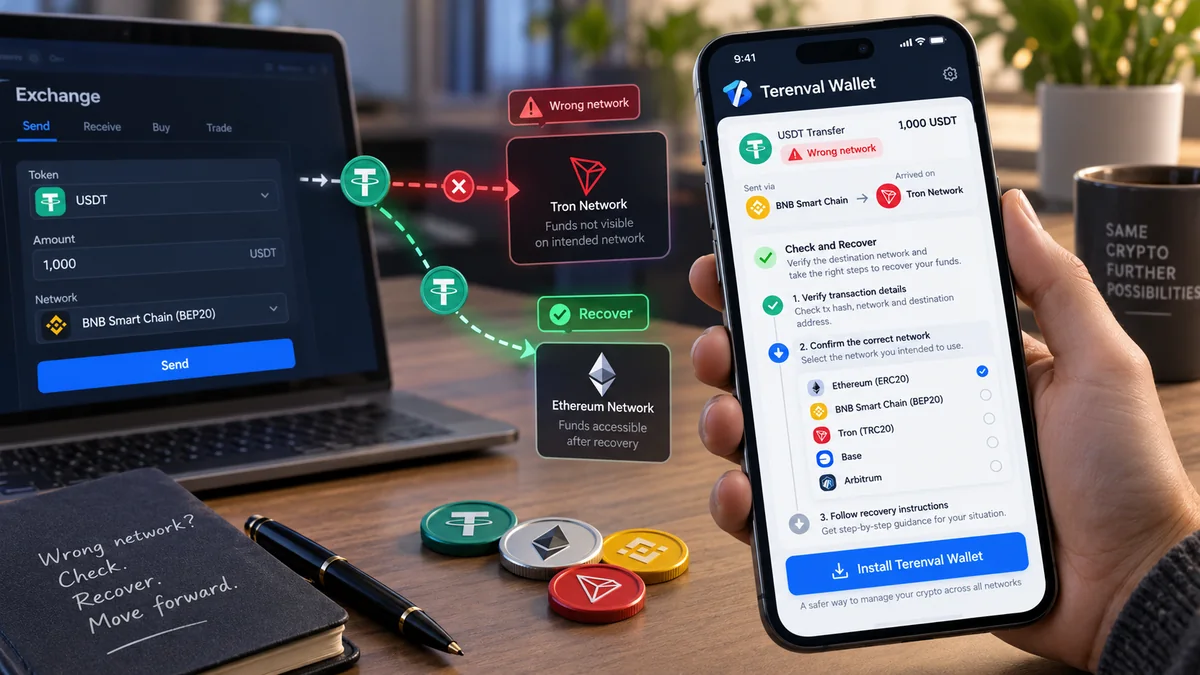
Crypto sent to the wrong network can sometimes be recovered—but the solution depends on who controls the destination address and which blockchain actually received the transaction. If you sent assets to your own ordinary Ethereum-compatible wallet address using Base, Arbitrum, Polygon or another EVM network instead of Ethereum Mainnet, the funds may still be accessible on the network you used. If you sent them to an exchange that does not support that network, only the exchange can determine whether it can credit or return the deposit.
The first move is not to bridge more funds, import a seed phrase into an unfamiliar website or pay a supposed recovery agent. It is to identify the confirmed transaction, the destination address and the actual receiving chain.
Short answer: Find the transaction hash (TXID) and open it on the explorer for the network actually used. If the transfer succeeded and you control the destination address on that network, check the correct chain and token in a compatible self-custody wallet. If the destination is a centralized exchange, contact its official support and ask about its unsupported-network deposit policy. If you do not control the destination key—or the funds went to a contract that cannot release them—recovery may be impossible. Switching networks reveals assets on that network; it does not move them to another blockchain.
This guide covers realistic recovery paths, the cases where they fail, and how to avoid turning one network mistake into a second loss.
Key Takeaways
- A successful transfer is final on its actual blockchain. Recovering access does not mean reversing the transaction.
- Check the chain first. A transaction made on Base does not become an Ethereum Mainnet transaction merely because both chains use
0xaddresses. - Self-custody EVM transfers are often the most straightforward case. When you control the relevant externally owned account (EOA), the same signing key normally controls its corresponding address on compatible EVM chains.
- The receiving platform matters. An exchange deposit address may look like your self-custody address, but you cannot import the exchange's private keys or force a deposit to be credited.
- Token visibility is not token movement. Adding a supported network or a verified token contract may display funds that already exist there; bridging or sending is a separate transaction.
- ERC-20 and TRC-20 are not interchangeable networks. Similarly, native USDC, bridged USDC and other look-alike tokens may have different contracts and redemption rules.
- Bridges introduce separate risks and costs. Do not bridge until you have verified the asset, source chain, destination chain and official route.
- Gas is paid on the chain where you initiate the transaction. A wallet holding tokens on an EVM network may need that network's native fee asset before it can send or bridge them.
- A TXID, public address and transfer details are enough to start diagnosing a problem. No genuine support investigation requires your seed phrase or private key.
- No universal recovery guarantee exists. Wrong-address transfers, unsupported networks, contract-controlled addresses and incompatible account formats can be irreversible in practice.
Can You Recover Crypto Sent on the Wrong Network? Quick Decision Table
| What happened | Who controls the receiving address? | Recovery outlook | Best first action |
|---|---|---|---|
| ETH or tokens sent on the wrong EVM network to your ordinary self-custody account | You control its signing key | Often accessible, subject to network and token support | View the address on the actual chain, then use a compatible wallet |
| Funds confirmed on the correct chain but missing from the wallet display | You | Often a visibility or indexing issue | Check the explorer, active account and verified token contract |
| Transfer sent to an exchange deposit address using an unsupported network | Exchange controls it | Case-by-case; sometimes unavailable | Open a ticket with the exchange's official support |
| Asset received at a smart-contract wallet address on another chain | Governed by contract deployment and permissions | Uncertain; the matching address may not be controllable there | Identify contract code, deployment and authorized recovery methods |
| ERC-20 versus TRC-20 or another non-EVM mismatch | Depends on actual chain and address derivation | Often difficult or impossible | Identify the real destination on the source chain before trying anything |
| Sent to an unrelated or mistyped address | Someone else or unknown | Usually unrecoverable without that controller's cooperation | Verify the address; contact the owner only if genuinely known |
| Sent to a contract that cannot release assets | Contract code or administrator | Often impossible | Check official contract documentation and withdrawal functions |
| Transaction still pending / not broadcast | Sender or sending service may still control submission | Action may be possible before finality | Check sender status; use only the wallet/exchange's official options |
| Funds credited on a chain but you want them on another supported chain | You | Possible via a supported transfer/bridge route, not reversal | First secure access, then evaluate a verified bridge |
Read the table as a triage guide, not a promise. Even two transfers with the same token symbol can have different outcomes because the token contract, deposit system and address controller differ. MetaMask's wrong-network guidance and Kraken's deposit-recovery policy illustrate the fundamental difference between a self-custody address and an exchange-controlled deposit.
What Does "Sent on the Wrong Network" Actually Mean?
A blockchain transaction is recorded on the chain that processed it. Suppose you intended to deposit USDC over Ethereum Mainnet, but the sending platform broadcast a transfer over Base. If the transfer succeeded, the assets and transaction record are on Base, not on Ethereum Mainnet.
The destination wallet might display the same-looking 0x address on both chains. That does not merge their balances. It also does not guarantee that the receiving service supports both networks.
Three facts determine most recovery cases:
- Actual network: Where did the transaction execute—Ethereum, Base, Arbitrum, BNB Smart Chain, Tron, Bitcoin or something else?
- Actual asset: Was it native ETH, USDC, USDT, a wrapped or bridged version, or another token contract?
- Control of destination: Can you or a responsible service authorize a transaction from the address that received the funds on that same chain?
The same address does not mean the same balance
A conventional EVM externally owned account generally uses the same 20-byte address across Ethereum and compatible EVM networks when derived from the same private key. Balances and contracts are separate chain states. An ERC-20 contract on Ethereum is not automatically the same asset contract on Base, and an identical token symbol is not proof of equivalence.
This distinction is central to MetaMask's EVM-network guidance. For a deeper explanation, see Why Does the Same Ethereum Address Work on Multiple EVM Networks?.
Is the crypto lost or merely invisible?
A wallet may not display an asset because the wrong network is selected, a token has not been detected, the account is different, or a balance service has not updated. The blockchain explorer is your independent starting point. Do not conclude funds are lost merely because the wallet balance reads zero.
How to Find a Crypto Transfer Sent on the Wrong Network: First 10 Minutes
Before attempting any recovery, collect facts without exposing private data.
Step 1: Stop making additional transfers
Do not send a second test payment to the same questionable deposit address. Do not approve new contracts, bridge funds blindly or follow recovery links in unsolicited messages. Preserve the sender's transaction receipt.
Step 2: Find the transaction hash (TXID)
Open the sending wallet or exchange's withdrawal history. Record:
- the transaction hash / TXID, if the transfer was broadcast;
- the asset and amount shown by the sending service;
- the network selected for withdrawal;
- the recipient/deposit address;
- the withdrawal time and status;
- any memo, destination tag or reference, where relevant.
A withdrawal-request ID generated by an exchange is not always the same as an on-chain TXID. If there is no chain transaction yet, inspect the platform's processing status first.
Step 3: Open the explorer for the actual network
Use the chain named in the sender's transaction record—not the chain you intended to use. These examples are useful starting points:
| Actual network | Common explorer | What to check |
|---|---|---|
| Ethereum Mainnet | Etherscan | Transaction status, To, token transfers and contract |
| Base | BaseScan | Same details on Base |
| Arbitrum One | Arbiscan | Same details on Arbitrum One |
| OP Mainnet | OP Mainnet Explorer | Same details on OP Mainnet |
| Polygon PoS | PolygonScan | Same details on Polygon PoS |
| BNB Smart Chain | BscScan | Same details on BNB Smart Chain |
| Tron | Tronscan | TRC-20 transfers and Tron account details |
| Bitcoin | Mempool.space | Bitcoin transaction status, outputs and destination script/address |
Explorer links above are general entry points. Verify the correct chain and explorer identity through official chain documentation; do not connect a wallet or sign anything just to look up a public TXID.
If the transaction cannot be found, recheck its hash, actual chain and whether the platform has broadcast it. A transaction generally will not appear on an Ethereum explorer if it executed on BNB Smart Chain.
Step 4: Verify success, recipient and token transfer
A successful EVM transaction and its token-transfer logs may show that assets reached a particular address. Compare the complete destination address, not only its first and last few characters. Inspect the token's contract address, not just its symbol.
Be careful with transaction interpretation: a To field on a token transfer's transaction may point to the token contract. The actual token recipient can appear in decoded token-transfer events. Do not confuse the transaction-level To with the token recipient.
Step 5: Identify the address controller
Ask one decisive question: Is this my self-custody EOA, an exchange's deposit address, a smart-contract wallet, or an unrelated person's address? The answer determines what can be done next.
Step 6: Save a minimal incident record
Keep the explorer link, transaction hash, chain, token contract, deposit address, amount, approximate time and any exchange case number. This is enough to describe the incident to official support without disclosing secrets.
For more on interpreting transactions, see What Is a Blockchain Explorer and How Do You Use One?.
How to Recover Crypto Sent to Your Own Wallet on the Wrong EVM Network
This is frequently the most manageable wrong-network scenario. Imagine you expected funds on Ethereum Mainnet but they were confirmed on Base at an EVM address you control. The assets are on Base. If you control the corresponding EOA and can access Base with compatible wallet software, you may be able to see and use them without any on-chain "recovery" transaction.
Step 1: Confirm that you control the same EOA address
Compare the receiving address on the explorer with the account address shown by your wallet. A regular EOA controlled by the same private key normally has the same address on compatible EVM networks.
Do not assume this for every contract-based or smart-account address. Deployment methods, chain-specific state, account configuration and permissions can differ. If you received funds at a smart-contract account on a chain where that account does not function, see the contract-wallet section below.
Step 2: Use a trusted wallet that supports the actual network
Open your existing, compatible self-custody wallet and select the chain on which the transaction succeeded. Some wallets support particular networks natively; others allow a custom network configuration. Obtain chain IDs and RPC details from trustworthy official network documentation, not from an unsolicited recovery service.
If your current wallet does not support that network, determine whether a reputable alternative can restore or use your existing account securely. Do not export a recovery phrase unnecessarily. If a legitimate restore is required, use only the official wallet application and confirm the restored public address before making transfers. Compatibility may depend on derivation paths, account indexes and optional BIP-39 passphrases.
Step 3: Verify the token balance on the source-chain explorer
Check the receiving address on the explorer for the chain that actually received the funds. For an ERC-20-style asset, confirm the exact token contract. A fake token may use the same ticker or name as a legitimate asset.
Step 4: Display the asset if it is not automatically shown
Where the wallet offers an import/add token feature, add only the verified contract address on that exact network. Token symbols and decimals alone do not identify a token. Some wallets automatically discover assets; other wallet versions do not offer manual token importing for every chain.
Adding a token to your wallet interface does not move the token, convert it, bridge it or create a blockchain transaction. It only lets the interface display an existing chain balance.
Step 5: Decide whether you need to move it at all
If your goal was simply to regain access, you may already be finished. If your goal was to place the asset on Ethereum rather than Base, you need a supported cross-chain transfer/bridge or another verified route. Do not confuse "I can see the funds" with "the funds are now on my intended network."
Step 6: Verify fees, supported assets and the destination before moving
To send or bridge from the chain that holds the assets, you generally need its network-fee currency: for example, ETH on Base or Arbitrum, or BNB on BNB Smart Chain. Check the precise asset, canonical/bridged representation, chain pair, bridge terms and fee requirements. For a valuable transfer, consider a small test if fees and protocol rules make that practical.
MetaMask explicitly describes the EVM wrong-network scenario as often accessible by viewing the relevant network, but actual recovery still depends on key control and destination type.
Worked example: USDC arrives on Base instead of Ethereum
Illustrative scenario, not a live transaction.
- You own a conventional EOA
0x...and expected USDC on Ethereum Mainnet. - A sender withdraws an eligible USDC representation over Base to that address.
- The Base explorer shows a confirmed USDC transfer to the address you control.
- You view that same EOA on Base using compatible wallet software and verify the USDC contract.
- The Base balance is visible; nothing has been reversed or moved to Ethereum.
- If you specifically need the corresponding asset on Ethereum, check a legitimate route that supports the exact USDC representation on Base and the intended destination asset on Ethereum.
The difference between simply selecting Base and completing a bridge can save you from paying unnecessary fees—or from signing a dangerous, unrelated contract.
I Sent ETH on Base, Arbitrum or Optimism Instead of Ethereum Mainnet. What Now?
The important detail is which network settled the transfer, not whether the token is described as "ETH" in your interface.
- Base to your self-custody EOA: check the address on Base. If native ETH reached that account and your wallet supports Base, it should be accessible on Base.
- Arbitrum One to your self-custody EOA: inspect the address on Arbitrum One. If the transaction succeeded there, do not expect it to appear in your Ethereum Mainnet balance automatically.
- OP Mainnet to your self-custody EOA: inspect the address on OP Mainnet. Bridging to Ethereum is a separate process.
- Any of these networks to an exchange's Ethereum-only deposit address: do not assume the exchange credits the funds. The exchange's exact network support and recovery policy control the outcome.
Ethereum's bridge documentation explains why assets on distinct chains must be transferred through interoperability mechanisms rather than through a network-selection toggle.
Why can the network fees be different if it is still ETH?
ETH can serve as the gas asset on multiple EVM chains, but transactions are priced and executed according to each chain's own rules. Having ETH on Ethereum Mainnet does not automatically pay for a transaction initiated from your Base account. Nor does a matching address imply shared balances.
How to Recover USDT or USDC Sent Using the Wrong Network
Wrong-network searches frequently involve stablecoins because the same ticker appears in multiple token ecosystems. The recovery rules depend on the network and token contract, not merely the name "USDT" or "USDC."
USDT ERC-20 versus USDT TRC-20
- ERC-20 USDT: a token on Ethereum or another EVM chain, depending on the exact contract and network.
- TRC-20 USDT: a token represented on Tron and governed by Tron's account and token infrastructure.
These are not interchangeable deposit routes. If the receiving service expects USDT on Ethereum but you send USDT on Tron, a confirmed Tron transfer is not an Ethereum transfer. A visible balance on a Tron explorer does not prove that the expected Ethereum deposit address can authorize or receive it in a usable way.
Do not copy or transform an Ethereum address into a Tron address—or vice versa—based only on similar underlying hexadecimal representations. The address derivation, network encoding, key control and custodial platform rules must all be correctly established. In some special circumstances a compatible private-key controller may be able to act on another network, but you must not assume this from an address that looks convertible.
If an exchange owns the destination, follow its deposit-recovery policy rather than attempting your own wallet-import procedure.
USDC on Ethereum versus Base, Arbitrum or Polygon
USDC may exist on several networks, but you still need to verify the particular issuer-supported, native, or bridged representation and token contract involved. A bridged asset is not automatically the same contract as a native issuer-supported token.
If the wrong-network transfer arrived at your self-custody EOA on a supported EVM chain, you may be able to access that specific token there. If you want to receive an equivalent asset on a different chain, evaluate the supported bridging or exchange route—including token identity, conversion mechanism and risks.
What if my wallet displays a token with the right symbol but no dollar value?
A ticker or logo is not proof of authenticity or liquidity. Compare the contract against the issuer's official, current asset-and-chain documentation. Do not approve an unknown token contract, interact with suspicious airdropped assets or visit the URL included in a token's name to "unlock" a balance.
Crypto Sent to the Wrong Network on Binance, Coinbase, Kraken or Another Exchange
Exchange deposit recovery is fundamentally different from self-custody recovery. The exchange, not the individual customer, typically controls the private keys and internal accounting for its deposit addresses. You cannot make an exchange recognize an unsupported deposit simply by adding a network to your own wallet.
Whether the exchange can help depends on the network, asset, destination address, compliance/technical controls and its current recovery services. Some exchanges may support a manual return or future credit; others explicitly cannot retrieve the deposit.
What to do: step-by-step exchange deposit escalation
- Verify the transaction on the sending chain. Save the explorer URL and on-chain status.
- Check the exchange's current deposit page. Find the exact asset and officially supported networks. Support can vary by asset, region, product and date.
- Open a ticket through the exchange's authenticated help center. Do not respond to direct messages claiming to be "recovery support."
- Provide public diagnostic details: TXID, sending chain, exact token/contract, amount, receiving deposit address, time, and any required memo/tag.
- Ask specific questions: Is this deposit eligible for credit, a return, a self-service recovery tool or a manual recovery review? What fees, timing and limitations apply?
- Follow only the exchange's official recovery workflow. If recovery is offered, independently verify any destination address or signing prompt and keep a record of the case.
- Do not send further deposits as "verification." A support agent cannot make a past transaction valid by demanding a new unrelated transfer to a personal address.
Coinbase: why "cannot recover" and "asset recovery" can both appear in its guidance
Coinbase's general send/receive troubleshooting cautions that transfers made over the wrong network may be unrecoverable. Separately, Coinbase operates a limited asset-recovery service for eligible assets, networks and transactions.
These statements are not a universal contradiction: the existence of a limited recovery tool does not make every unsupported deposit recoverable. Check current eligibility and fees on Coinbase's own support pages. Do not assume that a tool intended for one Coinbase product, asset or network applies to another.
Kraken: conditional recovery and possible service fees
Kraken's deposit-recovery guidance discusses incorrect networks, unsupported assets, missing memos and deposits requiring manual review. It explicitly says success is not guaranteed and some recovery categories may involve fees. Check the current article and your account's official support response instead of relying on an old price quote or forum post.
What about Binance or another exchange?
Use the same diagnostic approach, but consult the specific platform's current official support and deposit-recovery options. Do not assume all exchanges have the same policy, that recovery is available for every chain, or that holding a platform account gives you control of its receiving keys.
Copy-and-paste support ticket template
Subject: Deposit sent via unsupported / incorrect network — request for recovery review
Hello Support Team, I sent [asset and amount] over [actual network] to my deposit address [public destination address] on [date/time UTC]. I expected to use [intended network]. The on-chain TXID is [transaction hash], and the explorer link is [link]. The token contract, if applicable, is [public contract address]. Could you confirm whether this deposit can be credited or returned, whether a recovery process exists for this asset/network, and what fees or conditions apply? I can provide further account verification through your official support channel.
Never include a seed phrase, private key, wallet password or two-factor authentication code in a support ticket.
What If the Wrong Network Is Not EVM-Compatible?
Do not assume that recovery rules for Ethereum, Base and Arbitrum also apply to Bitcoin, Tron, Solana or other networks. Different systems can have different account formats, signing curves, address derivation rules and transaction models.
Three distinct questions must be answered:
- What blockchain actually recorded the transfer?
- What exact address, script or account received the asset there?
- Can a legitimate controller sign a transfer or operate an authorized withdrawal mechanism from that destination?
When the sending and receiving ecosystems are incompatible, the same-looking or converted address can point to an account no one controls. Even if two address types have an underlying relationship in a special case, that does not make a generic recovery procedure safe or reliable.
Bitcoin versus Ethereum-style addresses
A normal Bitcoin transfer is recorded in Bitcoin's UTXO system, not in Ethereum's account system. An ordinary BTC withdrawal does not automatically create a spendable Ethereum token, and Bitcoin addresses are not simply EVM addresses with a different label.
If you were expecting "BTC on Ethereum," first identify whether the sender actually used a wrapped/bridged BTC token on an EVM chain, a Bitcoin-native transaction, or a custodial service's internal transfer. These are different assets and transfer paths with different recovery options.
Can a cross-chain bridge fix an incompatible transfer after it happened?
A bridge generally requires an explicit supported cross-chain workflow; it cannot simply reach into any mistakenly funded unrelated address and extract coins. If you do not control the assets on the source chain, a bridge cannot create control retroactively.
What If the Destination Was a Smart-Contract Wallet or Contract Address?
An ordinary EVM EOA and a smart-contract account may display a similar 0x address, but their spending authority works differently. A smart-contract wallet relies on deployed code, chain state and account-validation logic. The existence of a smart wallet at an address on Ethereum does not guarantee that the same contract—or any usable account—exists at that address on Base or another chain.
If assets landed at a contract address:
- Check whether contract code is deployed at the destination on the actual chain.
- Identify the verified project and the legitimate account controller or administrator, if any.
- Check the contract's documented token-withdrawal, rescue or account-execution functions.
- Confirm whether the necessary permissions and infrastructure exist on that chain.
- Do not attempt a random contract interaction or deploy look-alike code without a professional, independently verified understanding of the architecture.
Having the same characters in an address is not proof that you can withdraw from it. If the receiving contract has no recovery function and nobody can authorize a suitable transfer, assets may be permanently stuck. Ethereum.org's support guidance makes clear that completed transfers are not reversible by network operators.
What If I Sent Crypto to the Wrong Address, Not Just the Wrong Network?
A wrong network and a wrong destination are separate errors. If the recipient address belongs to someone else or to an inaccessible account, selecting a different network will not give you its signing keys.
If the transaction is confirmed:
- If you know the real owner, you may request a voluntary return, preferably through a trusted existing contact method.
- If it belongs to a custodial service, contact that service via official support.
- If it is a contract, examine whether it has an authorized withdrawal or rescue path.
- If the owner is unknown and the address is not yours, there is generally no mechanism to compel or execute a return.
If a transaction is still pending, your wallet might offer a legitimate replace/cancel mechanism before confirmation, depending on the chain and nonce rules. Custodial withdrawal requests may also be cancellable before broadcast, depending on the service. Once final, "undo transfer" websites cannot reverse it.
Does Importing a Wallet or Adding a Network Recover the Coins?
Sometimes it restores visibility or control—not the transaction itself. These actions have different meanings:
| Action | What it can actually do | What it cannot do |
|---|---|---|
| Switch to the chain used for the transfer | Display that chain's account balances | Move balances to another chain |
| Add a verified custom network | Let compatible wallet software query/sign on that chain | Establish ownership of someone else's address |
| Import a verified token contract | Display a token already held by your account on that chain | Convert, bridge or redeem the token automatically |
| Restore your existing account in a trusted wallet | Regain signing access if the key and derivation are compatible | Recover a lost private key from a public address |
| Bridge through a verified supported protocol | Perform a new cross-chain workflow for supported assets | Reverse a confirmed unrelated transfer or bypass missing key control |
| Ask an exchange for deposit recovery | Request the exchange to investigate funds it controls | Guarantee recovery or compel unsupported chain integration |
Security boundary: never type your recovery phrase into a block explorer, token importer, exchange support chat, bridging advertisement or purported recovery site. An authentic wallet-restore flow may require recovery material, but that operation belongs only in a trusted wallet application. See Seed Phrase vs Private Key vs Wallet Password.
Should You Bridge the Crypto Back to the Intended Network?
Only after you have confirmed access and selected a trustworthy, compatible route. Bridging is not a prerequisite for proving that a wrong-network transfer reached your own account.
Before bridging, verify:
- Source chain: the blockchain currently holding the asset.
- Source token contract: the exact token, issuer or wrapped representation.
- Destination chain: where you actually want the asset delivered.
- Destination asset: whether you will receive a native token, wrapped token or different representation.
- Destination address: the account you control on the target chain.
- Bridge legitimacy: use independently verified project/chain documentation, not a sponsored "recovery" result.
- Fees and liquidity: source gas, protocol fees, potential destination gas and any conversion/slippage.
- Settlement and withdrawal conditions: possible waiting periods, withdrawal challenge windows or route limitations.
Ethereum.org's bridge overview details technical, smart-contract, operator and custodial risks. A bridge is another financial transaction with its own risks—not an administrative reversal of the first transfer.
Do I need ETH or BNB to recover tokens?
You may need the native fee asset of the network where the token currently resides. For example, moving an ERC-20-style token on Base commonly requires ETH on Base, while transferring a token on BNB Smart Chain commonly requires BNB on BNB Smart Chain. The fee asset and requirements depend on the chain and transaction method.
Do not send native gas assets to a random third party that promises to "unlock" your funds. If you need gas, obtain it through a trustworthy method and only fund an address you independently verified you control.
Common Wrong-Network Recovery Mistakes
Mistake 1: Checking only the intended network
A zero Ethereum balance does not mean a transaction recorded on Base failed. Look on the actual sending chain first.
Mistake 2: Treating every 0x address as a user-controlled wallet
EOAs, contract wallets, token contracts and exchange addresses can all look similar. Key and contract control—not appearance—determine whether you can spend the received assets.
Mistake 3: Trusting a matching coin ticker
A token labeled USDC or USDT may be native, wrapped, bridged, counterfeit or unsupported by the intended destination service. Verify contracts and issuer documentation.
Mistake 4: Assuming "import token" moves funds
Importing a token into a wallet UI changes what you see. Bridging, exchanging or transferring changes on-chain state.
Mistake 5: Importing recovery words into a website
A block explorer or recovery service that asks for your seed phrase is a critical warning sign. A malicious import can cause a much larger loss than the initial network mistake.
Mistake 6: Assuming an exchange must help because it owns the deposit address
Key custody does not imply a supported recovery process. The network, deposit infrastructure, policy and technical feasibility matter.
Mistake 7: Using an unverified bridge before confirming asset control
A bridge cannot withdraw funds from an address you cannot authorize. An unverified one can introduce malicious approvals and loss of funds.
Mistake 8: Forgetting the source-chain gas asset
Holding stablecoins on an EVM chain does not necessarily give you the fee currency required to transfer them.
Mistake 9: Confusing a pending withdrawal with a confirmed transfer
A platform may mark a withdrawal as processing before a transaction exists on-chain. Investigate broadcast status before assuming recovery is necessary.
Mistake 10: Believing recovery agents can reverse the blockchain
An on-chain success cannot be annulled by a support representative, a smart-contract "synchronizer" or a person who claims to know a miner or validator.
How to Spot a Crypto Recovery Scam
Wrong-network losses attract scammers because the person searching for help may be anxious and willing to take unusual steps. Be especially careful with offers that promise to recover anything for a guaranteed success rate.
Typical red flags include:
- A supposed support agent contacts you first via Telegram, WhatsApp, X or a direct message.
- A webpage asks for your 12/24-word seed phrase, private key, wallet backup or wallet password.
- A "recovery dApp" demands a message signature or token approval without a clearly understood purpose.
- A person claims they can reverse a confirmed transaction on Ethereum, Bitcoin or another public blockchain.
- A site demands an upfront activation, tax, verification or release payment to an unrelated address.
- A browser extension or remote-access session is presented as mandatory for "network synchronization."
- A fake token or wallet prompt says you must interact with a particular malicious contract to see your funds.
- A service promises that ERC-20, TRC-20, Bitcoin and every other blockchain can all be recovered using one secret-key-free method.
Safe rule: the public TXID and address can be shared with official support when needed; private signing and recovery material should never be sent to support representatives. If you already revealed your seed or private key, treat that as a separate compromise and prioritize securing still-accessible assets with freshly generated recovery material in a trusted environment.
Wrong-Network Troubleshooting: Symptoms, Causes and Next Steps
| What you see | Plausible explanation | What to verify next |
|---|---|---|
| Withdrawal marked completed, wallet says zero | Funds may be on another chain | Check sender's selected network and actual-chain explorer |
| Transaction found on BscScan but not Etherscan | It executed on BNB Smart Chain | Check destination controller and token contract on BSC |
Same 0x address appears on Base and Ethereum |
Conventional EOA address can match on both | Compare independent balances for each chain |
| Token received but hidden from wallet interface | Unsupported/undetected token display | Verify token contract and wallet's token-display capabilities |
| Explorer shows the destination as an exchange deposit | Custodial address, not your private key | Contact authenticated exchange support |
| Exchange says unsupported network | Deposit may not be automatically creditable | Ask whether an official case-specific recovery option exists |
| Transfer is still processing, no explorer transaction | Might not have been broadcast | Contact sender/platform, check cancel eligibility |
| Explorer shows a transfer to a contract address | Contract-controlled assets may be locked | Verify deployment and authorized withdrawal functions |
| Bridge shows a token with the same symbol but different contract | Possibly a wrapped or different token | Verify issuer, route and redeemability |
| Recovery website asks for seed phrase | Likely phishing attempt | Stop immediately; never submit secrets |
How to Avoid Sending Crypto on the Wrong Network Next Time
A few checks made before signing or withdrawing are more reliable than any recovery technique after settlement.
Pre-transfer network safety checklist
- [ ] I confirmed the exact asset, including whether it is native, wrapped or issued on a specific chain.
- [ ] I selected the same supported network at both the sending and receiving ends.
- [ ] I obtained the recipient address from the current, official receiving wallet or exchange deposit screen.
- [ ] I checked the entire recipient address, not only the first or last characters.
- [ ] I verified the receiving platform supports this particular asset plus network combination.
- [ ] I included the required memo, tag or destination reference, if the destination requires one.
- [ ] I checked that the account is an EOA, contract wallet or exchange address and that the receiving chain is supported.
- [ ] I am using the right token contract and understand any differences between native and bridged assets.
- [ ] I reviewed withdrawal limits, fees, chain-selection warnings and any address allowlist.
- [ ] For a material transfer, I considered a small test transaction when practical, knowing that it does not replace the above checks.
- [ ] I will verify success on the correct explorer before sending the remaining amount.
For an explanation of network choices at exchanges, see How to Choose the Correct Network When Withdrawing Crypto from an Exchange.
Using Terenval Wallet to Check a Suspected Wrong-Network Transfer
Terenval Wallet is an installable Android self-custody wallet. Its official overview describes support for Bitcoin, Ethereum and supported EVM/L2 networks; the networks and token-display features available in practice depend on the current wallet version and interface. Its security information explains the intended local, non-custodial handling of sensitive wallet material.
For Terenval users, a sensible diagnostic workflow is:
- Find the TXID in the sending wallet or exchange. Record the chain that actually carried the transfer.
- Check the public address and token on that chain's explorer. Looking up a public TXID does not require importing recovery words.
- Confirm the account you control. A matching EVM address is relevant for ordinary EOA accounts, but do not assume the same is true for a contract-based account.
- Check whether your installed Terenval version supports the receiving network and asset. Do not assume a network is enabled or a token-import feature exists without checking your actual wallet UI.
- If unsupported, investigate trusted, compatible wallet options cautiously. Do not import your seed into third-party recovery websites or share it with anyone. Follow only a genuine wallet's restore process if it is actually needed.
- Separate discovery from moving funds. First verify control and balance. Only then evaluate whether you need to make a new transfer or use a legitimate supported bridge.
- If the recipient is an exchange, talk to the exchange. A self-custody wallet cannot recover a platform's unsupported custodial deposit on your behalf.
Need an Android self-custody wallet for supported networks? Explore or install Terenval Wallet and review its network compatibility and security information before transferring funds. Terenval is not presented here as a universal wrong-network recovery tool or as a substitute for exchange support.
Frequently Asked Questions
Can crypto sent on the wrong network be recovered?
Sometimes. If a confirmed transaction reached an EVM account you control on another compatible chain, you may simply need to view that chain and verified asset with a compatible wallet. Exchange deposits, incompatible addresses and contract-controlled destinations may be much harder or impossible to recover.
How do I recover crypto sent to the wrong network step by step?
Find the TXID, identify the chain actually used, verify the destination and token on its explorer, and determine who controls the receiving address. If it is your compatible self-custody EOA, view the correct network and token. If it is an exchange, ask its official support about recovery eligibility. Do not expose wallet secrets.
I sent ETH on Base instead of Ethereum. Is it gone?
Not necessarily. If it was confirmed on Base at your ordinary self-custody EOA, the ETH may be usable there. It has not been transferred onto Ethereum Mainnet. Moving it to Ethereum, if desired, is a separate supported cross-chain process.
Can I recover USDT sent on ERC-20 instead of TRC-20?
There is no universal fix. Check the chain that actually recorded the transfer, whether the destination address is valid and controlled there, and whether the receiver supports that network. Exchanges must evaluate custodial deposits themselves. Do not assume Ethereum and Tron addresses or token contracts are interchangeable.
What happens if I send USDT on TRC-20 to an ERC-20 deposit address?
If a Tron transaction was actually accepted, the asset is on Tron—not on Ethereum. Whether it can be returned depends on who can authorize transfers from the destination on Tron and whether the service supports recovery. The transaction cannot simply be relabeled as ERC-20.
How do I recover USDC sent on Polygon or BNB Smart Chain instead of Ethereum?
First identify the actual token contract, because tokens sharing the name "USDC" can represent different assets and issuers. If your self-custody EOA controls the destination on the actual EVM network, you may be able to access that particular asset there. If it was an exchange deposit or contract wallet, recovery depends on its specific support and permissions.
Does the same Ethereum address work on Base, Arbitrum and BNB Smart Chain?
For a conventional EOA controlled by the same private key, the same address generally applies across compatible EVM networks. However, balances, tokens, gas and contract deployments remain chain-specific. Contract-based wallets may have additional cross-chain differences.
Can MetaMask, Terenval or another wallet reverse a wrong-network transfer?
No wallet can reverse a completed blockchain transaction merely because the wrong network was selected. A compatible wallet may help you access assets that remain at an address you already control on the actual chain.
What if the coins are visible in a block explorer but not in my wallet?
Check the active wallet account, selected blockchain, confirmed transfer and verified token contract. Some wallet interfaces require token discovery/import or do not yet support the particular chain or asset. Seeing funds on an explorer is stronger evidence of on-chain location than a zero balance in one wallet interface.
Does adding a custom network automatically recover funds?
It may make the account's balance visible if you control that account and the wallet supports the chain. It does not move coins from one blockchain to another, nor grant access to an exchange's or stranger's private key.
Do I need a crypto bridge to recover my funds?
Not just to display or access assets on a chain you control. A bridge may be needed if you specifically want a supported asset moved between blockchains. Only use a verified route after confirming ownership, token identity, fees and destination.
Why do I need gas to move the recovered tokens?
Sending tokens or interacting with a bridge usually requires a transaction on the chain where the assets are currently held. That chain sets the fee currency and transaction requirements. For example, some EVM networks use ETH for gas while BNB Smart Chain uses BNB.
Can an exchange recover a deposit sent over an unsupported network?
Possibly, but not reliably. Eligibility depends on the platform's current technical support, asset, network, account and recovery policy. Some providers offer limited recovery tools or manual reviews; others cannot credit or return the funds. Contact official support with the TXID and public deposit information.
Can Coinbase recover crypto sent on the wrong network?
Coinbase's general guidance warns that incorrect-network transfers can be lost. Coinbase also documents a limited recovery tool for eligible transactions. Availability, fees, supported assets and networks are not universal; check Coinbase's current recovery instructions for your specific case.
Can Kraken recover a wrong-network deposit?
Kraken documents a case-by-case deposit-recovery process and warns that success is not guaranteed. Fees or additional verification may apply. See Kraken's official deposit-recovery guidance and submit an authenticated support case.
What if my crypto was sent to a smart contract on the wrong network?
A matching address is not enough. You need to know whether the receiving contract exists on the actual chain and has an authorized way to transfer the asset. If the code cannot release it, there may be no practical recovery route.
Can a blockchain explorer recover my coins using my transaction hash?
No. Explorers let you inspect public blockchain records. A TXID helps prove where funds went and what happened, but it does not grant authority to spend from an address. Explorers should not ask you for seed phrases.
Is it safe to enter my seed phrase into a crypto recovery service?
No. Never enter your seed phrase into a recovery website, exchange support chat, explorer, bridge popup or unsolicited form. If recovery genuinely requires restoring your own wallet, use a trusted wallet application's official restore function and verify the resulting public address.
Can I cancel a wrong-network transaction before it confirms?
Sometimes, but only under the sending chain's and wallet's transaction-replacement rules—or an exchange's withdrawal-cancellation policy before broadcast. A pending request and an already confirmed transaction are not the same. Once a transaction is final, cancellation is generally unavailable.
How long does wrong-network crypto recovery take?
There is no standard timeframe. Simply displaying a confirmed self-custody asset on the right chain may be immediate after configuring a supported wallet. Exchange investigations, bridge settlement and manual recovery can take much longer and may not succeed at all.
Does recovery mean my crypto is now on the intended network?
Not necessarily. Viewing assets on the network where they were mistakenly sent only confirms access on that chain. Transferring an equivalent asset to the intended network requires a separate legitimate mechanism.
Key Terms
- Wrong-network transfer: A transaction sent and confirmed on a different blockchain from the one the receiver expected.
- Transaction hash / TXID: A public identifier used to locate a transaction on its actual blockchain.
- Block explorer: A public tool for inspecting chain transactions, account addresses, token contracts and status.
- EVM (Ethereum Virtual Machine): A blockchain execution environment shared by Ethereum and many compatible networks.
- EOA (externally owned account): In the conventional EVM model, an account controlled by a private signing key rather than deployed smart-contract account code.
- Wallet address: A public destination/account identifier; it does not prove who controls the private key.
- Non-custodial wallet: A wallet arrangement in which the user, rather than a custodial exchange, controls the relevant signing authority.
- Custodial deposit address: An address assigned by a platform whose deposit accounting and private-key control are managed by that platform.
- ERC-20 / TRC-20: Token interfaces/ecosystems commonly associated with Ethereum-compatible contracts and Tron, respectively; they are not interchangeable network choices.
- Token contract: The chain-specific smart-contract address defining a token's behavior and balance records.
- Native versus bridged token: Different forms of an asset that may have distinct issuers, contracts, redemption methods or bridge risks.
- Gas / network fee: A fee associated with executing a transaction on the relevant blockchain.
- Bridge: A protocol or service for moving value or representations of assets between supported chains.
- Memo / destination tag: Additional routing data some custodial deposit systems require to credit the correct user.
- Recovery scam: Fraud that exploits a lost-transfer incident to steal money, signatures or wallet secrets.
Related Terenval Answers
- How to Choose the Correct Network When Withdrawing Crypto from an Exchange
- Why Does the Same Ethereum Address Work on Multiple EVM Networks?
- What Is a Blockchain Explorer and How Do You Use One?
- Seed Phrase vs Private Key vs Wallet Password: What Is the Difference?
- What Is a Crypto Wallet and What Does It Store?
For additional wallet safety and transaction explainers, explore the Terenval Answers library.
Primary and Authoritative Sources
- MetaMask Help Center — I Sent Crypto to the Wrong Place
- MetaMask Help Center — User Guide to EVM Networks and Sidechains
- MetaMask Help Center — Why Is My Balance Incorrect or Missing a Token?
- Ethereum.org — Frequently Asked Questions: Wrong-Address Transfers
- Ethereum.org — Introduction to Blockchain Bridges
- Ethereum.org — Bridges, Mechanics and Risks
- Coinbase Help — Send and Receive Troubleshooting
- Coinbase Help — Recover Unsupported Crypto
- Coinbase Help — Assets on Multiple Networks
- Kraken Support — Crypto Assets Deposit Recovery
- Ledger Support — I Accidentally Sent Crypto to a Wrong Address
- Terenval Wallet — Official Product Overview
- Terenval Wallet — Security and Non-Custodial Design
Editorial note: This guide is informational and does not provide individualized custody, financial or legal advice. Its general recovery scenarios are based on public chain behavior and the named wallet, bridge and exchange documentation; individual exchanges' recovery eligibility, fees, asset support and network support may change. The EVM access examples concern ordinary self-custody EOAs unless a section explicitly discusses contract-based accounts. Token symbols are insufficient to identify authentic contracts. Terenval product statements are drawn from its first-party information; the installation link is promotional. Terenval does not guarantee support for every chain or the recovery of unsupported deposits. No recovery method can guarantee the reversal of a completed blockchain transfer.