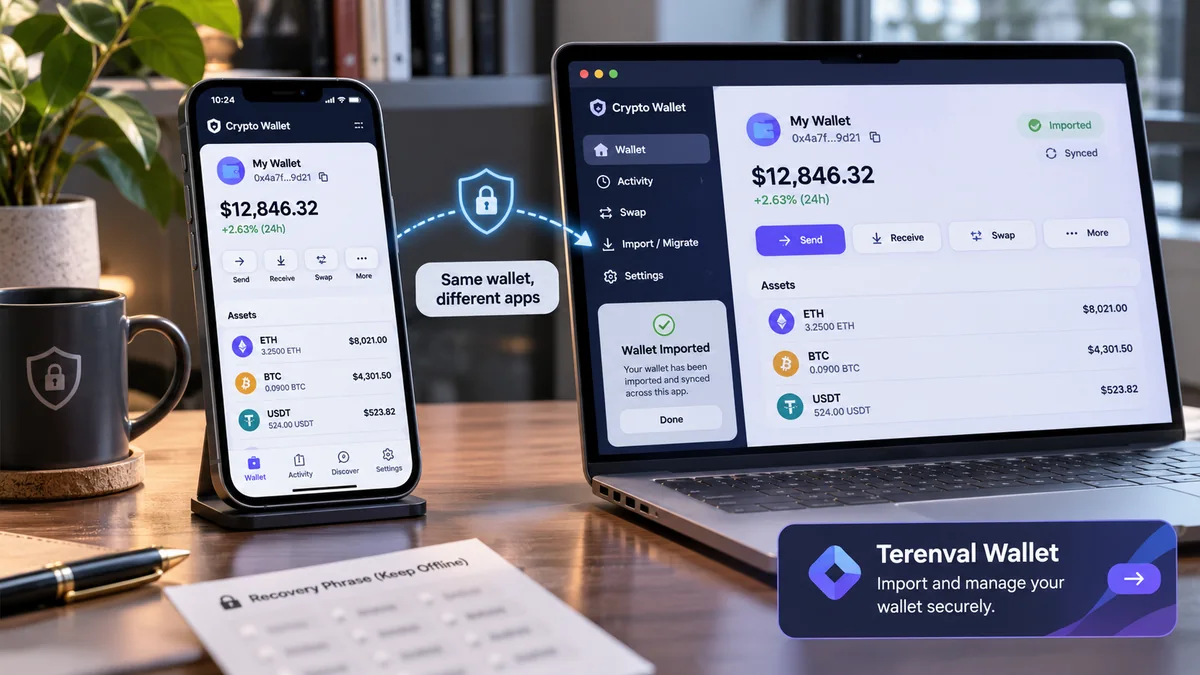
Yes—one self-custody cryptocurrency account can often be used in two compatible wallet apps at the same time. If both applications control the same underlying private key for the same blockchain account, they are two interfaces to the same on-chain assets, not two copies of your money. Importing the existing wallet generally requires no blockchain transfer, no network fee and no change of address.
But "same recovery phrase" does not automatically mean "same visible accounts." The second application might choose a different derivation path, display another Bitcoin address format, omit a supported network, hide a token, or require an additional BIP-39 passphrase. A hardware wallet, multisignature Safe account and app-managed account may follow a completely different access model. Most importantly, entering a seed phrase into a second software application exposes the same high-value secret to another environment.
Short answer: You can usually access the same non-custodial wallet in two apps if the second app supports its recovery method and derives the same account. Your cryptocurrency remains on the blockchain, and each app reads that same underlying balance. First compare the public addresses on the correct network, then verify the balance in a trusted blockchain explorer. Never enter a hardware-wallet recovery phrase into a website or ordinary software app merely to connect the hardware device. If addresses differ, do not transfer funds to "fix" the display before investigating the derivation path, account index and passphrase.
The most useful way to understand multi-app wallets is to separate five independent things: the account's keys, its address, the network holding its assets, the application that displays them and the security boundary protecting the keys. Confusing any two of those produces avoidable mistakes. This guide develops an original Terenval diagnostic method around those distinctions, with primary-source verification and realistic examples.
Key Takeaways
- Two wallet apps do not create two balances. They can be different interfaces controlling exactly the same blockchain account.
- Importing is not transferring. Assets remain at the original on-chain addresses; a completed import generally creates no transaction and costs no gas.
- The recovery phrase is not the entire compatibility specification. Derivation paths, passphrases, account indexes, scripts and network support determine which addresses an app can discover.
- A private-key import usually covers one account, not an entire hierarchical wallet. Other accounts derived from the original seed may not appear.
- A watch-only address shows holdings without enabling spending. Connecting a hardware signer is also different from exposing its recovery words.
- Ethereum/EVM and Bitcoin behave differently. A standard EVM account often has the same address across compatible EVM networks; Bitcoin wallet software may use different Legacy, SegWit and Taproot account branches.
- Solana address discovery needs its own rules. Compatible seed phrases can still produce apparently different accounts when wallet derivation paths differ.
- Missing tokens rarely prove that the import erased funds. Check the exact address and network with a block explorer before making changes.
- On-chain approvals persist across apps. Switching interfaces does not revoke existing token allowances, unlock funds from protocols or erase transaction history.
- App passwords, biometrics, labels and saved contacts may not transfer. The blockchain account can match while local settings differ.
- Importing into another software app increases exposure. A malicious extension or compromised device can jeopardize the shared account.
- Deleting one app does not delete blockchain assets. But losing every valid signing method or recovery backup can make the assets inaccessible.
- Never use an unrelated recovery website. Any party obtaining the seed phrase may control all accounts derived from it.
- There is no universal "wallet compatibility" promise. Verify the actual wallet type, chains and import method before proceeding.
Can One Crypto Wallet Really Be Used in Two Different Apps?
A blockchain account does not live inside the icon on your phone or browser. In a typical self-custody setup, the app holds or accesses signing credentials and reads chain data from a network or infrastructure provider. Another compatible app can derive the same keys, obtain the same public address and read the same recorded balance.
Ethereum.org's wallet guide explicitly describes using the same address on multiple devices and notes that the blockchain, not the wallet interface, contains the account state. MetaMask's guide to importing existing wallets likewise states that importing an existing recovery phrase does not move the assets on-chain.
Consider an Ethereum address with 0.75 ETH and a balance of USDC on Ethereum Mainnet. App A shows that address. You open App B, import the correct compatible signing credentials and select Ethereum Mainnet. If App B derives the same address, its display of 0.75 ETH refers to the same 0.75 ETH, not a second 0.75 ETH. You cannot spend 0.75 ETH from each app independently: both affect the single account balance.
A wallet interface can nevertheless look different. One app may auto-detect your USDC, show NFT artwork or aggregate networks; another may show only ETH until you enable the correct network or add a verified token. The different visual presentation does not itself change ownership.
What happens to the coins when you import?
Usually, nothing happens to the coins at all. The second app gains a way to access the account; it does not instruct the blockchain to send funds to a new address. There should be no transaction hash solely for importing a conventional recovery phrase and no blockchain fee.
There are exceptions to the word "import" as used in marketing interfaces. An app may offer an account-consolidation service, a migration transaction, a swap, a bridge or creation of a new contract account. Those are separate actions. If a product asks you to approve a transfer or pay gas, examine the action as a transaction—not as an unavoidable part of a normal seed import.
Does this work if I use different brands?
Often, for compatible recovery standards and account types; never assume universally. Applications may differ in supported networks, account discovery, derivation, hardware integration, token detection, account-abstraction features and security model. Compatibility is about what two applications can actually reproduce, not whether both advertise support for "crypto wallets."
MetaMask, Phantom and hardware-wallet providers document distinct import and account-discovery behavior. Their help articles establish that portability exists but also that accounts can remain hidden when paths or import types differ. The correct question is therefore "Will this app reconstruct my exact existing account?", not merely "Does it accept 12 words?"
What Does It Mean to Import a Crypto Wallet?
"Import" describes several operations that should never be treated as equivalent. The secret used, the accounts reached and the risks can differ dramatically.
| Method | What the new app receives or uses | What you can usually access | Critical limitation |
|---|---|---|---|
| Import recovery phrase | Mnemonic-derived seed and eligible derived keys | Multiple compatible accounts | Path, passphrase and network support may differ; seed is exposed to another app |
| Import private key | Secret for one account on a selected network | That account's signing authority | Does not restore all accounts from the original recovery phrase |
| Connect hardware wallet | Signing access mediated by the hardware device | Device accounts supported by the integration | Requires compatible hardware connection and correct path; no seed entry should be needed |
| Add watch-only address | Public address, sometimes extended public data | Visible balances and activity | Cannot sign transactions or spend funds |
| Access smart-contract wallet | Contract address plus authorized signer or account method | Smart account if recognized and authorized | Importing an owner's seed does not turn the contract address into an ordinary seed account |
| Sign in to app-based account | Service-specific credentials or recovery workflow | Accounts the service associates with that login | Not necessarily portable using a conventional BIP-39 phrase |
Phantom's official account-management guide explicitly separates recovery phrase, single private key, hardware connection and watch-only views. Safe's documentation draws a separate boundary between the smart account and the signer that authorizes it.
Importing a recovery phrase
A recovery phrase—also called a mnemonic or secret recovery phrase—is a human-readable backup that compatible deterministic wallets can convert into a seed, from which many private keys and accounts may be derived.
Under BIP-39, the phrase is transformed into a seed using a defined algorithm and an optional passphrase. BIP-44 defines one widely used hierarchy of paths for creating multiple account branches from deterministic key material. Neither document guarantees that every wallet app automatically scans every possible account or supports every coin.
A recovery phrase can potentially control multiple high-value accounts. Importing it into a new online application therefore means trusting that application and the device handling the phrase. Being able to import is not the same thing as being safe to import.
Importing one account's private key
A private key usually authorizes a particular account. It can be imported into compatible software without reconstructing every other account produced by the original mnemonic.
For example, suppose your original wallet has Ethereum Account 1 and Account 2 generated from the same seed. Exporting Account 2's individual private key and importing it into a different app can restore that account but does not normally import Account 1 or recreate the mnemonic's wider account tree. MetaMask and Phantom both document this distinction.
A single key remains extremely sensitive. A wallet may use the same signing key for corresponding EVM accounts across Ethereum and other compatible EVM networks; the assets and allowances are still separate by chain. On Bitcoin and Solana, keys, account selection and address handling have different rules.
Connecting a hardware wallet is not seed importing
A compatible third-party wallet can act as an interface while the hardware device approves signatures. The private key is intended to remain inside the hardware signing environment. This is often the better route for someone who wants a second interface for a hardware-held account.
Trezor's third-party wallet guidance makes this distinction explicit. Ledger's support guidance cautions against entering a hardware wallet's recovery phrase into an online software wallet, even though some compatible software can technically derive the accounts.
If you type a hardware recovery phrase into an ordinary phone or browser extension, you are no longer relying solely on the hardware device's isolated secret handling. Even if the operation "works," the security model has changed.
Adding an address without signing access
A watch-only wallet is useful for checking balances or monitoring an address without exposing private keys. It cannot, by itself, sign withdrawals. A watch-only app may present the same balance and history but must not be mistaken for a recovered spending wallet.
This is an attractive option when the goal is portfolio monitoring rather than managing transactions.
Terenval's Five-Layer Same-Wallet Test
Original editorial model: Terenval's Five-Layer Same-Wallet Test is a diagnostic framework for confirming that two wallet apps are genuinely accessing the same blockchain account. It is not a blockchain standard, third-party certification or claim about a feature implemented inside Terenval Wallet.
The framework deliberately separates access from visibility. Seeing matching numbers is weaker evidence than seeing matching addresses and verified chain data. Each layer answers a different question.
| Layer | Verification question | Evidence to compare | Why it matters |
|---|---|---|---|
| 1. Credential | Are both apps using the intended recovery method? | Mnemonic vs single key vs hardware signer vs smart-account login | Importing the wrong type may open an unrelated account |
| 2. Derivation | Did they derive the same exact account? | Public address, path, account index, optional passphrase, BTC script type | Same mnemonic can produce different visible accounts |
| 3. Network | Are they reading the same blockchain? | Chain name, chain ID where applicable, asset contract | Identical-looking addresses can exist on different networks |
| 4. On-chain state | Does a trusted explorer confirm the assets? | Address, native balance, token contract, transactions | Separates missing UI data from genuinely missing assets |
| 5. Security | Is the second access method acceptably protected? | App provenance, device hygiene, seed exposure, signer protection | Technical compatibility does not establish a safe choice |
Layer 1: Identify the actual credential
Before installing anything, determine whether the existing account is a mnemonic-based software wallet, an imported stand-alone key, a hardware-backed account, a smart-contract wallet or a service-managed account.
If the account was itself imported into App A using a private key from another wallet, App A's primary recovery phrase may not back up that imported account. This is a documented pitfall: MetaMask's restoration guidance says separately imported keys or phrases may need to be re-added after restoring the primary wallet.
Layer 2: Compare addresses, not account labels
"Main Account" and "Account 1" are local labels; they do not identify a universal first address. Two apps can name different keys "Account 1" or label the same key differently.
Copy the public receive address in both apps on the same network. Compare the full address carefully—preferably via a reliable independent reference, not a shortened beginning/end displayed next to a potentially deceptive name. An address mismatch is a signal to investigate, not a reason to transfer coins immediately.
Layer 3: Verify the specific network
For an EVM account, Ethereum, Base, Arbitrum and other compatible networks may use the same 0x-style address. That does not merge their balances: the network is part of the identity of a balance and a transaction.
USDC on Ethereum is not automatically the same on-chain asset as USDC on Base. The relevant contract and chain must be checked. The same address string alone does not identify all holdings.
Layer 4: Use chain evidence over the interface
A reputable block explorer can show whether the relevant account holds native coins, supported token contracts, transactions or NFTs. For account-based chains, check the correct blockchain; for Bitcoin, check the precise addresses or wallet account type in question.
If the explorer shows the asset and one app does not, suspect an app display, unsupported token, network selection or derivation problem before assuming a loss. If the explorers show a different address from the one holding your funds, the likely issue is account recovery or selection, not token visibility.
Layer 5: Evaluate the security cost
A second installation introduces another place where a signing credential might be handled or where a user might be tricked into signing. The decision should be risk-based. Do not import a recovery phrase just to check an address or use a feature that already supports hardware connection or public-address viewing.
Editorial position: The preferred proof of a successful import is same network + same full address + matching explorer state, followed by verification of actual signing authority through the app's legitimate controls if needed. There is no reason to move substantial funds between two interfaces merely to demonstrate that they refer to the same account.
How Recovery Phrases Derive Different Addresses
It sounds contradictory that identical seed words might lead to different addresses, but a recovery phrase is only the first input in a broader process.
For a conventional BIP-39 hierarchical wallet, a simplified conceptual chain is:
Mnemonic words + optional BIP-39 passphrase -> binary seed -> derivation rules -> child private key -> public address appropriate to a blockchain and account type.
The deterministic property means identical complete inputs and identical algorithms reproduce identical results. It does not mean applications have to choose the same default path, account branch or discovery rules.
What is a derivation path?
A derivation path tells compatible software which branch of a hierarchical wallet to use. BIP-44 describes the general structure:
m / purpose' / coin_type' / account' / change / address_index
The apostrophe indicates hardened derivation. Developers and advanced users encounter these paths because two otherwise compatible applications may derive different children from the same seed if their defaults differ.
Illustrative paths—not instructions to change your wallet settings blindly:
| Blockchain or account type | Common illustrative path | What can go wrong |
|---|---|---|
| Ethereum/EVM first account under one common BIP-44 layout | m/44'/60'/0'/0/0 |
Another app may use a different account index or supported path |
| Bitcoin Legacy BIP-44 first receiving address | m/44'/0'/0'/0/0 |
Wallet may open SegWit or Taproot instead |
| Bitcoin Native SegWit BIP-84 first receiving address | m/84'/0'/0'/0/0 |
Legacy addresses may be absent from the default view |
| Bitcoin Taproot BIP-86 first receiving address | m/86'/0'/0'/0/0 |
Another app may not scan the Taproot account |
| Solana under one Phantom-supported grouping | m/44'/501'/0'/0' |
Another wallet may select a different Solana derivation grouping |
Ethereum's example is a frequently used first account, not a universal guarantee. Bitcoin paths identify account families and example receiving indexes; one account can contain many addresses, including change addresses. Phantom publishes its supported derivation groupings, and BIP-86 specifies a common Taproot scheme. The table is for diagnosis, not secret recovery on an unfamiliar website.
The optional BIP-39 passphrase is not an app PIN
An optional BIP-39 passphrase participates in deriving the seed itself. It can create entirely different valid accounts from the same mnemonic words. A typo, different capitalization or trailing space may therefore produce an apparently empty wallet.
Trezor's missing-crypto troubleshooting explains that the same wallet backup combined with the same passphrase restores the same wallet, while a different passphrase does not. The passphrase is not the PIN used to unlock the phone or extension.
Do not share a passphrase with a new app until you have established that the app supports the correct recovery method and you accept the security implications. Never disclose either the mnemonic or passphrase to customer support.
What if the backup is not BIP-39?
Some wallets use proprietary, multi-share or alternative backup designs. A phrase-like sequence may not be a conventional BIP-39 mnemonic at all. Even within BIP-39, wordlist support can vary. A 20-word SLIP-39 backup is not interchangeable with an arbitrary 12- or 24-word BIP-39 form.
Treat import compatibility as a documented feature of the specific products and backup standard, not a conclusion based on the appearance or length of the backup alone.
Ethereum and EVM Networks: The Same Account Across Apps
For a typical externally owned Ethereum account, the public address is derived from the relevant private key. If two compatible wallet apps control that same key, they can operate the same account on Ethereum. Compatible EVM chains often reuse the same address, but their state remains separate.
Imagine the first app displays:
- Ethereum Mainnet: an address ending in
...7A42, with ETH and an ERC-20 token. - Base: the same hexadecimal address ending in
...7A42, with ETH held on Base. - Polygon: the same address string, with a different set of tokens and approvals.
The second app may initially show only Ethereum Mainnet and none of the other assets. This does not mean Base or Polygon funds disappeared. It can simply mean the other networks are not enabled or aggregated in the interface. Ethereum.org and MetaMask's missing-balance guidance support the network-specific distinction.
Does a private key import cover all EVM networks?
For an ordinary EVM externally owned account, the same key can correspond to the same address across multiple compatible EVM chains. Nevertheless, asset visibility and actual transaction support remain chain-specific. An app that imports a key may show assets only on networks it supports and has enabled.
A smart account may not follow this rule. Even if its owner signer has the same 0x address across networks, a contract-based account can have deployment- and chain-specific addresses and state. Do not assume that an imported EOA key controls a smart-account address directly.
Can both apps submit transactions at the same time?
Yes, if both possess the necessary signing authority, but overlapping transactions can conflict. Ethereum externally owned accounts use a nonce, which sequences outgoing transactions from the same address. Ethereum's account documentation explains that only one transaction with a given nonce can execute for an account.
If App A and App B independently prepare transactions while unaware of each other's pending activity, you might see a pending transaction, replacement, nonce error or unexpected ordering. Do not repeatedly resubmit or raise fees without checking the explorer and current pending nonce. Gas is paid for executed transactions as determined by network rules; avoiding duplicate actions matters even if import itself is free.
Bitcoin: Why the Same Seed Can Show Different Accounts
Bitcoin is a particularly common source of confusion because a deterministic Bitcoin wallet may use many receive addresses and several script/account types. A single seed may correspond to Legacy, nested SegWit, Native SegWit and Taproot branches. Each branch can have its own addresses and discovery behavior.
Trezor's account documentation distinguishes BIP-44 Legacy, BIP-49 nested SegWit, BIP-84 Native SegWit and BIP-86 Taproot accounts. The account type, not the mnemonic alone, determines which output patterns a wallet looks for.
Suppose App A shows Bitcoin received through a Native SegWit account and App B defaults to a different Bitcoin script type. App B may produce a different first receive address and show no spendable Bitcoin from the first account. This is not evidence that the chain lost the coins; it may be an account-discovery mismatch.
One Bitcoin wallet may control many addresses
Unlike a conventional single-account Ethereum view, a Bitcoin wallet often manages multiple addresses and unspent transaction outputs (UTXOs). Its account balance may aggregate numerous receiving and change addresses. Comparing only the first visible Bitcoin address can be misleading: two compatible wallet applications might both control the same account family while displaying different new receive addresses.
For Bitcoin, the correct test is to determine the wallet account, script type, path and set of controlled addresses, not assume the latest receive address is fixed forever.
What is a gap limit?
BIP-44 specifies an account-discovery procedure using transaction history and describes an address gap limit of 20 in that model. A wallet that stops searching after a run of unused addresses might miss activity beyond its search range, particularly after unusual account or address management.
Do not attempt to "repair" a Bitcoin wallet by pasting the seed into random derivation-path websites. Use established wallet documentation or a reputable offline-compatible recovery method and never hand over secrets to a support representative.
Solana: Same Phrase, Unexpected Account
Solana wallets introduce another source of difference: derivation schemes and account groupings may not match the Ethereum or Bitcoin defaults. Phantom's documentation provides explicit examples of different supported recovery-phrase paths for Solana and corresponding EVM and Bitcoin accounts.
When importing a recovery phrase into a second Solana-compatible app, the first address shown might differ from the one you used before. Compare the path family and account indexes supported by each application. Phantom's official troubleshooting notes that unsupported derivation paths can prevent the originally used account from appearing after import.
A Solana private key import is not the same thing as importing the full mnemonic. It may restore only the one selected Solana account. Asset detection, token accounts and application interface settings can also differ.
Editorial rule: Do not generalize the behavior of an Ethereum wallet to Solana merely because both apps accept the same 12 or 24 words. The same mnemonic can be an input to more than one chain-specific derivation process.
Hardware Wallets, Smart Accounts and Multisig: The Important Exceptions
Not every wallet is a simple private key that maps directly to a visible account.
Hardware wallet with two interfaces
A hardware wallet may connect to more than one compatible software interface. The software can inspect compatible public addresses and prepare transactions while the hardware signer handles authorization. Done correctly, this can preserve the separation between an online interface and protected signing credentials.
However, different app integrations may support different derivation paths or networks. If a Trezor or Ledger account is absent after connecting, confirm the device, passphrase, chosen path and supported chain before assuming the account is empty. The correct recovery process depends on the hardware vendor and the original account setup.
Never use a hardware backup phrase as the password to connect the device to a website. Ledger and Trezor's official materials warn that typing recovery words into an internet-connected wallet can destroy the intended hardware isolation.
Smart-contract wallets do not equal their owners' seed addresses
With a multisignature or other smart-contract wallet, the assets may live at a contract account address governed by contract logic. A signer key is one authorization component; it is not itself the address containing all those assets.
Safe explains that the Safe web interface does not store a signer private key and that the Safe address differs from its signer's address. Importing one signer's mnemonic into an ordinary software wallet therefore may reveal that signer account without displaying the Safe's holdings as the signer's personal balance.
To operate the Safe, a user must use a compatible Safe interface and satisfy the Safe's current ownership and signature rules. Importing one signer does not bypass a 2-of-3 threshold or recover missing signers.
Social, passkey and service-managed onboarding
Some wallets provide Google, Apple, passkey, smart-account or service-assisted onboarding. Their recovery procedure may be fundamentally different from entering a mnemonic in another application. Some offer an exportable key, while others require provider-specific authentication or account recovery.
A conventional 12-word import button is not a universal recovery path for those accounts. Check the provider's documented export/recovery method and understand who can authorize transactions. Do not infer self-custody solely from the presence of a login screen or from marketing language.
How to Use the Same Crypto Wallet in Two Apps Safely
The safest workflow begins before you expose a secret. The objective is to prove that the second app reaches the correct account with the minimum additional risk.
- Clarify why you need a second interface. If you only want to see balances, prefer a trustworthy block explorer or watch-only support. If you need hardware-managed transactions, prefer a supported hardware connection.
- Identify the original wallet type and recovery method. Is it a mnemonic-backed EOA, imported single key, hardware signer, Safe contract or service-managed account? Write down only non-secret facts for troubleshooting.
- Check the second app's documented support. Verify the official domain and download source, supported networks, account paths, recovery standards and any limitations on imported accounts.
- Verify the original public address. Copy it from the original trusted app and cross-check its activity on the correct chain explorer. Record the public address and chain, not seed words.
- Secure the devices and recovery backup. Update the operating system and legitimate apps, check for suspicious extensions and avoid shared or remotely controlled machines.
- Choose the least-exposure method. Hardware connection or watch-only monitoring may be preferable to seed entry. Import a private key only when the single-account limitation is understood and the risk is justified.
- If you must import, use the genuine app's local recovery flow. Never enter a seed into a page reached through an advertisement, direct message or pop-up. Do not send it to customer support, paste it into a chatbot or store it in screenshots.
- Compare the exact derived public address. Do this for the intended network and, where applicable, account type, index and passphrase. Address mismatches mean the account has not yet been verified.
- Check the balance in an independent explorer. Confirm the actual chain and token contract, not merely a converted USD figure in either app.
- Test only necessary functionality. For a high-value account, do not sign an unfamiliar "verification" transaction. If signing access must be tested, evaluate what is being signed and its consequences first.
- Document separately stored settings. Networks, contacts, labels, locally imported accounts and app-specific permissions may need reconfiguration.
- Retain a valid independent recovery route. Do not delete the original installation until you have verified the new access method and know what restores every important account.
This process is deliberately conservative. No step requires transferring your entire balance to a new address simply because you installed a second wallet interface.
Terenval No-Transfer Verification Protocol
Original editorial procedure: The following four checks are an evidence trail that can distinguish a successful interface import from an actual movement of funds.
| Check | Before the import | After the import | Expected observation for the same unchanged account |
|---|---|---|---|
| Public address | Record exact address and chain | Compare with second app | Same account address for the selected network |
| Explorer state | Record block height/time and holdings | Recheck same explorer | Same assets except real intervening network activity |
| Transaction history | Note latest legitimate transaction | Look for new outgoing transfer | No transfer caused merely by conventional seed import |
| Signing model | Identify software, hardware or multisig control | Confirm second app's actual authority | New interface access without unexpected key exposure or contract ownership change |
If both apps show a balance but the addresses are different, the evidence does not establish that they are the same account. If the address matches but token lists differ, the on-chain state usually takes priority over either screen.
Do not publish this worksheet with real user addresses and holdings unless the user knowingly consents; public addresses reveal financial activity and can link identities across services.
Does Using Two Wallet Apps Make Your Crypto Less Secure?
It can, depending on how access is added. There is no mathematical rule that "two apps doubles your risk," but giving two software installations access to a master recovery phrase generally creates more opportunities for compromise than keeping the phrase entirely offline.
A mnemonic can govern many accounts, including assets not immediately visible in the second app. Malware, malicious extensions, counterfeit wallet applications, clipboard theft, unsafe backups and social engineering are relevant threats.
Terenval Seed Exposure Budget: a practical risk model
Original editorial concept: Treat every instance in which a secret is displayed, typed, copied, photographed or imported as a security event. Your seed exposure budget is the number of such events you can justify given the consequences of compromise.
This is a decision framework, not a measured security score or a cryptographic guarantee.
| Goal | Prefer when supported | Avoid |
|---|---|---|
| View balances on a second device | Watch-only view, explorer or controlled read-only connection | Revealing a master phrase solely to read a balance |
| Use a hardware account in another interface | Official hardware integration with device-side signing | Typing hardware seed words into the interface |
| Recover a software account after device loss | Documented legitimate recovery method on a trusted device | Third-party "wallet synchronizer" websites |
| Access one additional account | Supported single-account import if justified | Exporting a whole seed unnecessarily |
| Move holdings out of a compromised seed | Generate a new independent seed and make verified on-chain transfers | Re-importing the compromised seed and assuming that changed the keys |
An important asymmetry: Adding a legitimate second app does not create a second pool of funds, but exposing the recovery phrase may create a second opportunity for theft. The benefit is convenience; the cost can be a materially larger attack surface.
What changes if one app is compromised?
If two apps control the same private key, a compromise of that key through either environment can threaten the account as seen in both. Deleting the malicious app or changing its local password does not revoke knowledge of a leaked seed. The correct response to a suspected seed compromise is ordinarily to move remaining assets to independently generated, uncompromised addresses after carefully accounting for network, gas, tokens and approvals.
See Terenval's guide to moving crypto after a security compromise for a dedicated migration framework. This is different from ordinary two-app access, where no asset transfer is required.
Does Face ID, PIN or app password create a new blockchain wallet?
No, not for a conventional mnemonic-backed account. Local authentication protects access to an installation. It does not normally change the underlying seed or public account. A new PIN in App B is not a new cryptocurrency address.
Service-assisted or account-abstraction wallet designs can have additional credential rules, so always follow the particular provider's recovery documentation rather than assuming every login works identically.
What Does Not Automatically Sync Between Two Apps?
A correct import can reproduce signing credentials while leaving many application-level details behind.
| Item | Usually shared through the underlying chain/account | May remain app-specific |
|---|---|---|
| Address derived from the same exact key and path | Yes | Account label/order may differ |
| Native coin balance and confirmed on-chain transfers | Yes, on the same chain | Display timing, fiat conversion and indexing may differ |
| ERC-20 token balances and approved allowances | Yes, as chain state | Token visibility and warnings may differ |
| NFTs, staking positions and DeFi claims | Underlying on-chain ownership/state persists | Portfolio detection, valuation and protocol UI can differ |
| Wallet app password, PIN and biometrics | No | Yes |
| Custom account names, contacts and notes | Not generally | Yes |
| Enabled networks, RPC endpoints and tokens | Underlying assets do not change | Yes |
| dApp connection prompts and website permissions | Not necessarily an on-chain property | Yes |
| Separately imported accounts and keys | Their chain accounts persist | They may require separate reimport |
| Pending transaction screens and locally cached history | Chain transactions remain authoritative | Local pending-state display can differ |
One particularly important distinction is wallet-connection permission versus token approval. Disconnecting a website in one wallet app may remove the website's connection in that app, but it does not inherently revoke a smart contract's already-granted allowance on-chain. MetaMask's official approval guide makes this difference explicit.
For asset safety, examine the actual allowance on the specific network. A different app interface does not automatically reset it.
Does transaction history carry over?
Confirmed transfers are on the relevant blockchain, so a compatible wallet or explorer can retrieve them. The order, number of entries, token activity indexing and descriptions may differ because each app collects and displays data differently. Off-chain records—such as a centralized exchange account's internal trade history or an application's private notes—are not guaranteed to appear.
What about NFTs and DeFi positions?
Owning an NFT or having a position recorded by a DeFi contract is not the same thing as having a token list visible in a wallet. The second app might support fewer NFT formats or protocols. For DeFi, some assets remain inside staking or lending contracts rather than sitting as a simple liquid token balance; a missing dashboard tile does not by itself mean the position ended.
Verify the relevant chain and protocol contracts, and beware of unofficial portfolio tools seeking signatures or unlimited approvals just to "display" a position.
Why Are My Crypto or Accounts Missing After Import?
Do not panic, do not reset the original wallet, and do not send a test deposit to an unfamiliar address. Work through the problem from the least sensitive evidence to the most sensitive configuration.
Case A: The public address is different
This is primarily an account identity problem. Possible causes include:
- Wrong recovery phrase or a phrase associated with a different wallet.
- Different BIP-39 passphrase, including a typo, case change or extra whitespace.
- Different derivation path or account index.
- Bitcoin account type mismatch: Legacy, SegWit or Taproot.
- Different Solana derivation grouping.
- An account in App A that was imported separately using a private key.
- A hardware-wallet signer or Safe account confused with the local app's default account.
- A wallet provider that does not support the original key type or recovery format.
Compare the original address and the provider's official documented recovery method. Terenval also has a dedicated technical explainer on derivation paths and wallet recovery.
Case B: The address matches, but a token is invisible
This is often an asset-display problem. Check the exact chain, supported assets and token contract. Do not select a token based solely on a ticker that might be impersonated by a fake contract.
MetaMask's official troubleshooting directs users to verify the network and block explorer, then consider token-detection or display limitations. Only add a custom token after independently verifying its contract address through authoritative sources.
Case C: The address and network match, but the displayed number differs
Possible explanations include stale RPC/indexer results, different token prices, missing decimals, pending transactions or an app aggregating multiple networks. Compare underlying token quantities and confirmed transactions rather than treating two different estimated USD totals as proof of missing funds.
If chain state agrees with one app and not the other, investigate the app's synchronization and data source. Avoid approving an unfamiliar transaction to "refresh" the balance.
Case D: Your old accounts are still missing after restoring the seed
Some wallets restore sequentially and may stop discovery when an account is unused. MetaMask's multiple-account restoration guide describes this behavior. Other wallets may use different discovery rules.
Also remember that separately imported keys are not guaranteed to be included in the primary mnemonic backup. Reconstruct your original inventory of accounts before assuming a recovery phrase covers everything.
Case E: You can see the wallet but cannot send
You may have added a watch-only address, connected a hardware signer that is no longer available, opened a Safe requiring more authorizations or imported a credential that does not correspond to the displayed address. An account can be visible without granting spend authority.
Never prove your authority by sending funds to an unknown recipient. Use official documentation and a carefully reviewed signing flow only when necessary.
Terenval Two-App Operations Audit: An Original Worksheet
A successful address match settles the basic identity question, but it does not settle all operational risks. This worksheet is designed for people who genuinely intend to use the same EOA regularly through both App A and App B.
| Control | Question | Safer practice |
|---|---|---|
| Signing authority | Which apps or devices can sign for this exact account? | Keep a private inventory of trusted interfaces; never include secret words |
| Pending actions | Can the apps prepare competing transactions? | Check network-specific pending transactions and nonce before retrying |
| Allowances | What on-chain spender permissions already exist? | Inspect approvals on each network; revoke unwanted ones deliberately |
| dApp access | Which websites are connected in each app? | Review local permissions separately from on-chain allowances |
| Device updates | Are both installations genuine and maintained? | Install from verified official sources; remove suspicious extensions |
| Backups | Can every account be recovered independently of either app? | Track mnemonic-backed, separately imported, hardware and smart accounts distinctly |
| Privacy | Are two vendors now processing the same address metadata? | Consider address-linkage and telemetry implications |
| Emergency response | What if the seed or device is compromised? | Prepare a new-seed migration strategy rather than relying on uninstalling an app |
Why the privacy row matters
A public address is not a private key, but activity attached to that address is traceable. Multiple services, websites and analytics providers can potentially associate repeated uses of the same address with accounts, device identifiers or behavior. Using more apps does not automatically create new on-chain privacy boundaries.
If privacy is important, consider deliberate account separation, compatible wallet controls and the tradeoffs of reusing public addresses. Do not assume a separate interface makes transactions anonymous.
Avoid double-counting your holdings
A consequence often overlooked in portfolio tracking: if App A and App B both show the same address with $5,000 of tokens, you own $5,000 of those assets, not $10,000. This matters for personal accounting, tax records, wallet analytics and any service reporting the number of "wallets managed."
The sound accounting identifier is the unique chain/account or address plus relevant asset, with care for smart accounts and cross-chain representations. One address viewed in two apps is not two independent funded accounts.
Six Practical Scenarios: What Actually Changes?
These are hypothetical educational examples, not reports of tested Terenval import compatibility or instructions to expose your own secrets.
Scenario 1: A MetaMask user wants a second Ethereum interface
A user holds ETH in a standard seed-derived Ethereum account. A compatible second software wallet reconstructs the same account and displays the same 0x address.
What changes: The interface, locally stored settings and security exposure. What does not: The ETH balance, token ownership or transaction history on Ethereum.
Best verification: Compare complete public addresses and explorer state. No token transfer is needed. Avoid assuming that supported chains or advanced account features are identical.
Scenario 2: The same 12 words show an empty Bitcoin wallet
App A used Native SegWit; App B defaults to Legacy or a different account index. The mnemonic is correct, but the address set being scanned is different.
What changes: The account branch displayed. What does not: The Bitcoin outputs controlled by the original keys. They remain on-chain.
Best verification: Check supported Bitcoin script types and paths using official wallet guidance, plus the account's known public addresses. Do not paste the backup into an online path calculator.
Scenario 3: A Solana account is absent after import
The source app and receiving app differ in Solana derivation-path selection, or the old account was imported separately via private key.
What changes: Which address is derived or discovered. What does not: The Solana account's on-chain holdings.
Best verification: Compare original address with supported paths and account indexes. Follow verified vendor documentation. If necessary, continue using the original secure access route.
Scenario 4: A user wants to view a Ledger account in a browser extension
The compatible browser extension supports the hardware device's signing interface. The user can inspect the relevant account and authorize transactions on the hardware device without typing its recovery words.
What changes: The viewing/signing interface. What does not: The intended hardware isolation of the private key, assuming the integration is authentic and used correctly.
Best verification: Confirm the hardware-derived address and sign only after checking transaction details on the hardware display. If an unfamiliar site asks for the 24 words, stop.
Scenario 5: A user imports a Safe owner's seed and cannot see the Safe's tokens
The restored EOA is an authorized signer but the assets are held at a separate Safe contract address. The ordinary wallet displays the owner's holdings, not the Safe's.
What changes: Access to one signer key. What does not: The contract's ownership rules, threshold or address.
Best verification: Identify the Safe contract address and use an official compatible Safe interface. Do not assume ownership of one signing key equals control of a multisignature contract.
Scenario 6: Two apps accidentally prepare transactions simultaneously
App A submits one Ethereum transfer. Before it confirms, App B prepares another transaction using a stale view of the account nonce. One transaction may remain pending, or the user may encounter a replacement or nonce conflict.
What changes: Transaction-management state and potential fees. What does not: The underlying account identity.
Best verification: Look at a reliable chain explorer and current pending transactions. Avoid blind retries. For important operations, use one active signing interface at a time.
Importing a Wallet vs. Creating a New Wallet vs. Moving Funds
These three actions have different financial and security implications.
| Action | Changes the blockchain address? | Requires on-chain transfer? | Changes control credentials? | Typical purpose |
|---|---|---|---|---|
| Import same key/seed into a compatible app | No, for the matching account | No | Usually adds another place able to access the same credential | Use another interface |
| Connect existing hardware signer | No, for matching hardware account | No | Hardware private key should remain on device | Alternate UI while preserving signer isolation |
| Add watch-only address | No | No | No signing authority added | Read-only monitoring |
| Create a genuinely new wallet with a new independent seed | Yes, for seed-derived accounts | Not by itself | Yes | Separate identity/security domain |
| Transfer crypto to a new address | Usually yes | Yes | Funds move under destination's control | Migration, payment or security response |
| Bridge assets to another chain | Potentially changes representation/network | Yes, or protocol-specific cross-chain steps | Depends on bridge and recipient | Move value between networks |
The common mistake is to assume "importing" is the same as "migrating." It is not. A security compromise is not solved by importing the compromised secret into another app. Creating a new independent wallet and transferring remaining assets is a separate, deliberate operation.
For a simple explanation of the difference between an account interface and on-chain holdings, see What Is a Crypto Wallet and What Does It Store?. For actual emergency transfers, see our compromised-wallet migration guide.
Can You Use the Same Wallet on a Phone and a Computer?
Yes, if the relevant wallet implementation and recovery method support the two environments. One device may use a mobile app; another may use a browser extension. Both may connect to the same blockchain account.
That does not mean all app settings synchronize. Some wallet ecosystems provide managed synchronization of selected settings or imported accounts, while others require importing each separate key and reconfiguring networks independently. MetaMask and Phantom document distinct recovery and synchronization rules, which may change with product versions.
Think of it this way: the blockchain account is shared; the installation is not necessarily shared.
If the desktop device is less secure than the phone, importing a full seed there may be a bad trade. Prefer hardware signing or a read-only interface where possible. And remember that two different apps on the same compromised device do not provide two independent security barriers.
What Happens If You Delete One of the Wallet Apps?
Deleting an app does not erase assets from the blockchain, revoke a smart-contract allowance, change a private key or reverse a confirmed transaction.
However, deletion can erase local data: PIN-protected key storage, contacts, custom networks, locally imported private keys, account labels or app-specific records. If no valid recovery credentials or authorized signer remain, the user may lose access even though the blockchain still records the funds.
Before uninstalling any wallet, confirm that you have a correct and safe recovery method for every account you use, including any imported single keys, hardware passphrases and smart-account signer arrangements.
If you suspect a wallet's seed is compromised, uninstalling the app alone is not sufficient protection. The attacker may retain a copy of the secret.
Should You Import Your Existing Wallet Into Terenval Wallet?
Terenval Wallet is a self-custody-focused product; the broader principles in this guide can help you evaluate an import into any wallet application. But the right decision depends on the specific release's verified support for the credential type, blockchain, derivation path and desired account features.
Do not assume that Terenval Wallet supports every network, recovery format, passphrase, hardware signer or smart-contract wallet mentioned in this educational article. Check the current app's own import controls and official documentation first. If a certain type is not supported or not confirmed, avoid attempting an unsupported recovery.
For someone who already holds crypto elsewhere, a successful compatible import can provide another interface to the same existing on-chain holdings, without requiring a new transfer. It does not create additional tokens, guarantee that every asset or DeFi position will be visible, or establish that importing is the safest available choice.
Our editorial recommendation is deliberately product-neutral: security and exact account identity matter more than onboarding convenience. Users should never give their mnemonic or private key to Terenval staff, support channels, social messages or any third-party website. The only appropriate recovery flow is one verified within a trusted, compatible application, and hardware-wallet users should prefer protected signing integrations rather than exposing the backup.
Explore the official Terenval Wallet website for current product details. The advice above is not a representation that a particular Terenval release has been independently tested against all other wallets.
Frequently Asked Questions About Using One Crypto Wallet in Two Apps
1. Can I use the same crypto wallet in two apps at the same time?
Yes, if the apps support the same account and signing model. Both can show the same blockchain address and its assets. They do not create duplicate coin balances. Concurrent transaction submissions can conflict, so review pending transactions before signing from both.
2. Will importing my crypto wallet move my cryptocurrency?
Normally no. Importing a conventional seed or private key establishes access to existing on-chain accounts. It is not a blockchain transfer. A product that asks you to send assets, bridge tokens or sign an asset-moving transaction is performing a separate operation that requires careful review.
3. Does importing a wallet cost gas fees?
A normal compatible seed or private-key import does not require an on-chain transaction and therefore does not itself cost gas. Sending assets, revoking allowances, deploying a smart account or doing other on-chain operations can involve network fees.
4. Will both wallet apps show the same balance?
They should refer to the same underlying balance if they show the exact same address on the exact same network. Visible token lists, prices, indexing and account aggregation can differ. Verify quantities using a trusted explorer rather than comparing only estimated fiat totals.
5. Can I import my MetaMask wallet into another wallet app?
Possibly, when the destination app supports the original recovery method and derives the same account. MetaMask documents seed-phrase and single-key imports, but third-party compatibility cannot be inferred from product names. Compare addresses and keep the phrase secret.
6. Can I use MetaMask and Trust Wallet for the same address?
In principle, compatible mnemonic- or private-key-based accounts can be accessed by more than one app, including different brands. Whether the exact account appears depends on both apps' supported chains and derivation rules. This article does not claim a universal compatibility test for every version of either product.
7. Do I need to create a new wallet in the second app?
Not if the goal is to access an existing compatible account and the app offers a legitimate import or hardware-connect flow. Choosing "create new wallet" typically generates new credentials and a different account, not a copy of the old address.
8. Can the same 12-word seed phrase work in different wallets?
Often yes for wallets using compatible BIP-39 recovery and derivation, but it is not a universal guarantee. The app must support the wordlist, optional passphrase, intended coin and path. Some products use other backup systems.
9. Why did the same seed phrase generate another address?
Common causes include an additional BIP-39 passphrase, different derivation path, different account index, Bitcoin script type or Solana account grouping. The wrong seed or confusion between a primary and separately imported account is also possible. Do not transfer assets before identifying the actual source of the difference.
10. Can two different apps use the same Ethereum address?
Yes for the same EOA signing key. The same hexadecimal address can also appear on compatible EVM networks, but each chain has distinct holdings and approvals. Smart-contract accounts and chain-specific deployment behavior require additional checks.
11. Is the same wallet address valid on every blockchain?
No. EVM-compatible chains often share an address format for standard EOA keys, but Bitcoin, Solana and other networks have different account/address rules. Even identical-looking addresses on separate chains do not imply that value moved between them.
12. Why is my Bitcoin missing after importing my wallet?
The new app might be scanning a different account type, path or address set. Check Native SegWit, Legacy and Taproot support, account indexes and discovery rules. Bitcoin wallets commonly manage multiple addresses, so comparing the newest receive address alone is insufficient.
13. Why is my Solana address different after using the same phrase?
Different Solana derivation paths and account groupings can yield different addresses. Confirm the original account and the import app's supported path options using official documentation. The problem is not necessarily a lost or transferred asset.
14. What if I imported only my private key?
You normally imported one signing account, not the entire seed-derived collection. Other accounts may not appear, and restoring the second app's primary seed later might not restore that independently imported key. Keep a safe backup for the actual key controlling the assets.
15. Will my tokens automatically appear in the second wallet?
Not always. Token detection, custom contract lists, network settings and chain support can differ. First verify the account address and the token's real network and contract through a reliable source.
16. Can I add the same public address as a watch-only wallet?
Yes, where the app supports watch-only accounts. It can display activity without giving signing authority. It is not the same as importing the private key and cannot by itself move assets.
17. Is it safe to import a hardware wallet's seed phrase into an app?
Doing so can defeat the intended hardware security separation, and major hardware vendors advise against routine entry into online software. Prefer official hardware-wallet integrations. Only specialized emergency recovery circumstances warrant considering alternatives, and those require a separate security plan.
18. Can I use my Ledger or Trezor with two wallet interfaces?
Often, with supported integrations and networks. The device can authorize transactions while different apps provide the UI. Confirm the signer-derived address and verify transactions on the hardware device; do not enter its backup into an ordinary browser form.
19. Will importing a wallet recover a Safe multisig account?
Importing an owner's seed can restore that owner signer, not automatically the separate Safe contract account or its complete signer set. Accessing the Safe requires a compatible interface and satisfaction of its contract-defined authorization threshold.
20. Do wallet passwords or Face ID settings carry over?
Usually not. Device PINs, app passwords and biometrics are installation-specific controls. For ordinary seed-backed accounts, they do not change the on-chain account. Service-managed wallets can have additional login/recovery rules.
21. Will two apps share transaction history?
Confirmed chain transactions are public chain state and can be retrieved by compatible interfaces. Local notes, cached entries, custom labels and off-chain exchange history may not synchronize.
22. Will using a second app revoke existing token approvals?
No. Smart-contract approvals are chain state, not a simple local preference in the wallet interface. An allowance typically remains until it is changed or revoked by an appropriate on-chain action. Check the particular chain and asset before concluding a permission is gone.
23. If I disconnect a dApp in one app, is it disconnected everywhere?
Not necessarily. Website connection state and wallet permissions may be local to that app, while token allowances are separately recorded on-chain. Review permissions in each wallet and inspect on-chain allowances independently.
24. Can I send crypto from both apps?
If both have valid signing control, yes. But they are spending from one balance, and overlapping transactions can encounter nonce or pending-state conflicts on account-based chains. Check the explorer and avoid simultaneous blind retries.
25. If I delete the original wallet app, will I lose my crypto?
Deleting an interface does not delete the blockchain assets. You can still lose practical access if the only valid backup or signer is gone, especially for separately imported keys, hardware passphrases or smart accounts. Verify recovery before uninstalling.
26. Does importing into a new wallet remove access from the old app?
No, not in an ordinary software-wallet import. Both copies may remain capable of signing until the relevant keys are no longer available in an installation. Removing one installation does not cryptographically invalidate another known copy of the same secret.
27. Can I change the seed phrase simply by changing wallet apps?
No. Importing preserves the original credentials for the matching account. If the seed is exposed, the usual remedy is to create an independent new wallet and deliberately transfer assets, not merely to use a new app interface.
28. Can I use one wallet on my phone and computer?
Yes, subject to product and account support. The account can be the same while local app data remains different. A secure desktop hardware interface or watch-only setup may be preferable to entering the full recovery phrase into another connected device.
29. Why can I see the balance but not withdraw?
Possible reasons include watch-only access, an unavailable hardware signer, a different private key, a Safe threshold, a missing account type or an app that cannot sign for the asset. Seeing an address or balance is not proof of signing control.
30. Does Terenval Wallet support importing every crypto wallet?
No universal compatibility claim should be made. Verify the current Terenval release's supported import formats, networks, paths and account types before trying. A successful import must be confirmed by the exact public address and on-chain state, not assumed from a completed setup screen.
Final Checklist: Before You Use One Wallet in Two Apps
- [ ] I know whether my original account uses a mnemonic, individual key, hardware signer or smart-account logic.
- [ ] I confirmed the second app's official source and support for my recovery/account type.
- [ ] I chose watch-only or hardware connection when that is safer and adequate.
- [ ] I did not provide a seed phrase, private key or passphrase to a website, message or support person.
- [ ] I compared the full public address for the correct network and account type.
- [ ] I confirmed the holdings and transaction state on an independent, reputable block explorer.
- [ ] I checked other relevant account indexes, token lists, custom networks and chain support.
- [ ] I understand that one on-chain balance shown in two apps is still one balance.
- [ ] I reviewed on-chain approvals, pending transactions and local dApp permissions separately.
- [ ] I retain a secure, complete recovery strategy for every seed-derived, imported, hardware and smart account.
The essential conclusion: Using the same self-custody wallet in two compatible apps is usually about access portability, not moving money. The safest success criterion is the correct exact account with verified on-chain holdings and a security model you still trust. If the second interface cannot demonstrate all three, stop and investigate before signing or transferring.
Sources and Verification Notes
The following primary specifications and official provider documents support the technical claims. Product features and supported networks can change, so consult the current provider documentation before taking action.
- Ethereum.org — How to Use Ethereum Wallets. Official explanation of wallets as interfaces, multi-device access, and network distinctions.
- Ethereum.org — Ethereum Accounts. Nonces, externally owned accounts and smart-contract accounts.
- Bitcoin BIPs — BIP-39. Mnemonic-to-seed conversion, optional passphrase and wordlist considerations.
- Bitcoin BIPs — BIP-44. Hierarchical derivation paths and account discovery.
- Bitcoin BIPs — BIP-86. Taproot account derivation example.
- MetaMask — Connect or Import an Existing Wallet. Seed vs private-key import; importing does not move assets.
- MetaMask — Importing Seed Phrases From Other Wallets. Derivation-path limitations and compatibility.
- MetaMask — Restore a Wallet on Multiple Devices. Account discovery and re-adding independently imported accounts.
- MetaMask — Missing Tokens or Incorrect Balance. Explorer and token/network troubleshooting.
- MetaMask — Revoke Smart Contract Allowances. Distinguishes local disconnect from on-chain permissions.
- Phantom — Add Another Wallet. Recovery phrase, private key, watch-only and hardware connections.
- Phantom — Supported Derivation Paths. Examples across Solana, EVM and Bitcoin.
- Phantom — Wallet Import Troubleshooting. Derivation-path mismatches.
- Trezor — I Don't See My Crypto. Passphrase and account recovery troubleshooting.
- Trezor — Manage Accounts. Bitcoin account and script-type distinctions.
- Trezor — Third-Party Wallet Apps. Hardware signing without ordinary software seed import.
- Ledger Support — Manage Assets If a Device Fails. Hardware-seed exposure cautions and emergency alternatives.
- Safe — Why Connect a Signer Wallet?. Contract account vs signer address.
- Safe — What Is Safe?. Multisignature account structure and thresholds.
Editorial Methodology, Original Analysis and Safety
Editorial review date: November 1, 2026. This evergreen guide combines primary blockchain standards with official provider support documentation and distinguishes general interoperability principles from wallet-specific implementation details. Terms such as "can," "usually" and "when supported" are deliberate: no single BIP or app guarantees that all networks, imported accounts, passphrases, hardware devices and smart accounts can be recovered by every product.
Original Terenval analysis: The Five-Layer Same-Wallet Test, No-Transfer Verification Protocol, Seed Exposure Budget, Two-App Operations Audit, and the illustrative troubleshooting cases are editorial frameworks created for this article. They are not vendor specifications, certified security assessments, external statistical findings or built-in product features. Their value is in separating credential identity, address derivation, network state, display behavior and secret exposure—questions that are too often collapsed into the inaccurate claim that "the same seed always shows the same balance."
Security and financial boundaries: A seed phrase, private key or optional passphrase is never required by an editorial site, customer-support agent or search tool to verify a public blockchain balance. A known or suspected compromise requires a different response from ordinary app import. This article does not recommend entering hardware recovery backups into online software. It does not promise cross-wallet compatibility, asset recovery, returns, automatic safety or an identical user experience.
Terenval neutrality: Terenval Wallet is mentioned as a relevant self-custody example and learning context, not as a confirmed implementation of every feature discussed. Educational links to Terenval Answers are separate from the technical evidence supporting wallet-specific claims. The material is general information, not individualized cybersecurity, financial, tax or legal advice.